Lucebra
Lucebra Negocios
Fotografía y Video/Diseño y Edición de Video/Escritura de guiones

Screencasting (I): Crea contenido atractivo con profesionalismo

Behärska grunderna i screencasting, från inställning till användning av webbläsare, mobila enheter och OBS Studio.

Todos los niveles • 20 Lecciones • Acceso de por vida
LinCademy

Instructor Maestro Verificado

Screencasting (I): Skapa Engagerande Innehåll med Professionell
TRÁILER
Conoce a tu instructor: LinCademy

19 ms

5.0 / 5.0
Calificación Global
1
Estudiantes Activos
Inglés estadounidense
Subtítulos en 99 idiomas
52m
Contenido Total

Lo que aprenderás

Konfigurera din videoredigerare och väsentliga inspelningsverktyg.
Optimera webbläsare och inkognitolägen för screencasting.
Behärska snabbtangenter och genvägar för att öka effektiviteten.
Spela in högkvalitativa screencasts på stationära datorer och mobila enheter.

Contenido del curso

4 secciones • 20 lecciones • 00:52:44 duración total

Master Your Video Editing Software

02:02

Establish a Website

02:16

Create an Email Account

01:40

Configure Your Screencasting Setup

02:48

Browse Privately with Incognito Mode

02:11

Customize Menus and User Profiles

03:37

Essential Hotkeys for Recording

02:36

Browser Shortcuts and Controls

03:02

Screencast Slides with Voice Narration

03:16

Demonstrate Using Multiple Browsers

01:55

Manage Audio and Background Noise

02:25

Capture Mobile Screen Recordings

02:19

Fix Taskbar Issues During Screencasting

01:27
Plan de Estudio Semanal
Planifica tu aprendizaje
La IA genera un horario personalizado según tu disponibilidad

Requisitos

Grundläggande dator- och internetfärdigheter.

Intresse för att skapa handledningar, kurser eller presentationer.

Ingen tidigare erfarenhet av screencasting krävs.

A quién va dirigido

Beginners in content creation who want to start screencasting.

Educators and trainers looking to enhance instructional videos.

Entrepreneurs and business owners creating online presentations.

Anyone interested in live streaming or recording professional-quality screencasts.

Acerca de este curso

Vill du skapa engagerande screencasts men vet inte var du ska börja? Denna kurs för nybörjare guidar dig igenom grunderna i screencasting, täckning från mjukvaruinställning till inspelningstekniker på både stationära datorer och mobila enheter.


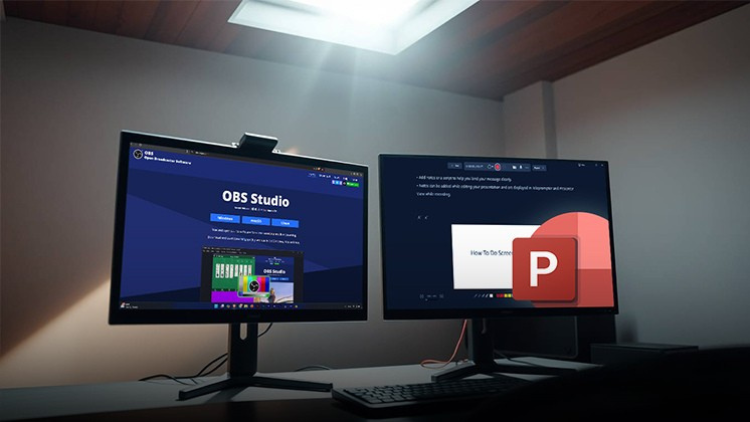
Du kommer att utforska väsentliga verktyg som OBS Studio, PowerPoint-inspelning och snabbtangenter för snabb navigering. Lär dig hur du eliminerar bakgrundsljud, spelar in högkvalitativt video och använder flera webbläsare effektivt för att skapa sömlöst, professionellt innehåll.


I slutet av denna kurs kommer du att ha förtroendet att producera och dela högkvalitativa screencasts, vare sig för handledningar, presentationer eller live-streaming.
Conoce a tu instructor
LinCademy
5.0 Calificación
34 Estudiantes
Ver perfil completo
LinCademy
Instructor Principal
Training courses/programs publisher
Launched in London in 2020 (officially incorporated in 2024), LinCademy empowers you to learn and develop in-demand skills from the comfort of your home. Our unique platform combines engaging, self-paced courses with a vibrant community for interaction, networking, and self-branding. This blend of gamified learning and social connection empowers you to take control of your development and achieve your professional goals....
Más cursos de
LinCademy

Los estudiantes también compraron

Los estudiantes que vieron este curso también se inscribieron en estos cursos mejor calificados

CapCut (I): Learn Essentials of Video Creation Using CapCut
Fotografía y Video | Reparación de automóviles

Learn the first steps to using CapCut effectively to create engaging and professional video content.

5.0
1h
20 clases
Todos
$11.99

$39.99

Video Resale Blueprint: Edit, Brand, and Publish for Profit
Fotografía y Video | Producción de vídeo

Complete guide to editing, branding, and publishing videos for profitable resale success.

5.0
1h 30m
19 clases
Todos
$19.99

$79.99

Faceless Video Creation (I): Create Videos Without the Came
Fotografía y Video | Creación de videos sin rostro

Learn the basics of creating professional, AI-enhanced videos without the Camera.

5.0
1h
19 clases
Principiante
$19.99

$74.99

Top Video Creation Tools for Creators
Fotografía y Video | Diseño y Edición de Video

Video creation tools make it easy to create high-quality videos

5.0
1h 30m
5 clases
Todos
$9.99

$19.99

AI Video Creation Revolution
GRATIS
Fotografía y Video | Diseño y Edición de Video

Empower Your Creativity: AI-Powered Video Creation Revolution

5.0
1h 30m
6 clases
Todos
CapCut (II): The 7-Day Challenge of Creating Stunning Videos
Fotografía y Video | Reparación de automóviles

Unlock the power of CapCut with this hands-on training challenge to create stunning videos.

5.0
1h
19 clases
Todos
$11.99

$39.99

Frequently Bought Together

Learners who enrolled in this course also frequently purchased these complementary courses together.

7-Day Money Back Guarantee for all bundle items

Total price for selected items:

$139.98

$174.97

🎉 Save 20% when bought together

Preguntas frecuentes

Encuentre respuestas a las preguntas más comunes sobre este curso.

¡Sí! Al completar el 100% de las conferencias y tareas del curso, podrá descargar instantáneamente su Certificado de finalización digital verificado directamente desde su perfil de Lucebra.

Explorar más en Technology

Amplía tu aprendizaje con certificados acreditados, libros digitales relacionados y clases interactivas en vivo.