

Lucebra
Lucebra Business
Photography & Video/Video Design/CapCut

CapCut (I): Learn Essentials of Video Creation Using CapCut

Learn the first steps to using CapCut effectively to create engaging and professional video content.

All Levels21 LecturesFull Lifetime Access
LinCademy

Verified Master Instructor

CapCut (I): Learn Essentials of Video Creation Using CapCut
TRAILER
Meet your instructor: LinCademy

18 ms

5.0 / 5.0
Global Rating
45m
Total Content
What you will learn
Navigate CapCut's interface across desktop, browser, and mobile
Sync and manage video projects between devices
Create videos from text prompts using AI
Utilize CapCut’s advanced AI tools (background removal, resolution enhancement, etc.)
Course Content4 sections21 lectures00:45:10 total length

Navigating the CapCut Interface

02:13

Exploring the Left-Side Panel

02:04

Creating a New Workspace

01:45

Using the Desktop Version

01:59

Mobile Setup Process

02:16

Syncing Projects Between Mobile and Cloud

02:15

Opening Projects on Desktop

01:37

Text-to-Video on Mobile App

03:39

Installing the CapCut Extension

02:35

Recording Screen in the Browser

02:12

Generating AI Scripts in Browser

02:07

Making an AI-Generated Video

02:11

Turning Long AI Videos into Shorts

02:42

Using AI Characters in Videos

02:13

AI Models with Outfit Previews

01:29
Weekly Study Plan
Plan Your Learning Journey
AI generates a personalized schedule based on your availability
Requirements

Familiarity with basic file management

A free CapCut account

Access to a mobile device and/or desktop browser

Target Audience

Entrepreneurs and business owners

Content creators and marketers

Coaches, course creators, and YouTubers

Beginners interested in AI-powered video production

About this course

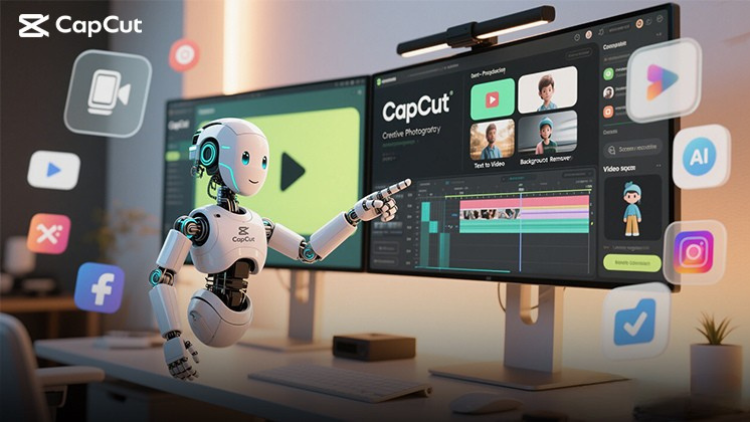
CapCut is a powerful, free, AI-enhanced video creation tool available on desktop, browser, and mobile. In this beginner-friendly course, you’ll walk through the essentials of creating professional videos using CapCut for business, social media, and marketing purposes.


You’ll explore CapCut’s interface, install the desktop and mobile versions, and learn how to sync and manage projects across devices. The course also covers key AI-powered features such as text-to-video creation, background removal, image and video upscaling, and working with AI characters and models. You’ll even learn to generate scripts, record your screen, and convert long videos into short content clips—perfect for repurposing and distribution.


Whether you’re a content creator, entrepreneur, marketer, or small business owner, this course will equip you with the foundational skills to start creating high-quality, AI-assisted video content with zero cost and minimal tech barrier.


Career Opportunities & Job Roles

Build practical, job-ready skills and qualify for high-impact roles worldwide

Job-Ready Curriculum
Target Roles You Can Apply For

Certified Domain Practitioner

Technical Project Specialist

Operations & Implementation Lead

Independent Consultant / Freelancer

Estimated Annual Salary
$70,000 – $115,000 / yr
Global Industry Demand

High Global Market Applicability

In-Demand Skills You Master
Industry Best Practices & Methodology
Hands-On Project Execution
Analytical Problem Solving
Verified International Certification
* Estimates based on global tech hiring benchmarks and industry compensation reports.
Meet your instructor
5.0 Rating
33 Students
View Full Profile
LinCademy
Main Instructor
Training courses/programs publisher
Launched in London in 2020 (officially incorporated in 2024), LinCademy empowers you to learn and develop in-demand skills from the comfort of your home. Our unique platform combines engaging, self-paced courses with a vibrant community for interaction, networking, and self-branding. This blend of gamified learning and social connection empowers you to take control of your development and achieve your professional goals....

Students also bought

Learners who viewed this course also enrolled in these top-rated courses

CapCut (I): Learn Essentials of Video Creation Using CapCut
Photography & Video | CapCut

Learn the first steps to using CapCut effectively to create engaging and professional video content.

5.0
1h
20 lectures
All
$11.99

$39.99

Video Resale Blueprint: Edit, Brand, and Publish for Profit
Photography & Video | Video Production

Complete guide to editing, branding, and publishing videos for profitable resale success.

5.0
1h 30m
19 lectures
All
$19.99

$79.99

Faceless Video Creation (I): Create Videos Without the Came
Photography & Video | Faceless Video Creation

Learn the basics of creating professional, AI-enhanced videos without the Camera.

5.0
1h
19 lectures
Beginner
$19.99

$74.99

Top Video Creation Tools for Creators
Photography & Video | Video Design

Video creation tools make it easy to create high-quality videos

5.0
1h 30m
5 lectures
All
$9.99

$19.99

AI Video Creation Revolution
FREE
Photography & Video | Video Design

Empower Your Creativity: AI-Powered Video Creation Revolution

5.0
1h 30m
6 lectures
All
CapCut (II): The 7-Day Challenge of Creating Stunning Videos
Photography & Video | CapCut

Unlock the power of CapCut with this hands-on training challenge to create stunning videos.

5.0
1h
19 lectures
All
$11.99

$39.99

Frequently Asked Questions

Find answers to the most common questions about this course.

Yes! Upon completing 100% of the course lectures and assignments, you can instantly download your verified digital Certificate of Completion directly from your Lucebra profile.

Explore More in Technology

Expand your learning journey with accredited certificates, related digital books, and live interactive classes.