Lucebra
Lucebra Entreprise
Photographie et vidéo/Conception vidéo et montage/Capture d'écran

Screencasting (I) : Créer du contenu captivant avec un équipement professionnel

スクリーンキャスティングの基礎から、セットアップ、ブラウザ、モバイルデバイス、OBS Studioの使用までマスターしましょう。

Tous les niveaux • 20 Conférences • Accès à vie
LinCademy

Instructeur Maître Vérifié

スクリーンキャスティング(1):プロフェッショナルな魅力的なコンテンツを作成する
BANDE-ANNONCE
Rencontrez votre instructeur : LinCademy

19 ms

5.0 / 5.0
Note globale
1
Étudiants actifs
Anglais américain
Sous-titres en 99 langues
52 min
Contenu total

Ce que vous apprendrez

ビデオエディタと必須の録画ツールをセットアップする。
スクリーンキャスティング用のブラウザとシークレットモードを最適化する。
効率を向上させるためのホットキーとショートカットをマスターする。
デスクトップとモバイルデバイスで高品質のスクリーンキャストを録画する。

Contenu du cours

4 rubriques • 20 conférences • 00:52:44 longueur totale

Master Your Video Editing Software

02:02

Establish a Website

02:16

Create an Email Account

01:40

Configure Your Screencasting Setup

02:48

Browse Privately with Incognito Mode

02:11

Customize Menus and User Profiles

03:37

Essential Hotkeys for Recording

02:36

Browser Shortcuts and Controls

03:02

Screencast Slides with Voice Narration

03:16

Demonstrate Using Multiple Browsers

01:55

Manage Audio and Background Noise

02:25

Capture Mobile Screen Recordings

02:19

Fix Taskbar Issues During Screencasting

01:27
Plan d’Étude Hebdomadaire
Planifiez votre parcours
L’IA génère un emploi du temps personnalisé selon vos disponibilités

Prérequis

基本的なコンピューターとインターネットスキル。

チュートリアル、コース、またはプレゼンテーションの作成に興味があること。

スクリーンキャスティングの経験は不要。

Public cible

Beginners in content creation who want to start screencasting.

Educators and trainers looking to enhance instructional videos.

Entrepreneurs and business owners creating online presentations.

Anyone interested in live streaming or recording professional-quality screencasts.

À propos de ce cours

魅力的なスクリーンキャストを作成したいが、どこから始めればいいのか分からない?この初心者向けコースでは、ソフトウェアのセットアップからデスクトップとモバイルデバイスでの録画技術まで、スクリーンキャスティングの基礎を説明します。


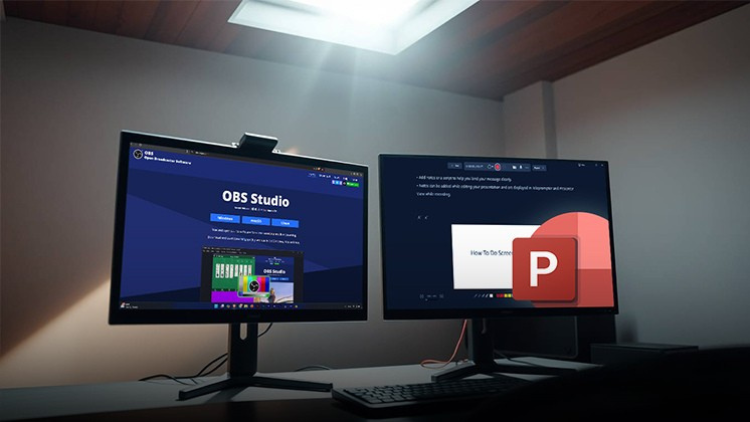
OBS Studio、PowerPoint録画、クイックナビゲーション用のホットキーなど、必須ツールを探索します。背景ノイズを排除し、高品質のビデオを録画し、複数のブラウザを効果的に使用して、シームレスでプロフェッショナルなコンテンツを作成する方法を学びます。


このコースを修了すると、チュートリアル、プレゼンテーション、ライブストリーミングなど、高品質のスクリーンキャストを作成し共有する自信がつきます。
Rencontrez votre formateur
LinCademy
5.0 Note
34 Étudiants
Voir le profil complet
LinCademy
Instructeur principal
Training courses/programs publisher
Launched in London in 2020 (officially incorporated in 2024), LinCademy empowers you to learn and develop in-demand skills from the comfort of your home. Our unique platform combines engaging, self-paced courses with a vibrant community for interaction, networking, and self-branding. This blend of gamified learning and social connection empowers you to take control of your development and achieve your professional goals....
Autres cours de
LinCademy

Les étudiants ont également acheté

Les apprenants qui ont consulté ce cours se sont également inscrits à ces cours les mieux notés.

CapCut (I): Learn Essentials of Video Creation Using CapCut
Photographie et vidéo | CapCut

Learn the first steps to using CapCut effectively to create engaging and professional video content.

5.0
1h
20 leçons
Tous
$11.99

$39.99

Video Resale Blueprint: Edit, Brand, and Publish for Profit
Photographie et vidéo | Production vidéo

Complete guide to editing, branding, and publishing videos for profitable resale success.

5.0
1h 30 min
19 leçons
Tous
$19.99

$79.99

Faceless Video Creation (I): Create Videos Without the Came
Photographie et vidéo | Création de vidéo sans visage

Learn the basics of creating professional, AI-enhanced videos without the Camera.

5.0
1h
19 leçons
Débutant
$19.99

$74.99

Top Video Creation Tools for Creators
Photographie et vidéo | Conception vidéo et montage

Video creation tools make it easy to create high-quality videos

5.0
1h 30 min
5 leçons
Tous
$9.99

$19.99

AI Video Creation Revolution
GRATUIT
Photographie et vidéo | Conception vidéo et montage

Empower Your Creativity: AI-Powered Video Creation Revolution

5.0
1h 30 min
6 leçons
Tous
GRATUIT
Commencer
CapCut (II): The 7-Day Challenge of Creating Stunning Videos
Photographie et vidéo | CapCut

Unlock the power of CapCut with this hands-on training challenge to create stunning videos.

5.0
1h
19 leçons
Tous
$11.99

$39.99

Frequently Bought Together

Learners who enrolled in this course also frequently purchased these complementary courses together.

7-Day Money Back Guarantee for all bundle items

Total price for selected items:

$139.98

$174.97

🎉 Save 20% when bought together

Foire aux questions

Trouvez les réponses aux questions les plus courantes sur ce cours.

Oui! Après avoir terminé 100 % des cours et des devoirs du cours, vous pouvez télécharger instantanément votre certificat d'achèvement numérique vérifié directement à partir de votre profil Lucebra.

En savoir plus dans Technology

Enrichissez votre parcours avec des certificats accrédités, des livres numériques et des cours interactifs en direct.