Lucebra
Lucebra Negosyo
Potograpiya at Video/Disenyo ng Video/Screencasting

Screencasting (I): Crea contenuti coinvolgenti con professionalità

Impara gli elementi essenziali dello screencasting, dalla configurazione all'uso di browser, dispositivi mobili e OBS Studio.

Lahat ng Antas • 20 Mga lektura • Panghabambuhay na Access
LinCademy

Na-verify na Master Instructor

Screencasting (I): Crea contenuti coinvolgenti con professionalità
TRAILER
Kilalanin ang iyong instructor: LinCademy

19 ms

5.0 / 5.0
Global Rating
1
Mga Aktibong Mag-aaral
Ingles (American)
99 Mga Subtitle na Wika
52 min
Kabuuang Nilalaman

Ang matututuhan mo

Configura il tuo editor video e gli strumenti di registrazione essenziali.
Ottimizza i browser e le modalità di navigazione in incognito per lo screencasting.
Impera i tasti di scelta rapida per migliorare l'efficienza.
Registra screencast di alta qualità su dispositivi desktop e mobili.

Nilalaman ng Kurso

4 na mga seksyon • 20 mga lektura • 00:52:44 kabuuang haba

Master Your Video Editing Software

02:02

Establish a Website

02:16

Create an Email Account

01:40

Configure Your Screencasting Setup

02:48

Browse Privately with Incognito Mode

02:11

Customize Menus and User Profiles

03:37

Essential Hotkeys for Recording

02:36

Browser Shortcuts and Controls

03:02

Screencast Slides with Voice Narration

03:16

Demonstrate Using Multiple Browsers

01:55

Manage Audio and Background Noise

02:25

Capture Mobile Screen Recordings

02:19

Fix Taskbar Issues During Screencasting

01:27
Lingguhang Plano ng Pag-aaral
Planuhin ang iyong paglalakbay sa pag-aaral
Ang AI ay lumilikha ng personalized na iskedyul ayon sa iyong oras

Mga kinakailangan

Competenze di base di computer e internet.

Un interesse nella creazione di tutorial, corsi o presentazioni.

Non è richiesta alcuna esperienza pregressa nello screencasting.

Target na Audience

Beginners in content creation who want to start screencasting.

Educators and trainers looking to enhance instructional videos.

Entrepreneurs and business owners creating online presentations.

Anyone interested in live streaming or recording professional-quality screencasts.

Tungkol sa kursong ito

Vuoi creare screencast coinvolgenti ma non sai da dove iniziare? Questo corso per principianti ti guida attraverso i fondamenti dello screencasting, coprendo tutto, dalla configurazione del software alle tecniche di registrazione su dispositivi desktop e mobili.


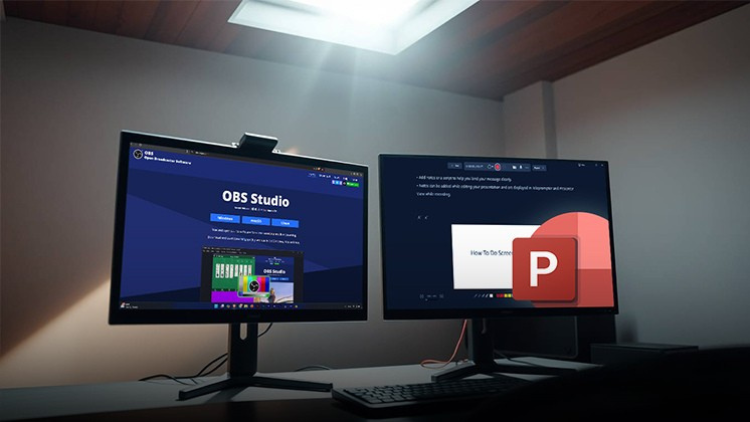
Esplorerai strumenti essenziali come OBS Studio, la registrazione di PowerPoint e i tasti di scelta rapida per una navigazione veloce. Imparerai come eliminare il rumore di fondo, registrare video di alta qualità e utilizzare più browser in modo efficace per creare contenuti fluidi e dall'aspetto professionale.


Al termine di questo corso, avrai la sicurezza di produrre e condividere screencast di alta qualità, sia per tutorial, presentazioni o live streaming.
Kilalanin ang iyong instruktor
LinCademy
5.0 Rating
34 Mag-aaral
Tingnan ang Buong Profile
LinCademy
Pangunahing Instruktor
Training courses/programs publisher
Launched in London in 2020 (officially incorporated in 2024), LinCademy empowers you to learn and develop in-demand skills from the comfort of your home. Our unique platform combines engaging, self-paced courses with a vibrant community for interaction, networking, and self-branding. This blend of gamified learning and social connection empowers you to take control of your development and achieve your professional goals....
Iba pang mga Kurso ni
LinCademy

Bumili din ang mga estudyante

Ang mga mag-aaral na tumingin sa kursong ito ay nag-enroll din sa mga nangungunang kursong ito

CapCut (I): Learn Essentials of Video Creation Using CapCut
Potograpiya at Video | CapCut

Learn the first steps to using CapCut effectively to create engaging and professional video content.

5.0
1 oras
20 mga lecture
Lahat
$11.99

$39.99

Video Resale Blueprint: Edit, Brand, and Publish for Profit
Potograpiya at Video | Produksyon ng Video

Complete guide to editing, branding, and publishing videos for profitable resale success.

5.0
1 oras 30 min
19 mga lecture
Lahat
$19.99

$79.99

Faceless Video Creation (I): Create Videos Without the Came
Potograpiya at Video | Walang Mukha na Paglikha ng Video

Learn the basics of creating professional, AI-enhanced videos without the Camera.

5.0
1 oras
19 mga lecture
Baguhan
$19.99

$74.99

Top Video Creation Tools for Creators
Potograpiya at Video | Disenyo ng Video

Video creation tools make it easy to create high-quality videos

5.0
1 oras 30 min
5 mga lecture
Lahat
$9.99

$19.99

AI Video Creation Revolution
LIBRE
Potograpiya at Video | Disenyo ng Video

Empower Your Creativity: AI-Powered Video Creation Revolution

5.0
1 oras 30 min
6 mga lecture
Lahat
CapCut (II): The 7-Day Challenge of Creating Stunning Videos
Potograpiya at Video | CapCut

Unlock the power of CapCut with this hands-on training challenge to create stunning videos.

5.0
1 oras
19 mga lecture
Lahat
$11.99

$39.99

Frequently Bought Together

Learners who enrolled in this course also frequently purchased these complementary courses together.

7-Day Money Back Guarantee for all bundle items

Total price for selected items:

$139.98

$174.97

🎉 Save 20% when bought together

Mga Madalas Itanong

Maghanap ng mga sagot sa pinakakaraniwang tanong tungkol sa kursong ito.

Oo! Sa pagkumpleto ng 100% ng mga lektura at takdang-aralin sa kurso, maaari mong agad na i-download ang iyong na-verify na digital na Sertipiko ng Pagkumpleto nang direkta mula sa iyong profile sa Lucebra.

Mag-explore Pa sa Technology

Palawakin ang iyong pag-aaral gamit ang mga kinikilalang sertipiko, e-book, at live interactive na mga klase.