Lucebra
Lucebra 비즈니스
사진 및 영상/비디오 디자인/스크린캐스팅

스크린캐스팅 (1부): 전문가처럼 매력적인 콘텐츠 제작

שליטה בבסיסי שידורי המסך, מההתקנה ועד לשימוש בדפדפנים, מכשירים ניידים וסטודיו OBS.

모든 레벨 • 20 강의 • 평생 이용권
LinCademy

검증된 마스터 강사

שידורי מסך (I): יצירת תוכן מרתיב עם מקצועיות
트레일러
강사를 만나세요: LinCademy

19 ms

5.0 / 5.0
글로벌 평가
1
활동적인 학생
영어(미국)
99개 언어 자막
52분
총 내용

무엇을 배울 것인가

הגדרת עורך הוידאו והכלים החיוניים להקלטה.
אופטימיזציה של דפדפנים ומצבי גלישה בסתר לשידורי מסך.
שליטה במקשי קיצור ובקיצורים לשיפור היעילות.
הקלטת שידורי מסך באיכות גבוהה במכשירים שולחניים וניידים.

코스 내용

4 섹션 • 20 강의 • 00:52:44 총 길이

Master Your Video Editing Software

02:02

Establish a Website

02:16

Create an Email Account

01:40

Configure Your Screencasting Setup

02:48

Browse Privately with Incognito Mode

02:11

Customize Menus and User Profiles

03:37

Essential Hotkeys for Recording

02:36

Browser Shortcuts and Controls

03:02

Screencast Slides with Voice Narration

03:16

Demonstrate Using Multiple Browsers

01:55

Manage Audio and Background Noise

02:25

Capture Mobile Screen Recordings

02:19

Fix Taskbar Issues During Screencasting

01:27
주간 학습 계획
학습 여정을 계획하세요
AI가 가용 시간에 맞춤 일정을 생성합니다

요구사항

מיומנויות בסיסיות במחשב ואינטרנט.

התעניינות ביצירת הדרכות, קורסים או מצגות.

אין צורך בניסיון קודם בשידורי מסך.

대상 고객

Beginners in content creation who want to start screencasting.

Educators and trainers looking to enhance instructional videos.

Entrepreneurs and business owners creating online presentations.

Anyone interested in live streaming or recording professional-quality screencasts.

이 코스에 대하여

רוצים ליצור שידורי מסך מרתיבים אך לא יודעים איך להתחיל? קורס ידידותי למתחילים זה מדריך אתכם דרך היסודות של שידורי המסך, ומכסה הכל, החל מהגדרת התוכנה ועד לטכניקות הקלטה במכשירים שולחניים וניידים.


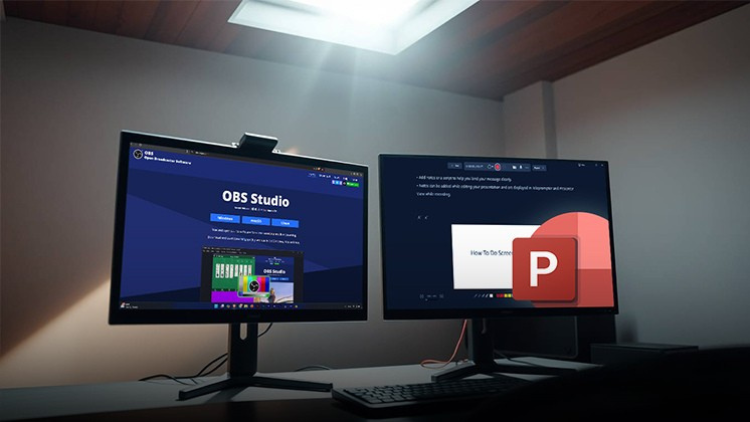
תחקרו כלים חיוניים כמו OBS Studio, הקלטת PowerPoint ומקשי קיצור לניווט מהיר. למדו כיצד לבטל רעשי רקע, להקליט וידאו באיכות גבוהה ולהשתמש במספר דפדפנים ביעילות כדי ליצור תוכן מקצועי חלק.


בסוף הקורס הזה, תהיה לכם הביטחון להפיק ולשתף שידורי מסך באיכות גבוהה, בין אם לצורכי הדרכות, מצגות או שידורים חיים.
강사 소개
LinCademy
5.0 평가
34 학생
프로필 전체 보기
LinCademy
메인 강사
Training courses/programs publisher
Launched in London in 2020 (officially incorporated in 2024), LinCademy empowers you to learn and develop in-demand skills from the comfort of your home. Our unique platform combines engaging, self-paced courses with a vibrant community for interaction, networking, and self-branding. This blend of gamified learning and social connection empowers you to take control of your development and achieve your professional goals....
강사의 다른 강의:
LinCademy

학생들도 구매했어요

이 강좌를 본 학습자는 다음 최고 등급 강좌에도 등록했습니다.

CapCut (I): Learn Essentials of Video Creation Using CapCut
사진 및 영상 | 캡컷

Learn the first steps to using CapCut effectively to create engaging and professional video content.

5.0
1시간
20 개 강의
전체 난이도
$11.99

$39.99

Video Resale Blueprint: Edit, Brand, and Publish for Profit
사진 및 영상 | 비디오 제작

Complete guide to editing, branding, and publishing videos for profitable resale success.

5.0
1시간 30분
19 개 강의
전체 난이도
$19.99

$79.99

Faceless Video Creation (I): Create Videos Without the Came
사진 및 영상 | 얼굴 없는 비디오 제작

Learn the basics of creating professional, AI-enhanced videos without the Camera.

5.0
1시간
19 개 강의
초보자
$19.99

$74.99

Top Video Creation Tools for Creators
사진 및 영상 | 비디오 디자인

Video creation tools make it easy to create high-quality videos

5.0
1시간 30분
5 개 강의
전체 난이도
$9.99

$19.99

AI Video Creation Revolution
무료
사진 및 영상 | 비디오 디자인

Empower Your Creativity: AI-Powered Video Creation Revolution

5.0
1시간 30분
6 개 강의
전체 난이도
CapCut (II): The 7-Day Challenge of Creating Stunning Videos
사진 및 영상 | 캡컷

Unlock the power of CapCut with this hands-on training challenge to create stunning videos.

5.0
1시간
19 개 강의
전체 난이도
$11.99

$39.99

Frequently Bought Together

Learners who enrolled in this course also frequently purchased these complementary courses together.

7-Day Money Back Guarantee for all bundle items

Total price for selected items:

$139.98

$174.97

🎉 Save 20% when bought together

자주 묻는 질문

이 과정에 대한 가장 일반적인 질문에 대한 답변을 찾아보세요.

예! 강좌 강의와 과제를 100% 완료하면 Lucebra 프로필에서 직접 확인된 디지털 수료증을 즉시 다운로드할 수 있습니다.

Technology 분야 더 알아보기

공인 수료증, 관련 전자책 및 실시간 라이브 수업을 통해 학습의 폭을 넓혀보세요.