Lucebra
Lucebra-Geschäft
Fotografie & Video/Videodesign & Schnitt/Screencasting

Screencasting (I): Erstellen Sie ansprechende Inhalte mit Profi-Techniken

إتقان أساسيات تسجيل الشاشة، من الإعداد إلى استخدام المتصفحات، والأجهزة المحمولة، وOBS Studio.

Alle Stufen • 20 Vorträge • Lebenslanger Zugriff
LinCademy

Verifizierter Meister-Dozent

التسجيل على الشاشة (1): إنشاء محتوى جذاب مع المحترفين
ANHÄNGER
Treffen Sie Ihren Lehrer: LinCademy

19 ms

5.0 / 5.0
Globale Bewertung
1
Aktive Studenten
Englisch (Vereinigte Staaten)
Untertitel in 99 Sprachen
52 Min.
Gesamtinhalt

Was Sie lernen werden

إعداد محرر الفيديو وأدوات التسجيل الأساسية.
تحسين المتصفحات وأوضاع التصفح المتخفي لتسجيل الشاشة.
إتقان مفاتيح الاختصار والاختصارات لتحسين الكفاءة.
تسجيل تسجيلات شاشة عالية الجودة على أجهزة سطح المكتب والأجهزة المحمولة.

Kursinhalt

4 Abschnitte • 20 Vorträge • 00:52:44 Gesamtlänge

Master Your Video Editing Software

02:02

Establish a Website

02:16

Create an Email Account

01:40

Configure Your Screencasting Setup

02:48

Browse Privately with Incognito Mode

02:11

Customize Menus and User Profiles

03:37

Essential Hotkeys for Recording

02:36

Browser Shortcuts and Controls

03:02

Screencast Slides with Voice Narration

03:16

Demonstrate Using Multiple Browsers

01:55

Manage Audio and Background Noise

02:25

Capture Mobile Screen Recordings

02:19

Fix Taskbar Issues During Screencasting

01:27
Wöchentlicher Lernplan
Planen Sie Ihre Lernreise
KI erstellt einen personalisierten Zeitplan basierend auf Ihrer Verfügbarkeit

Anforderungen

مهارات أساسية في استخدام الكمبيوتر والإنترنت.

اهتمام بإنشاء دروس، أو دورات، أو عروض تقديمية.

لا يشترط وجود خبرة سابقة في تسجيل الشاشة.

Zielgruppe

Beginners in content creation who want to start screencasting.

Educators and trainers looking to enhance instructional videos.

Entrepreneurs and business owners creating online presentations.

Anyone interested in live streaming or recording professional-quality screencasts.

Über diesen Kurs

هل ترغب في إنشاء تسجيلات شاشة جذابة ولكن لا تعرف من أين تبدأ؟ يأخذك هذا المساق سهل الفهم خلال أساسيات تسجيل الشاشة، ويغطي كل شيء من إعداد البرامج إلى تقنيات التسجيل على أجهزة سطح المكتب والأجهزة المحمولة.


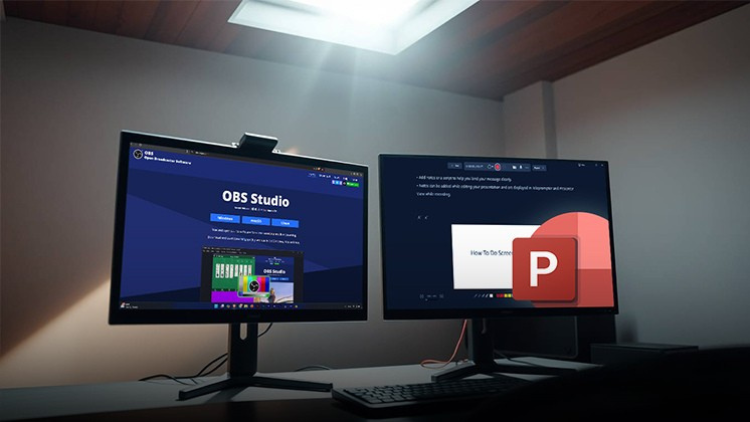
ستستكشف أدوات أساسية مثل OBS Studio، وتسجيل PowerPoint، ومفاتيح الاختصار للتنقل السريع. تعلم كيفية التخلص من ضوضاء الخلفية، وتسجيل فيديو عالي الجودة، واستخدام متصفحات متعددة بشكل فعال لإنشاء محتوى احترافي يبدو سلسًا.


بحلول نهاية هذا المساق، سيكون لديك الثقة في إنتاج ومشاركة تسجيلات شاشة عالية الجودة، سواء للدروس التعليمية، أو العروض التقديمية، أو البث المباشر.
Lernen Sie Ihren Dozenten kennen
LinCademy
5.0 Bewertung
34 Studenten
Vollständiges Profil anzeigen
LinCademy
Hauptlehrer
Training courses/programs publisher
Launched in London in 2020 (officially incorporated in 2024), LinCademy empowers you to learn and develop in-demand skills from the comfort of your home. Our unique platform combines engaging, self-paced courses with a vibrant community for interaction, networking, and self-branding. This blend of gamified learning and social connection empowers you to take control of your development and achieve your professional goals....
Weitere Kurse von
LinCademy

Auch Studenten kauften

Lernende, die diesen Kurs angesehen haben, haben sich auch für diese am besten bewerteten Kurse angemeldet

CapCut (I): Learn Essentials of Video Creation Using CapCut
Fotografie & Video | CapCut

Learn the first steps to using CapCut effectively to create engaging and professional video content.

5.0
1 Std.
20 Lektionen
Alle
$11.99

$39.99

Video Resale Blueprint: Edit, Brand, and Publish for Profit
Fotografie & Video | Videoproduktion

Complete guide to editing, branding, and publishing videos for profitable resale success.

5.0
1 Std. 30 Min.
19 Lektionen
Alle
$19.99

$79.99

Faceless Video Creation (I): Create Videos Without the Came
Fotografie & Video | Gesichtslose Videoerstellung

Learn the basics of creating professional, AI-enhanced videos without the Camera.

5.0
1 Std.
19 Lektionen
Anfänger
$19.99

$74.99

Top Video Creation Tools for Creators
Fotografie & Video | Videodesign & Schnitt

Video creation tools make it easy to create high-quality videos

5.0
1 Std. 30 Min.
5 Lektionen
Alle
$9.99

$19.99

AI Video Creation Revolution
KOSTENLOS
Fotografie & Video | Videodesign & Schnitt

Empower Your Creativity: AI-Powered Video Creation Revolution

5.0
1 Std. 30 Min.
6 Lektionen
Alle
KOSTENLOS
Jetzt starten
CapCut (II): The 7-Day Challenge of Creating Stunning Videos
Fotografie & Video | CapCut

Unlock the power of CapCut with this hands-on training challenge to create stunning videos.

5.0
1 Std.
19 Lektionen
Alle
$11.99

$39.99

Frequently Bought Together

Learners who enrolled in this course also frequently purchased these complementary courses together.

7-Day Money Back Guarantee for all bundle items

Total price for selected items:

$139.98

$174.97

🎉 Save 20% when bought together

Häufig gestellte Fragen

Finden Sie Antworten auf die häufigsten Fragen zu diesem Kurs.

Ja! Nachdem Sie alle Vorlesungen und Aufgaben des Kurses zu 100 % abgeschlossen haben, können Sie Ihr verifiziertes digitales Abschlusszertifikat sofort direkt von Ihrem Lucebra-Profil herunterladen.

Mehr in Technology entdecken

Erweitern Sie Ihre Lernreise mit akkreditierten Zertifikaten, passenden E-Books und interaktiven Live-Kursen.