Lucebra
Lucebra 비즈니스
사진 및 영상/비디오 디자인/비디오 제작

비디오 재판매 블루프린트: 수익을 위한 편집, 브랜딩 및 게시

Panduan lengkap untuk mengedit, merek, dan menerbitkan video untuk sukses penjualan kembali yang menguntungkan.

모든 레벨 • 20 강의 • 평생 이용권
LinCademy

검증된 마스터 강사

Rencana Rekaman Video untuk Keuntungan: Edit, Brand, dan Publikasi
트레일러
강사를 만나세요: LinCademy

19 ms

5.0 / 5.0
글로벌 평가
1
활동적인 학생
영어(미국)
99개 언어 자막
1시간 12분
총 내용

무엇을 배울 것인가

Mengatur dan mencadangkan file video secara efisien untuk editing yang mulus.
Membuat intro dan outro merek profesional untuk meningkatkan daya tarik video.
Mengedit konten yang dapat diubah merek untuk penjualan kembali dan rendering batch untuk produksi cepat.
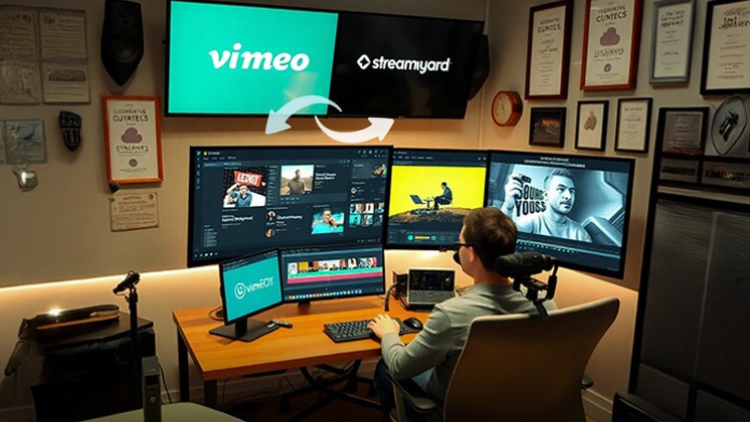
Menerbitkan video di platform seperti Vimeo dan sistem berbasis cloud.

코스 내용

4 섹션 • 20 강의 • 01:12:46 총 길이

Video Editor Essentials Overview

03:59

Organizing and Backing Up Video Files

02:43

Editing Rebrandable Video Content

02:43

Creating an Intro for Your Video

04:47

Recording an Outro Segment

02:52

Producing the First Rebranded Video

03:30

Creating Additional Video Edits

05:03

Batch Rendering Video Files

04:26

Uploading Videos to Your Server

03:09

Publishing Videos on CoachZippy

05:06

Uploading to Cloud-Based Video Platforms

04:04

Recording a Branded Intro Segment

05:48

Using Webinars for Context Recording

04:04

Webinar System for Context Recording - Part 2

03:10
주간 학습 계획
학습 여정을 계획하세요
AI가 가용 시간에 맞춤 일정을 생성합니다

요구사항

Keahlian dasar komputer, termasuk pengelolaan file.

Akses ke perangkat lunak editing video (misalnya, Camtasia, Shotcut, atau sejenisnya).

Pemahaman umum tentang format video dan platform penerbitan.

대상 고객

Entrepreneurs and small business owners creating branded content for resale.

Freelancers and creators seeking to monetize video content.

Digital marketers and educators who want to repurpose video assets professionally.

이 코스에 대하여

Ubah rekaman mentah Anda menjadi video yang dipolisi, siap untuk dijual kembali dengan kursus komprehensif ini. Pelajari teknik-teknik penting untuk mengedit video, mengatur file, dan merek yang akan membedakan konten Anda. Dari membuat intro dan outro yang menarik perhatian hingga mengedit konten video yang dapat diubah merek, kami akan memandu Anda melalui setiap langkah proses. Dapatkan keahlian dalam rendering batch dan pengelolaan file untuk mengalirkan alur kerja Anda dan menghasilkan konten berkelas profesional secara efisien.


Bawa konten video Anda ke level berikutnya dengan strategi penerbitan dan produksi canggih. Kuasai seni mengunggah ke platform seperti Vimeo, Streamyard, dan sistem video berbasis cloud. Pelajari untuk merekam intro merek, menggunakan webinar untuk konteks tambahan, dan mengedit seperti profesional menggunakan alat seperti Shotcut dan Zoom. Baik Anda membuat konten untuk branding pribadi atau penjualan kembali, kursus ini melengkapi Anda dengan keterampilan untuk berhasil di pasar video yang kompetitif.


Kursus praktis ini penuh dengan tutorial screencasting, tips ahli, dan wawasan yang dapat diterapkan. Baik Anda pemula atau ingin menyempurnakan keterampilan Anda, Anda akan mendapatkan manfaat dari panduan langkah demi langkah dalam membuat, merek, dan menyampaikan video yang dipolisi. Pada akhirnya, Anda akan memiliki kepercayaan dan alat untuk mengubah video Anda menjadi produk profesional yang siap dijual kembali dan menonjol. Mulailah membangun perpustakaan video yang menguntungkan hari ini!

강사 소개
LinCademy
5.0 평가
34 학생
프로필 전체 보기
LinCademy
메인 강사
Training courses/programs publisher
Launched in London in 2020 (officially incorporated in 2024), LinCademy empowers you to learn and develop in-demand skills from the comfort of your home. Our unique platform combines engaging, self-paced courses with a vibrant community for interaction, networking, and self-branding. This blend of gamified learning and social connection empowers you to take control of your development and achieve your professional goals....
강사의 다른 강의:
LinCademy

학생들도 구매했어요

이 강좌를 본 학습자는 다음 최고 등급 강좌에도 등록했습니다.

CapCut (I): Learn Essentials of Video Creation Using CapCut
사진 및 영상 | 캡컷

Learn the first steps to using CapCut effectively to create engaging and professional video content.

5.0
1시간
20 개 강의
전체 난이도
$11.99

$39.99

Video Resale Blueprint: Edit, Brand, and Publish for Profit
사진 및 영상 | 비디오 제작

Complete guide to editing, branding, and publishing videos for profitable resale success.

5.0
1시간 30분
19 개 강의
전체 난이도
$19.99

$79.99

Faceless Video Creation (I): Create Videos Without the Came
사진 및 영상 | 얼굴 없는 비디오 제작

Learn the basics of creating professional, AI-enhanced videos without the Camera.

5.0
1시간
19 개 강의
초보자
$19.99

$74.99

Top Video Creation Tools for Creators
사진 및 영상 | 비디오 디자인

Video creation tools make it easy to create high-quality videos

5.0
1시간 30분
5 개 강의
전체 난이도
$9.99

$19.99

AI Video Creation Revolution
무료
사진 및 영상 | 비디오 디자인

Empower Your Creativity: AI-Powered Video Creation Revolution

5.0
1시간 30분
6 개 강의
전체 난이도
CapCut (II): The 7-Day Challenge of Creating Stunning Videos
사진 및 영상 | 캡컷

Unlock the power of CapCut with this hands-on training challenge to create stunning videos.

5.0
1시간
19 개 강의
전체 난이도
$11.99

$39.99

Frequently Bought Together

Learners who enrolled in this course also frequently purchased these complementary courses together.

7-Day Money Back Guarantee for all bundle items

Total price for selected items:

$155.98

$194.97

🎉 Save 20% when bought together

자주 묻는 질문

이 과정에 대한 가장 일반적인 질문에 대한 답변을 찾아보세요.

예! 강좌 강의와 과제를 100% 완료하면 Lucebra 프로필에서 직접 확인된 디지털 수료증을 즉시 다운로드할 수 있습니다.

Technology 분야 더 알아보기

공인 수료증, 관련 전자책 및 실시간 라이브 수업을 통해 학습의 폭을 넓혀보세요.