
null
Top Video-Erstellungstools für Ersteller
동영상 제작 도구를 사용하면 고품질 동영상을 쉽게 만들 수 있습니다.
Alle Stufen • 6 Vorträge • Lebenslanger Zugriff
Verifizierter Meister-Dozent

ANHÄNGER
Treffen Sie Ihren Lehrer: Educational Engineering Team
19 ms
5.0 / 5.0
Globale Bewertung1
Aktive StudentenEnglisch (Vereinigte Staaten)
Untertitel in 99 Sprachen1 Std. 2 Min.
GesamtinhaltWas Sie lernen werden
프로처럼 동영상 편집을 배우기
동영상 제작에 사용할 앱을 배우기
목소리를 녹음하면서 동영상 편집하기
무료로 동영상 소프트웨어 도구 배우기
Kursinhalt
2 Abschnitte • 6 Vorträge • 01:02:48 GesamtlängeBonus Lecture
30:29
Wöchentlicher Lernplan
Planen Sie Ihre Lernreise
KI erstellt einen personalisierten Zeitplan basierend auf Ihrer Verfügbarkeit5 Std/Woche
Anforderungen
강좌 수강에 대한 전제 조건 없음
PC 또는 노트북 필요
일부 애플리케이션 필요
다운로드 가능한 소프트웨어
Zielgruppe
for beginners of online course
for online course creators
for online educators
Über diesen Kurs
소개: 크리에이터를 위한 동영상 제작 도구
크리에이터를 위한 다양한 동영상 제작 도구가 있습니다. 이 강좌에서는 온라인 강좌의 동영상 품질을 향상시키는 데 사용되는 다양한 도구를 다룰 것입니다.
온라인 강좌는 교육을 혁신했지만, 제작하기 어려울 수 있습니다. 이때 동영상 제작 도구가 유용합니다. 동영상 제작 도구는 강좌를 더 흥미롭고 재미있게 만들어 학생들에게 더 많은 관심을 끌 수 있도록 도와줍니다. 다양한 도구가 있으므로 자신의 필요에 맞는 도구를 찾는 것이 중요합니다.
강좌 개요:
- 소개
- 온라인 강좌 동영상 유형
- 슬라이드 제작 도구
- 인터뷰 녹화 도구
- 슬라이드 음성 녹화 도구
- 얼굴 동영상 도구
- 고급 도구
- 다음 단계
저는 몇 가지 특히 유용한 도구를 찾았는데, 일부는 무료이고 일부는 유료입니다. 이를 특정 순서에 따라 나열하지 않았습니다.
온라인 강좌 동영상 주제에는 다음이 포함됩니다:
- 슬라이드 음성 녹화
- 다른 전문가와의 인터뷰 또는 얼굴 동영상
- 조합 접근법
- 더 고급한 유형의 동영상
슬라이드 제작 도구:
- Keynote
- Canva
- Google Slides
- Prezi
슬라이드 음성 녹화 도구:
- Screenflow
- Loom
- Camtasia
- Screen Cast o Matic
강좌의 전략적 구성 요소를 안내하고 콘텐츠, 판매 페이지 등을 만드는 데 도움을 드릴 수 있습니다.
이 강좌에서 배우게 될 사항:
- 다양한 동영상 제작 도구에 대해 배웁니다.
- 다양한 온라인 강좌 동영상에 가장 적합한 도구를 이해합니다.
- 참여도 높은 슬라이드를 만드는 무료 및 유료 도구를 탐색합니다.
- 슬라이드 음성 녹화 도구를 발견합니다.
- 인터뷰 및 얼굴 동영상 녹화 방법을 알아냅니다.
- 더 고급 동영상 제작 도구에 대해 배웁니다.
강좌 이점:
- 온라인 강좌 동영상의 품질을 향상시킵니다.
- 학생들에게 더 흥미롭고 재미있는 강좌를 만듭니다.
- 특정 요구 사항에 맞는 다양한 도구를 활용합니다.
Lernen Sie Ihren Dozenten kennen
Educational Engineering Team
Hauptlehrer
Educational Engineering Team is a Leading Team in Microcontroller Industry, with over 13 Years of Experience in Teaching and Doing Practical Projects.
Educational Engineering Team is a group of skilled engineers dedicated to sharing practical knowledge with learners worldwide. Founded by Ashraf Said Al-Madhoun, the team has worked in programming, microcontrollers, electronics, and engineering education since 2007.
Rather than offering superficial explanations, the team breaks down complex topics into clear, step-by-step lessons supported by practical projects and bite-sized videos. This hands-on approach helps learners understand technical concepts and apply them directly to their studies, careers, and personal projects.
Ashraf is a Mechatronics Engineer, educator, author, electronics and programming enthusiast, and maker. As Chief Educational Engineer, he specializes in explaining challenging concepts in a simple, structured, and accessible way. He has extensive teaching experience and has authored four books about microcontrollers.
Educational Engineering Team has created more than 100 online courses covering circuit design, electronics simulation, PCB fabrication, Arduino, PIC microcontrollers, Raspberry Pi, C, Python, PLC programming, industrial automation, 3D design, ESP boards, embedded systems, and the Internet of Things.
In addition to producing courses, bootcamps, articles, and tutorials, the team supports electronics and programming enthusiasts, STEM students, educators, and aspiring engineers. Its members also provide engineering consultation and guidance for student graduation projects, helping learners develop practical skills and prepare for careers in the technology industry.
...Weitere Kurse von
Educational Engineering TeamAuch Studenten kauften
Lernende, die diesen Kurs angesehen haben, haben sich auch für diese am besten bewerteten Kurse angemeldet
Fotografie & Video | CapCut
Learn the first steps to using CapCut effectively to create engaging and professional video content.
5.0
1 Std.
20 Lektionen
Alle
$11.99
$39.99
Fotografie & Video | Videoproduktion
Complete guide to editing, branding, and publishing videos for profitable resale success.
5.0
1 Std. 30 Min.
19 Lektionen
Alle
$19.99
$79.99
Fotografie & Video | Gesichtslose Videoerstellung
Learn the basics of creating professional, AI-enhanced videos without the Camera.
5.0
1 Std.
19 Lektionen
Anfänger
$19.99
$74.99
Fotografie & Video | Videodesign & Schnitt
Video creation tools make it easy to create high-quality videos
5.0
1 Std. 30 Min.
5 Lektionen
Alle
$9.99
$19.99
KOSTENLOS
Fotografie & Video | Videodesign & SchnittJetzt starten
Empower Your Creativity: AI-Powered Video Creation Revolution
5.0
1 Std. 30 Min.
6 Lektionen
Alle
KOSTENLOS
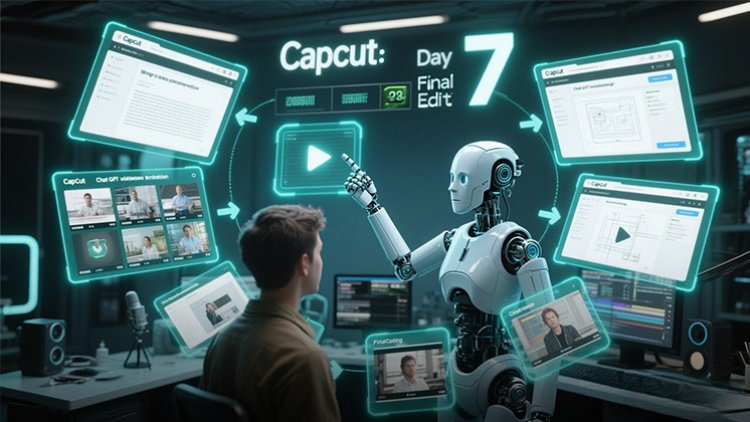
Fotografie & Video | CapCut
Unlock the power of CapCut with this hands-on training challenge to create stunning videos.
5.0
1 Std.
19 Lektionen
Alle
$11.99
$39.99
Frequently Bought Together
Learners who enrolled in this course also frequently purchased these complementary courses together.
7-Day Money Back Guarantee for all bundle items
Total price for selected items:
$111.98
$139.97
Häufig gestellte Fragen
Finden Sie Antworten auf die häufigsten Fragen zu diesem Kurs.
Ja! Nachdem Sie alle Vorlesungen und Aufgaben des Kurses zu 100 % abgeschlossen haben, können Sie Ihr verifiziertes digitales Abschlusszertifikat sofort direkt von Ihrem Lucebra-Profil herunterladen.
Mehr in Technology entdecken
Erweitern Sie Ihre Lernreise mit akkreditierten Zertifikaten, passenden E-Books und interaktiven Live-Kursen.