
null
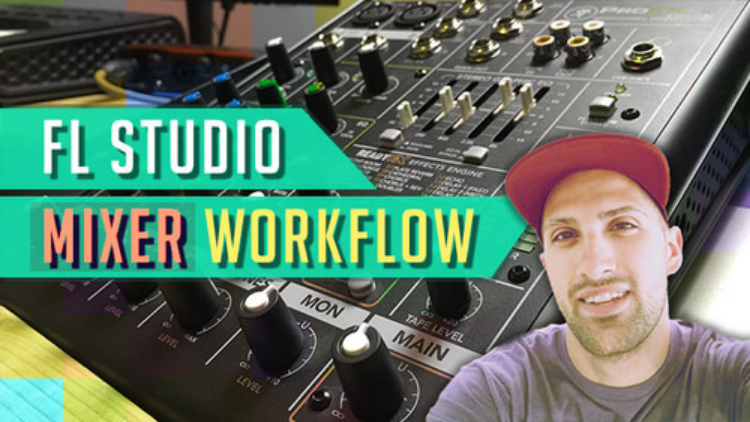
FL Studio Mixer Workflow
Bli professionell i att använda mixern i FL Studio. Lär dig hur du uppnår de resultat du vill ha.
所有級別 • 15 講座 • 終身訪問
認證碩士導師
拖車
認識您的導師:Riley Weller GratuiTous
19 ms
5.0 / 5.0
全球評級1
活躍的學生美国英语
99 種語言字幕2小時 10分
總內容你將學到什麼
Förstå och använda mixern på avancerad nivå
Var kunnig inom ljudroutning och förstå serie vs. parallell bearbetning
Lär dig noggranna organisationsfärdigheter för ultimat arbetsflödseffektivitet
Få insikt i kraftfulla genvägar för att påskynda dina produktioner och mixtid
課程內容
4 部分 • 15 講座 • 02:10:36 總長度Basic Mindset of Mixing
11:16
When I first started mixing, it was a sad time lol.
I'd spend so many hours tweaking a sound, adding it back into my mix, and when I thought the track was done, I'd export and compare it to my unmixed version.
And why I say it was a sad time is because I typically liked the unmixed version better! :(
This was simply because of inexperience and over-processing.
So, my first tip in this basic mindset video is to save a new version of the song before jumping into mixing. It's simple, but totally worth it!
I share many other helpful discoveries over my years mixing music.
These have been solid fundamentals in giving me a solid mindset come mix time like what you should be trying to achieve out of your EQ and compression as EQ's and compressors are your two most common tools as a mixer and it's important to know how to use them and standard practices within the industry.
More info in the video!
Sends [INTRO]
02:56
Sends open the windows of opportunity for your mixing.
In this video I quickly introduce sends and some common uses of them.
All About Sends + Benefits [SLIDESHOW]
08:05
This video is FULL of education on the topic of sends.
You learn about the dry and wet signal, benefits sends give us, different techniques you can use, and why we'd even want to use a send in the first place.
We even get further discussing pre-fader and post-fader and how FL Studio routes audio inside its mixer.
We also quickly cover series and parallel processing which is shown in-depth in our next video where I show you with paper and pencil!
Audio Processing - Series vs. Parallel Processing [PAPER + PENCIL WALK-THROUGH]
09:30
I took a different approach and broke this subject down with paper and pencil.
Series and parallel processing is quite important to know how audio is actually routed in your mixer.
By the end of this video you will see the difference between series, parallel, and the pros and cons of subgroups as I mentioned previously!
(Sorry for the shaky camera at times.)
Setting Up Sends
16:36
Now that you've been educated on the theory of sends and how they benefit us as both a producer and mixer, you can now actually HEAR how it benefits us.
I like to set up a couple different sends when I mix my projects.
They're an awesome way to quickly route a sound to some reverb and dial in just the amount you want.
But remember - DO NOT USE THESE SENDS AS A CRUTCH!
Make sure to get your mix balanced in terms of volume and EQ first. Then you can start blending in your sounds to these sends to create more ambience/depth, punch, wideness.. etc!
Mixing Revealed with Sends [Step-By-Step Mix Break Down]
21:22
Now that you've been educated and shown most of the basics on the mixer, I thought it'd be a great opportunity to show you my general mixing process.
By the end of the video, you'll hear how my mixed version just has a better overall balance, in my opinion!
Sidechain Compression Set up and Tips
12:31
Sidechain compression is a must-know technique as a producer.
When we hear sidechain compression, most of us think about dance music.
Sidechain compression, however, does have many different uses!
We don't have to be using the kick drum as the external input. For example, we can use one instrument to lower the volume of another if their frequencies clash creating a cleaner mix!
I show you how to set up sidechain compression and how to work it to your advantage.
每週學習計劃
規劃您的學習之旅
AI根據您的可用時間生成個人化時間表5 小時/週
要求
FL Studio (Men innehållet gäller för alla DAWs.)
目標受眾
The inspired producer wanting to achieve the next level in their productions
Those who are wanting to have a solid grasp on the mixer and creative audio routing
關於本課程
Hej! - Jag är GratuiTous. Jag har producerat musik på FL Studio sedan 2011 och har arbetat med en GRAMMY-nominerad inspelningsartist.
Mixern är ett skrämmande verktyg för nya producenter som just börjar med musikproduktion.
Så det är mitt mål med denna kurs - att bryta ner mixern i en lättförståelig kurs.
Vi börjar med grunderna genom att jämföra en riktig hårdvarumixer med FL Studios digitala mixer och arbetar oss så småningom upp till undergrupper och komplex routning med sends.
En rolig sak jag ska nämna är att när jag först började mixa brukade jag vanligtvis tycka om min omixade version bättre än min mixade version lol.
Om du bara börjar, det gör du också, då är jag säker på att du har upplevt detta.
Mixning är något som bara kommer med tiden.
Anledningen till att jag inte gillade mina mixar när jag var ny var helt enkelt på grund av brist på erfarenhet och överbearbetning.
När jag fick mer erfarenhet fick jag en bättre insikt om vad jag vill uppnå med en mix, och det är vanligtvis mildare inställningar samtidigt som man tillåter mer fokus på vissa element i låten.
Jag bryter ner många fundamentaler som jag har upptäckt under mina år som musikproducent och delar med mig av hur jag ställer in min egen personliga mixer med färgkodning och korrekt märkning för att uppnå en snabb och effektiv mix.
Den här kursen kommer att bygga en solid förståelse för mixern och du kommer att kunna röra omkring med din ljud med komplexitet.
# GratuiTous
認識您的講師
Riley Weller GratuiTous
主要導師
FL Studio Teacher and FL Studio Expert
GratuiTous (Riley Weller) is an artist and producer for the name of Jesus. He is an author, educator, and podcast host of 'Music Production Made Simple'.
He has been using FL Studio since 2009, leading him to work with a GRAMMY-Nominated Artist!
He has tons of FL Studio Books and FL Studio Courses for how to use FL Studio. His learning materials have proven results from previous students who have successfully learned the software to make beats.
His students tell him that his approach to explaining topics is extremely easy to understand.
Feel free to reach out to GratuiTous with any questions you have about FL Studio....
該講師的其他課程:
Riley Weller GratuiTous學生也買了
查看此課程的學習者也註冊了這些評價最高的課程

音樂 | 音樂創作
Compose Epic Music Soundtracks Scores For Film, TV, & Video Games. Master Orchestration With Software. Be A Composer.
5.0
4小時 30分
36 講座
全部
$19.99
音樂 | 音樂技巧
How to Use Sylenth1, Serum and Pigments 2 to Learn Sound Design, Make Beats, and Create Your Own Signature Sound.
5.0
2小時 30分
11 講座
全部
$59.99
音樂 | FL工作室
Learn How to Create Beats in FL Studio Like a Pro in 10 Easy Steps - Beginner and Intermediate FL Studio Video Tutorials
5.0
8小時 30分
25 講座
全部
$39.99
音樂 | FL工作室
Learn how to create beats in FL Studio in this step-by-step course breaking down everything necessary to make beats.
5.0
4小時 30分
19 講座
全部
$19.99
音樂 | 音樂基礎知識
Become a Professional Beatmaker by Learning the Inside Secrets.
5.0
3小時
29 講座
全部
$44.99
音樂 | 音樂創作
Learn to make professional beats from scratch in this 9-hour step-by-step course! Master melodies, drum loops, mixing, mastering, and arrangement with GratuiTous, a beatmaking expert with 13+ years of experience. Perfect for beginners and experienced producers alike!
5.0
9小時 30分
24 講座
全部
$99.99
Frequently Bought Together
Learners who enrolled in this course also frequently purchased these complementary courses together.
7-Day Money Back Guarantee for all bundle items
Total price for selected items:
$103.98
$129.97
常見問題解答
尋找有關本課程的最常見問題的答案。
是的! 100% 完成課程講座和作業後,您可以立即直接從您的 Lucebra 個人資料下載經過驗證的數位結業證書。
探索更多 Technology 內容
透過權威認證證書、精選電子書與即時互動直播課程拓展您的學習之旅。