
null
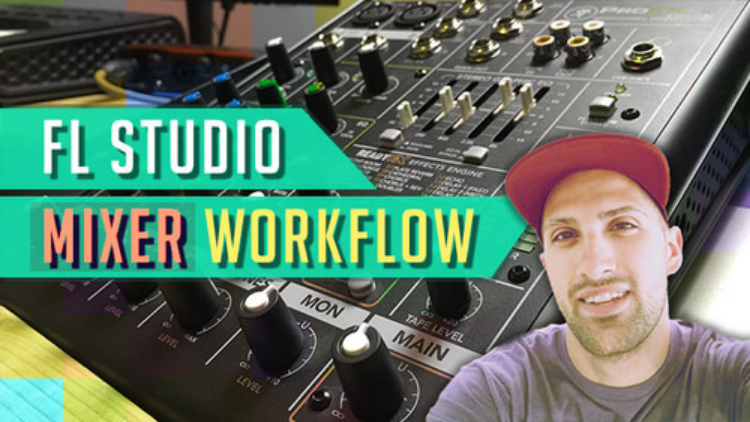
FL Studio Mixer Workflow
Diventa un professionista nell'uso del mixer in FL Studio. Impara come ottenere i risultati che desideri.
Alle Vlakke • 15 Lesings • Lewenslange Toegang
Geverifieerde Meester Instrukteur
SLEEPWA
Ontmoet jou instrukteur: Riley Weller GratuiTous
19 ms
5.0 / 5.0
Globale gradering1
Aktiewe studenteEngels (Verenigde State van Amerika)
99 Tale Onderskrifte2 uur 10 min
Totale inhoudWat jy sal leer
Comprendere e utilizzare il mixer a un livello avanzato
Essere competenti nel routing audio e comprendere l'elaborazione in serie vs. parallela
Imparare abilità di organizzazione meticolosa per l'efficienza ultima del flusso di lavoro
Ottenere informazioni su potenti scorciatoie per accelerare le tue produzioni e il tempo di mixaggio
Kursusinhoud
4 afdelings • 15 lesings • 02:10:36 totale lengteBasic Mindset of Mixing
11:16
When I first started mixing, it was a sad time lol.
I'd spend so many hours tweaking a sound, adding it back into my mix, and when I thought the track was done, I'd export and compare it to my unmixed version.
And why I say it was a sad time is because I typically liked the unmixed version better! :(
This was simply because of inexperience and over-processing.
So, my first tip in this basic mindset video is to save a new version of the song before jumping into mixing. It's simple, but totally worth it!
I share many other helpful discoveries over my years mixing music.
These have been solid fundamentals in giving me a solid mindset come mix time like what you should be trying to achieve out of your EQ and compression as EQ's and compressors are your two most common tools as a mixer and it's important to know how to use them and standard practices within the industry.
More info in the video!
Sends [INTRO]
02:56
Sends open the windows of opportunity for your mixing.
In this video I quickly introduce sends and some common uses of them.
All About Sends + Benefits [SLIDESHOW]
08:05
This video is FULL of education on the topic of sends.
You learn about the dry and wet signal, benefits sends give us, different techniques you can use, and why we'd even want to use a send in the first place.
We even get further discussing pre-fader and post-fader and how FL Studio routes audio inside its mixer.
We also quickly cover series and parallel processing which is shown in-depth in our next video where I show you with paper and pencil!
Audio Processing - Series vs. Parallel Processing [PAPER + PENCIL WALK-THROUGH]
09:30
I took a different approach and broke this subject down with paper and pencil.
Series and parallel processing is quite important to know how audio is actually routed in your mixer.
By the end of this video you will see the difference between series, parallel, and the pros and cons of subgroups as I mentioned previously!
(Sorry for the shaky camera at times.)
Setting Up Sends
16:36
Now that you've been educated on the theory of sends and how they benefit us as both a producer and mixer, you can now actually HEAR how it benefits us.
I like to set up a couple different sends when I mix my projects.
They're an awesome way to quickly route a sound to some reverb and dial in just the amount you want.
But remember - DO NOT USE THESE SENDS AS A CRUTCH!
Make sure to get your mix balanced in terms of volume and EQ first. Then you can start blending in your sounds to these sends to create more ambience/depth, punch, wideness.. etc!
Mixing Revealed with Sends [Step-By-Step Mix Break Down]
21:22
Now that you've been educated and shown most of the basics on the mixer, I thought it'd be a great opportunity to show you my general mixing process.
By the end of the video, you'll hear how my mixed version just has a better overall balance, in my opinion!
Sidechain Compression Set up and Tips
12:31
Sidechain compression is a must-know technique as a producer.
When we hear sidechain compression, most of us think about dance music.
Sidechain compression, however, does have many different uses!
We don't have to be using the kick drum as the external input. For example, we can use one instrument to lower the volume of another if their frequencies clash creating a cleaner mix!
I show you how to set up sidechain compression and how to work it to your advantage.
Weeklikse Studieplan
Beplan jou leerreis
KI skep n persoonlike skedule gebaseer op jou beskikbaarheid5 ure/week
Vereistes
FL Studio (Ma il contenuto si riferisce a qualsiasi DAW.)
Teikengehoor
The inspired producer wanting to achieve the next level in their productions
Those who are wanting to have a solid grasp on the mixer and creative audio routing
Oor hierdie kursus
Ciao! - Sono GratuiTous. Produco musica su FL Studio dal 2011 e ho lavorato con un artista nominato ai GRAMMY.
Il mixer è uno strumento scoraggiante per i nuovi produttori che iniziano da zero nella produzione musicale.
Quindi questo è il mio obiettivo con questo corso - scomporre il mixer in un corso facile da capire.
Iniziamo dalle basi confrontando un vero mixer hardware con il mixer digitale di FL Studio e alla fine arriveremo ai sottogruppi e al routing complesso con gli invii.
Una cosa divertente che menzionerò è che quando ho iniziato a mixare di solito mi piaceva di più la versione non mixata rispetto a quella mixata lol.
Se stai appena iniziando anche tu, sono sicuro che tu abbia sperimentato questo.
Il mixaggio è qualcosa che arriverà solo con il tempo.
Il motivo per cui non mi piacevano i miei mix quando ero nuovo era semplicemente dovuto alla mancanza di esperienza e al sovra-processing.
Con l'esperienza acquisita, ho ottenuto una migliore comprensione di ciò che voglio ottenere da un mix, e di solito si tratta di impostazioni più delicate consentendo una maggiore attenzione a determinati elementi del brano.
Scompongo molti fondamentali che ho scoperto nel corso degli anni come produttore musicale e condivido come imposto il mio mixer personale con codifica a colori e etichettatura corretta per ottenere un mix rapido ed efficiente.
Questo corso ti darà una solida comprensione del mixer e sarai in grado di instradare il tuo audio con complessità.
# GratuiTous
Ontmoet jou instrukteur
Riley Weller GratuiTous
Hoofinstrukteur
FL Studio Teacher and FL Studio Expert
GratuiTous (Riley Weller) is an artist and producer for the name of Jesus. He is an author, educator, and podcast host of 'Music Production Made Simple'.
He has been using FL Studio since 2009, leading him to work with a GRAMMY-Nominated Artist!
He has tons of FL Studio Books and FL Studio Courses for how to use FL Studio. His learning materials have proven results from previous students who have successfully learned the software to make beats.
His students tell him that his approach to explaining topics is extremely easy to understand.
Feel free to reach out to GratuiTous with any questions you have about FL Studio....
Meer kursusse deur
Riley Weller GratuiTousStudente het ook gekoop
Leerders wat hierdie kursus bekyk het, het ook vir hierdie top-gegradeerde kursusse ingeskryf
Musiek | Musiek samestelling
Compose Epic Music Soundtracks Scores For Film, TV, & Video Games. Master Orchestration With Software. Be A Composer.
5.0
4 uur 30 min
36 lesings
Alles
$19.99
Musiek | Musiek tegnieke
How to Use Sylenth1, Serum and Pigments 2 to Learn Sound Design, Make Beats, and Create Your Own Signature Sound.
5.0
2 uur 30 min
11 lesings
Alles
$59.99
Musiek | FL Studio
Learn How to Create Beats in FL Studio Like a Pro in 10 Easy Steps - Beginner and Intermediate FL Studio Video Tutorials
5.0
8 uur 30 min
25 lesings
Alles
$39.99
Musiek | FL Studio
Learn how to create beats in FL Studio in this step-by-step course breaking down everything necessary to make beats.
5.0
4 uur 30 min
19 lesings
Alles
$19.99
Musiek | Musiek Grondbeginsels
Become a Professional Beatmaker by Learning the Inside Secrets.
5.0
3 uur
29 lesings
Alles
$44.99
Musiek | Musiek samestelling
Learn to make professional beats from scratch in this 9-hour step-by-step course! Master melodies, drum loops, mixing, mastering, and arrangement with GratuiTous, a beatmaking expert with 13+ years of experience. Perfect for beginners and experienced producers alike!
5.0
9 uur 30 min
24 lesings
Alles
$99.99
Frequently Bought Together
Learners who enrolled in this course also frequently purchased these complementary courses together.
7-Day Money Back Guarantee for all bundle items
Total price for selected items:
$103.98
$129.97
Gereelde Vrae
Vind antwoorde op die mees algemene vrae oor hierdie kursus.
Ja! Nadat u 100% van die kursuslesings en opdragte voltooi het, kan u onmiddellik u geverifieerde digitale Sertifikaat van Voltooiing direk vanaf u Lucebra-profiel aflaai.
Verken meer in Tegnologie
Brei jou leerreis uit met geakkrediteerde sertifikate, e-boeke en interaktiewe regstreekse klasse.