Lucebra
Lucebra বিজনেস
ডিজাইন/3D এবং অ্যানিমেশন

SOLIDWORKS 강좌: 2D 스케치를 3D 모델로 변환하기

부품의 3D 모델 생성, 부품 조립 및 부품 간의 동작 만들기를 배웁니다.

সকল স্তর • 14 বক্তৃতা • আজীবন অ্যাক্সেস
Educational Engineering Team

যাচাইকৃত মাস্টার প্রশিক্ষক

SOLIDWORKS 강좌: 2D 스케치를 3D 모델로 변환하기
ট্রেলার
আপনার প্রশিক্ষকের সাথে দেখা করুন: Educational Engineering Team

19 ms

5.0 / 5.0
গ্লোবাল রেটিং
1
সক্রিয় ছাত্র
ইংরেজি (মার্কিন যুক্তরাষ্ট্র)
99টি ভাষার সাবটাইটেল
1 ঘণ্টা 14 মি.
মোট বিষয়বস্তু

যা শিখবেন

스케치 작성
부품 작성 및 어셈블리 구축
구성을 사용하여 부품의 다른 버전 생성 및 제어
방정식으로 설계 수정 자동화

কোর্সের বিষয়বস্তু

4 বিভাগ • 14 বক্তৃতা • 01:14:14 মোট দৈর্ঘ্য

Introduction

01:20

SolidWorks Components - Parts Asseblies Drawings

02:34

Let's Begin! Starting SolidWorks

05:22

SolidWork Explorer Tab Explained

04:27

SolidWork Toolbars Explained

05:33

SolidWork Exercise

13:16

SolidWork Exercise - Continue

08:45

Handfull Shortcuts

02:37

3D Views Tab

03:49

Second Exsercise

05:33

Assemblies

06:12

Motion Study

03:38

Drawing

05:18
সাপ্তাহিক অধ্যয়ন পরিকল্পনা
আপনার শেখার যাত্রা পরিকল্পনা করুন
AI আপনার সময় অনুযায়ী ব্যক্তিগত সময়সূচী তৈরি করে

প্রয়োজনীয়তা

SolidWorks 다운로드

লক্ষ্য শ্রোতা

Anyone interested in 3D Design and Simulation

3D Geeks and Fans

Engineers

Inventors and Designers

এই কোর্স সম্পর্কে

SOLIDWORKS는 제품 개발 및 설계용 3D 소프트웨어의 세계적인 리더입니다. SOLIDWORKS를 사용하면 제조 준비가 된 부품 및 어셈블리를 생성하고, 상세한 도면 및 부품 명세서를 만들 수 있습니다.


이 강좌를 수강해야 하는 이유는?


  • 이 강좌는 초보자 강좌이므로 CAD 또는 모델링 소프트웨어에 대한 사전 지식이 필요하지 않습니다.
  • 강좌 주제에는 2D 스케치에서 설계하고 모델링 소프트웨어를 사용하여 해당 스케치에서 3D 모델을 생성하는 것이 포함됩니다.
  • 기하학 드로잉, 기하학 치수 지정, 솔리드 기하학 생성 및 스케치 평면 사용과 같은 중요한 기술을 배웁니다.
  • 2D 스케치를 3D 모델로 변환하는 방법을 배웁니다.
  • 이 강좌에는 동영상 및 모델 예제와 같은 많은 자료가 포함되어 있습니다.


지속적인 업데이트 1000명 이상의 학생!!! 감사합니다!!!


이 강좌에 오신 것을 환영합니다.


이 강좌는 3D 모델링 경험이 전혀 없는 상태에서 3D 부품 및 어셈블리를 구축하고 이를 생산 준비가 된 제조 도면으로 변환할 수 있는 전문가로 만들어 줍니다. 이 SOLIDWORKS 기초 강좌는 SOLIDWORKS를 처음 사용하는 사람에게 권장됩니다. 2D CAD에서 마이그레이션한 사용자, 다른 3D 시스템을 사용하는 사용자 또는 CAD 경험이 전혀 없는 사용자 모두 이 강좌에 적합합니다. 프로그램의 기본 사항부터 시작하여 소프트웨어의 일상적인 사용에 필요한 모델링 기초를 살펴보고 고급 주제까지 개발합니다.


이 강좌는 패키지의 2D 도면 측면에 중점을 두고 도면 시트 설정, 도면 뷰 생성 및 치수 체계 적용에 대해 심층적으로 다룹니다. 회사별 요구 사항에 맞게 도면 경계를 사용자 정의하는 데 시간을 할애합니다.


가장 빠르게 속도를 높이고 최상의 모델링 관행을 사용하여 SOLIDWORKS 기초 강좌는 모든 SOLIDWORKS 사용자에게 최대의 효율성과 생산성을 보장합니다. 새로운 CAD 사용자, 다른 CAD 시스템의 경험이 풍부한 사용자 및 SOLIDWORKS 베테랑 사용자는 모두 기초 교육의 혜택을 받을 수 있습니다. 실제 사례 연구를 사용하여 프로세스를 설명하고 부품 및 어셈블리 모델을 작성하고 이러한 부품 및 어셈블리의 도면을 작성하는 데 필요한 모든 것을 가르칩니다.


이 강좌에서는 학생들에게 SOLIDWORKS에서 제조 준비가 된 부품 및 어셈블리를 작성하는 방법을 보여줍니다. 간단한 2D 스케치로 시작하고 소프트
আপনার প্রশিক্ষকের সাথে পরিচিত হন
Educational Engineering Team
প্রধান প্রশিক্ষক
Educational Engineering Team is a Leading Team in Microcontroller Industry, with over 13 Years of Experience in Teaching and Doing Practical Projects.

Educational Engineering Team is a group of skilled engineers dedicated to sharing practical knowledge with learners worldwide. Founded by Ashraf Said Al-Madhoun, the team has worked in programming, microcontrollers, electronics, and engineering education since 2007.

Rather than offering superficial explanations, the team breaks down complex topics into clear, step-by-step lessons supported by practical projects and bite-sized videos. This hands-on approach helps learners understand technical concepts and apply them directly to their studies, careers, and personal projects.

Ashraf is a Mechatronics Engineer, educator, author, electronics and programming enthusiast, and maker. As Chief Educational Engineer, he specializes in explaining challenging concepts in a simple, structured, and accessible way. He has extensive teaching experience and has authored four books about microcontrollers.

Educational Engineering Team has created more than 100 online courses covering circuit design, electronics simulation, PCB fabrication, Arduino, PIC microcontrollers, Raspberry Pi, C, Python, PLC programming, industrial automation, 3D design, ESP boards, embedded systems, and the Internet of Things.

In addition to producing courses, bootcamps, articles, and tutorials, the team supports electronics and programming enthusiasts, STEM students, educators, and aspiring engineers. Its members also provide engineering consultation and guidance for student graduation projects, helping learners develop practical skills and prepare for careers in the technology industry.

...
প্রশিক্ষকের অন্যান্য কোর্স:
Educational Engineering Team

শিক্ষার্থীরাও কিনেছে

যে সকল শিক্ষার্থীরা এই কোর্সটি দেখেছে তারাও এই শীর্ষ-রেটেড কোর্সে নথিভুক্ত হয়েছে

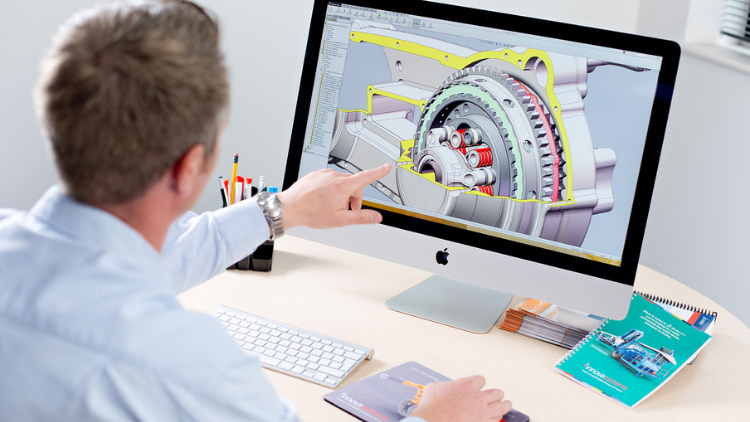
SOLIDWORKS Course: Turn 2D Sketches into 3D Models
ডিজাইন | 3D এবং অ্যানিমেশন

Learn Creating 3D Models for parts, assemble different parts and make motion between them.

5.0
1 ঘণ্টা 30 মি.
13 বক্তৃতা
সব
$19.99
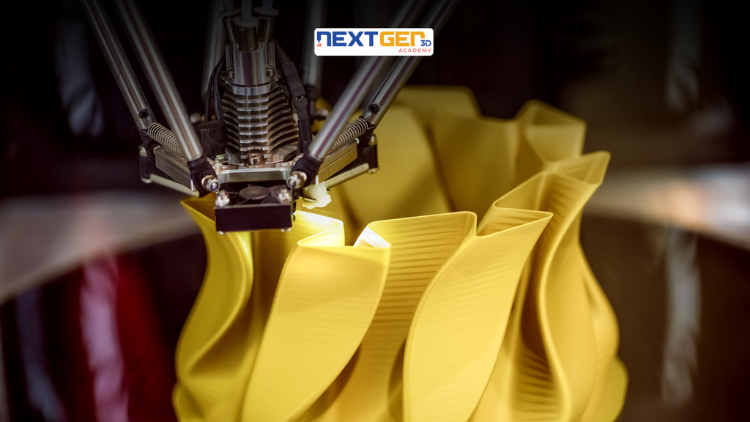
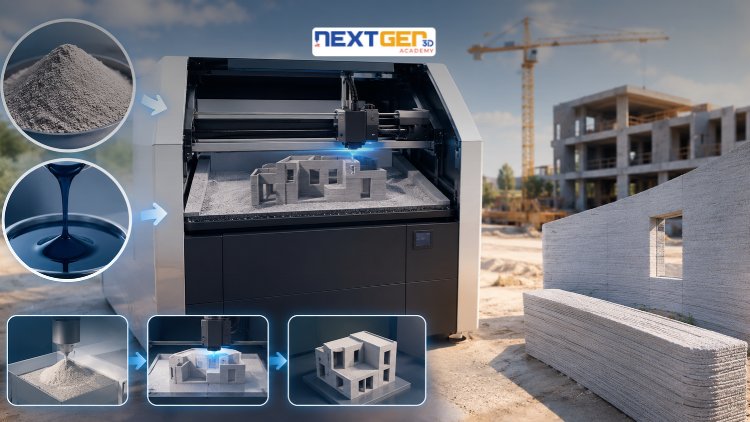
Complete 3D Printing Guide: Binder Jetting for Construction
ডিজাইন | 3D প্রিন্টিং

Learn construction binder jetting, materials, CAD design, and quality control.

5.0
3 ঘণ্টা
25 বক্তৃতা
মধ্যবর্তী
$12.99
Complete 3D Printing Guide: Industrial Applications of Additive Manufacturing
ডিজাইন | 3D প্রিন্টিং

Master 3D printing fundamentals, FDM, SLA, SLS, DMLS, industrial applications, rapid prototyping, production workflows, quality control, and additive manufacturing case studies.

5.0
3 ঘণ্টা 30 মি.
26 বক্তৃতা
মধ্যবর্তী
$9.99
Master Canva (III): Boost Creativity with AI-Powered Design
ডিজাইন | ক্যানভা এআই ডিজাইন টুলস

Unlock AI features in Canva to design, teach, and sell effectively for your business.

5.0
1 ঘণ্টা
19 বক্তৃতা
বিশেষজ্ঞ
$12.99

$54.99

Graphics Expert: Advanced Photoshop and GIMP
ডিজাইন | গ্রাফিক ডিজাইন এবং ইলাস্ট্রেশন

Develop your graphic design skills by mastering the advanced features of Both Photoshop and GIMP

5.0
1 ঘণ্টা 30 মি.
29 বক্তৃতা
সব
$9.99

$74.99

The Complete Drawing & Sketching Masterclass: Beginner to Pro in 30 Days
ডিজাইন | অঙ্কন

Learn pencil control, lines, shapes, forms, shading, proportions, perspective, and still-life sketching through a practical 30-day beginner drawing journey.

5.0
3 ঘণ্টা 30 মি.
4 বক্তৃতা
শিক্ষানবিস
$34.99

$49.99

Frequently Bought Together

Learners who enrolled in this course also frequently purchased these complementary courses together.

7-Day Money Back Guarantee for all bundle items

Total price for selected items:

$34.38

$42.97

🎉 Save 20% when bought together

প্রায়শই জিজ্ঞাসিত প্রশ্নাবলী

এই কোর্স সম্পর্কে সবচেয়ে সাধারণ প্রশ্নের উত্তর খুঁজুন।

হ্যাঁ! কোর্স লেকচার এবং অ্যাসাইনমেন্টের 100% সম্পূর্ণ করার পরে, আপনি সরাসরি আপনার লুসেব্রা প্রোফাইল থেকে আপনার যাচাইকৃত ডিজিটাল সার্টিফিকেট অফ কমপ্লিশন ডাউনলোড করতে পারেন।

পদ্ধতি-এ আরও অন্বেষণ করুন

স্বীকৃত সার্টিফিকেট, সম্পর্কিত ই-বুক এবং লাইভ ক্লাসের মাধ্যমে আপনার শেখার পরিধি বাড়ান।