Lucebra
Lucebra Business
Design/3D & Animation

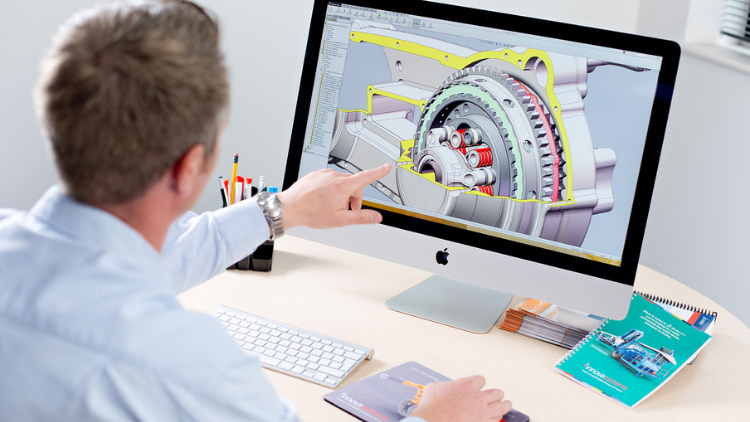
SOLIDWORKS Course: Turn 2D Sketches into 3D Models

تعلم إنشاء نماذج ثلاثية الأبعاد للأجزاء، وتجميع الأجزاء المختلفة وإنشاء الحركة بينها.

All Levels • 14 Lectures • Full Lifetime Access
Educational Engineering Team

Verified Master Instructor

دورة SOLIDWORKS: تحويل الرسومات ثنائية الأبعاد إلى نماذج ثلاثية الأبعاد
TRAILER
Meet your instructor: Educational Engineering Team

19 ms

5.0 / 5.0
Global Rating
1
Active Students
English (US)
99 Languages Subtitles
1h 14m
Total Content

What you will learn

إنشاء الرسومات
إنشاء الأجزاء وبناء التجميعات
إنشاء والتحكم في إصدارات مختلفة من أجزاءك مع التكوينات
أتمتة تعديل التصميم بالمعادلات

Course Content

4 sections • 14 lectures • 01:14:14 total length

Introduction

01:20

SolidWorks Components - Parts Asseblies Drawings

02:34

Let's Begin! Starting SolidWorks

05:22

SolidWork Explorer Tab Explained

04:27

SolidWork Toolbars Explained

05:33

SolidWork Exercise

13:16

SolidWork Exercise - Continue

08:45

Handfull Shortcuts

02:37

3D Views Tab

03:49

Second Exsercise

05:33

Assemblies

06:12

Motion Study

03:38

Drawing

05:18
Weekly Study Plan
Plan Your Learning Journey
AI generates a personalized schedule based on your availability

Requirements

تنزيل SolidWorks

Target Audience

Anyone interested in 3D Design and Simulation

3D Geeks and Fans

Engineers

Inventors and Designers

About this course

SOLIDWORKS هو الرائد عالميًا في برامج 3D لتطوير المنتجات والتصميم. مع SOLIDWORKS، يمكنك إنشاء أجزاء وتجميعات جاهزة للتصنيع، بالإضافة إلى الرسومات التفصيلية وقوائم المواد.


لماذا يجب أن تأخذ هذه الدورة؟


  • هذه الدورة مخصصة للمبتدئين، فلا حاجة لمعرفة مسبقة ببرامج CAD أو النمذجة.
  • تشمل الموضوعات التصميم من الرسومات ثنائية الأبعاد واستخدام برامج النمذجة لإنشاء نماذج ثلاثية الأبعاد من تلك الرسومات.
  • تعلم مهارات حاسمة مثل رسم الهندسة، وأبعاد الهندسة، وإنشاء هندسة صلبة، واستخدام مستويات الرسم.
  • سوف تتعلم كيفية تحويل الرسومات ثنائية الأبعاد إلى نماذج ثلاثية الأبعاد.
  • تتضمن هذه الدورة أيضًا العديد من الموارد مثل الأفلام وأمثلة النماذج.


تحديثات مستمرة أكثر من 1000 طالب!!! شكرًا لك!!!


مرحبًا بك في هذه الدورة.


ستأخذك هذه الدورة من صفر الخبرة في النمذجة ثلاثية الأبعاد إلى محترف يمكنه إنشاء أجزاء وتجميعات ثلاثية الأبعاد وتحويلها إلى رسومات تصنيع جاهزة للإنتاج. تُشجع دورة SOLIDWORKS الأساسية هذه لأي شخص جديد في SOLIDWORKS. سواء كنت قد انتقلت من CAD ثنائي الأبعاد، أو نظام 3D آخر، أو ليس لديك أي خبرة في CAD على الإطلاق، فإن هذه الدورة مناسبة لك. بدءًا من الأساسيات جدًا للبرنامج، يتطور المساق من خلال النظر في أساسيات النمذجة المطلوبة للاستخدام اليومي للبرنامج، وصولاً إلى بعض الموضوعات المتقدمة لأتمتة التصاميم.


تركز هذه الدورة أيضًا على جانب الرسومات ثنائية الأبعاد للحزمة، بعمق في إعداد أوراق الرسم، وإنشاء مناظر الرسم، وتطبيق مخططات الأبعاد. يتم قضاء الوقت في تخصيص حدود الرسم لمتطلبات الشركة المحددة.


من خلال الارتقاء بسرعة واستخدام أفضل ممارسات النمذجة، تضمن دورة SOLIDWORKS الأساسية في النهاية أقصى قدر من الكفاءة والإنتاجية لجميع مستخدمي SOLIDWORKS. يمكن لجميع مستخدمي CAD الجدد، والمستخدمين المخضرمين لأنظمة CAD الأخرى، ومستخدمي SOLIDWORKS القدامى الاستفادة من تدريب Essentials. يتم استخدام دراسات الحالة الواقعية لتوضيح العمليات، وتعليم كل ما تحتاج لمعرفته لبناء نماذج للأجزاء والتجميعات وصنع رسومات لتلك الأجزاء والتجميعات.


في هذه الدورة، سنوضح للطلاب كيفية إنشاء أجزاء وتجميعات جاهزة للتصنيع في SOLIDWORKS. سنبدأ بالرسم البسيط ثنائي الأبعاد والطريف
Meet your instructor
Educational Engineering Team
5.0 Rating
97 Students
View Full Profile
Educational Engineering Team
Main Instructor
Educational Engineering Team is a Leading Team in Microcontroller Industry, with over 13 Years of Experience in Teaching and Doing Practical Projects.

Educational Engineering Team is a group of skilled engineers dedicated to sharing practical knowledge with learners worldwide. Founded by Ashraf Said Al-Madhoun, the team has worked in programming, microcontrollers, electronics, and engineering education since 2007.

Rather than offering superficial explanations, the team breaks down complex topics into clear, step-by-step lessons supported by practical projects and bite-sized videos. This hands-on approach helps learners understand technical concepts and apply them directly to their studies, careers, and personal projects.

Ashraf is a Mechatronics Engineer, educator, author, electronics and programming enthusiast, and maker. As Chief Educational Engineer, he specializes in explaining challenging concepts in a simple, structured, and accessible way. He has extensive teaching experience and has authored four books about microcontrollers.

Educational Engineering Team has created more than 100 online courses covering circuit design, electronics simulation, PCB fabrication, Arduino, PIC microcontrollers, Raspberry Pi, C, Python, PLC programming, industrial automation, 3D design, ESP boards, embedded systems, and the Internet of Things.

In addition to producing courses, bootcamps, articles, and tutorials, the team supports electronics and programming enthusiasts, STEM students, educators, and aspiring engineers. Its members also provide engineering consultation and guidance for student graduation projects, helping learners develop practical skills and prepare for careers in the technology industry.

...

Students also bought

Learners who viewed this course also enrolled in these top-rated courses

SOLIDWORKS Course: Turn 2D Sketches into 3D Models
Design | 3D & Animation

Learn Creating 3D Models for parts, assemble different parts and make motion between them.

5.0
1h 30m
13 lectures
All
$19.99
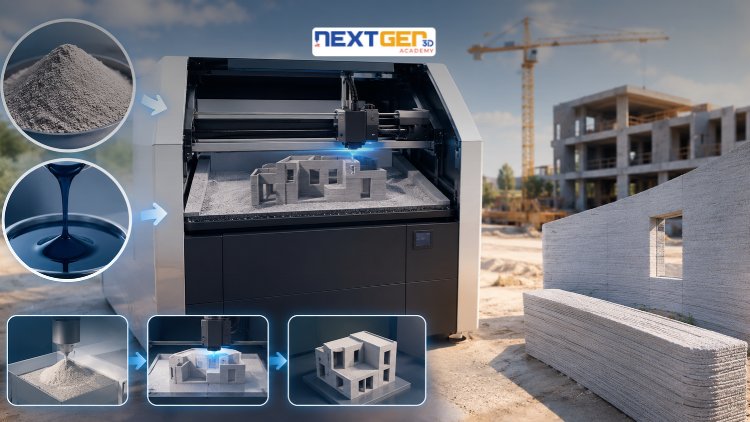
Complete 3D Printing Guide: Binder Jetting for Construction
Design | 3D Printing

Learn construction binder jetting, materials, CAD design, and quality control.

5.0
3h
25 lectures
Intermediate
$12.99
Complete 3D Printing Guide: Industrial Applications of Additive Manufacturing
Design | 3D Printing

Master 3D printing fundamentals, FDM, SLA, SLS, DMLS, industrial applications, rapid prototyping, production workflows, quality control, and additive manufacturing case studies.

5.0
3h 30m
26 lectures
Intermediate
$9.99
Master Canva (III): Boost Creativity with AI-Powered Design
Design | Canva AI Design Tools

Unlock AI features in Canva to design, teach, and sell effectively for your business.

5.0
1h
19 lectures
Expert
$12.99

$54.99

Graphics Expert: Advanced Photoshop and GIMP
Design | Graphic Design & Illustration

Develop your graphic design skills by mastering the advanced features of Both Photoshop and GIMP

5.0
1h 30m
29 lectures
All
$9.99

$74.99

The Complete Drawing & Sketching Masterclass: Beginner to Pro in 30 Days
Design | Drawing

Learn pencil control, lines, shapes, forms, shading, proportions, perspective, and still-life sketching through a practical 30-day beginner drawing journey.

5.0
3h 30m
4 lectures
Beginner
$34.99

$49.99

Frequently Bought Together

Learners who enrolled in this course also frequently purchased these complementary courses together.

7-Day Money Back Guarantee for all bundle items

Total price for selected items:

$34.38

$42.97

🎉 Save 20% when bought together

Frequently Asked Questions

Find answers to the most common questions about this course.

Yes! Upon completing 100% of the course lectures and assignments, you can instantly download your verified digital Certificate of Completion directly from your Lucebra profile.

Explore More in Technology

Expand your learning journey with accredited certificates, related digital books, and live interactive classes.