

Lucebra
Lucebra Negosyo
IT at Software/Hardware/Arduino

شروع به کار با ویرایشگر وب Arduino

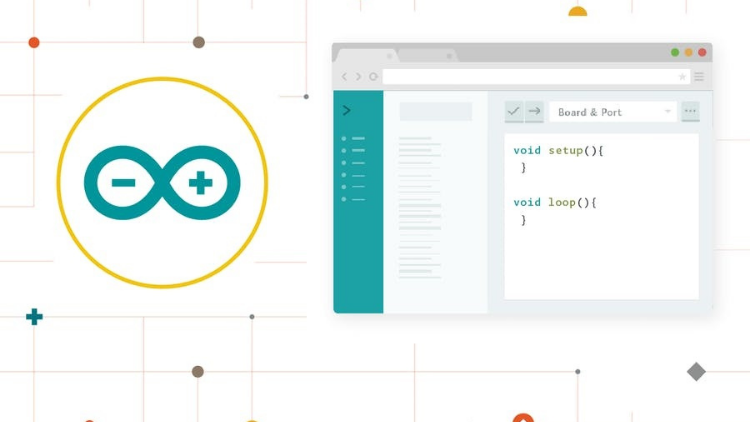
شروع به کد نویسی آنلاین با ویرایشگر وب Arduino، ذخیره اسکچ‌ها در ابرها و همیشه داشتن نسخه به‌روز از IDE

Lahat ng Antas • 10 Mga lektura • Panghabambuhay na Access
Educational Engineering Team

Na-verify na Master Instructor

شروع به کار با ویرایشگر وب Arduino
TRAILER
Kilalanin ang iyong instructor: Educational Engineering Team

19 ms

5.0 / 5.0
Global Rating
2
Mga Aktibong Mag-aaral
Ingles (American)
99 Mga Subtitle na Wika
1 oras 10 min
Kabuuang Nilalaman

Ang matututuhan mo

ویرایشگر وب Arduino و پلتفرم Create
ثبت نام در Arduino
ورود به ویرایشگر وب Arduino
انتخاب پلتفرم: Windows، Mac یا Linux

Nilalaman ng Kurso

3 na mga seksyon • 10 mga lektura • 01:10:36 kabuuang haba

Introduction

04:27

Sign up to Arduino and Log in to the Web Editor

08:44

Arduino Web Editor anatomy

20:24

Make your board blink from the browser

03:57

What boards are supported

02:19

Serial Monitor

04:03

Document and Share Your Project

04:27

Libraries and the Arduino Web Editor

05:20

Arduino Pro IDE 2.0

11:02

Who we are?

05:46
Lingguhang Plano ng Pag-aaral
Planuhin ang iyong paglalakbay sa pag-aaral
Ang AI ay lumilikha ng personalized na iskedyul ayon sa iyong oras

Mga kinakailangan

یک ارتباط اینترنتی

کامپیوتر، لپ‌تاپ، Mac یا دستگاه Chrome

Target na Audience

Anyone looking to Start coding online with the Arduino Web Editor, save sketches in the cloud, and always have up-to-date version of IDE

Anyone looking to code Arduino without a Software directly from the browser

Anyone Interested in Learning Arduino Web Editor, and the Create Platform

Anyone looking to learn The All New Arduino Pro IDE

Tungkol sa kursong ito

شروع به کار با ویرایشگر وب Arduino در پلتفرم‌های مختلف


ویرایشگر وب Arduino به شما امکان می‌دهد که کد بنویسید و اسکچ‌ها را از مرورگر وب (Chrome، Firefox، Safari و Edge) به هر برد رسمی Arduino ارسال کنید. این IDE (محیط توسعه یکپارچه) بخشی از Arduino Create است، یک پلتفرم آنلاین که به توسعه دهندگان امکان می‌دهد کد بنویسند، به آموزش‌ها دسترسی داشته باشند، برد‌ها را تنظیم کنند و پروژه‌ها را به اشتراک بگذارند. Arduino Create برای ارائه یک جریان کار پیوسته طراحی شده است و نقاط مختلف سفر توسعه دهنده از الهام گرفتن تا پیاده‌سازی را به هم متصل می‌کند. این بدان معنی است که اکنون شما می‌توانید هر جنبه پروژه‌تان را از یک پانل کنترل واحد مدیریت کنید.


ویرایشگر وب Arduino آنلاین میزبانی می‌شود، بنابراین همیشه با جدیدترین ویژگی‌ها و پشتیبانی از بردهای جدید به‌روز خواهد بود. این IDE به شما امکان می‌دهد که کد بنویسید و آن را به ابر ذخیره کنید، همیشه از آن پشتیبانی می‌کند و دسترسی آن از هر دستگاهی امکان‌پذیر است. این IDE به طور خودکار هر برد Arduino و Genuinoی متصل شده به PC شما را شناسایی کرده و خود را به طور خودکار تنظیم می‌کند. یک حساب کاربری Arduino همه چیزی است که برای شروع به کار نیاز دارید.


چرا باید این دوره را بگذرانید؟


  • ویرایشگر وب Arduino یک پلتفرم آنلاین کدنویسی با یک رابط کاربر آسان است.
  • از ویرایشگر وب Arduino برای شروع به کد نویسی آنلاین با IDE Arduino استفاده کنید، اسکچ‌ها را در ابرها ذخیره کنید و همیشه از نسخه‌های به‌روز IDE برخوردار باشید.
  • این ویرایشگر برای مبتدیان که مطمئن نیستند چه سخت‌افزاری را می‌خواهند استفاده کنند، عالی است.
  • کاربران جدید می‌توانند یاد بگیرند که چگونه کد بنویسند در حالی که با قطعات مختلف سخت‌افزاری آزمایش می‌کنند.
  • این نرم‌افزار همچنین به کاربر اجازه می‌دهد که بدون دسترسی به اینترنت کد بنویسد، بنابراین اگر دسترسی به اینترنت ندارید، هنوز می‌توانید روی پروژه‌های خود کار کنید.
  • کد نویسی هرگز به این سادگی نبوده است!


چه چیزی را یاد می‌گیرید:


  • ثبت نام در وب‌سایت Arduino.
  • ورود به ویرایشگر وب Arduino.
  • انتخاب پلتفرم خود: Windows، Mac یا Linux.
  • آناتومی ویرایشگر وب Arduino.
  • باعث کنید که برد شما از مرورگر بتواند بتواند بپردازد.
  • آپلود کد خود از مرورگر به برد شما.
  • کدام برد‌ها پشتیبانی می‌شوند.
  • مانیتور سریال.
  • سند و به اشتراک گذاری پروژه خود.
  • کتابخانه‌ها و ویرایشگر وب Arduino.


امروز با ویرایشگر وب Arduino شروع کنید و امکان‌های بی‌نهایت کدنویسی آنلاین را کشف کنید

Mga Oportunidad sa Karera at Target na Trabaho

Bumuo ng mga praktikal na kasanayan para sa trabaho at maging kuwalipikado sa mga prestihiyosong posisyon

Kurikulum na Handa sa Trabaho
Mga Trabahong Puwede Mong Aplayan

Embedded Systems Engineer

IoT Firmware Developer

Automation & SCADA Engineer

PCB & Circuit Layout Designer

Tinatayang Taunang Sahod
$85,000 – $135,000 / yr
Pangangailangan sa Pandaigdigang Merkado

Top 5% Growing Engineering Segment

Mga Pangunahing Kasanayang Matututunan Mo
Microcontroller Architecture
Hardware-Software Integration
Industrial Protocols & Fieldbus Comms
Schematic & Circuit Diagnostics
* Mga pagtatantya batay sa mga pamantayan sa pag-hire ng teknolohiya sa buong mundo.
Kilalanin ang iyong instruktor
Educational Engineering Team
5.0 Rating
98 Mag-aaral
Tingnan ang Buong Profile
Educational Engineering Team
Pangunahing Instruktor
Educational Engineering Team is a Leading Team in Microcontroller Industry, with over 13 Years of Experience in Teaching and Doing Practical Projects.

Educational Engineering Team is a group of skilled engineers dedicated to sharing practical knowledge with learners worldwide. Founded by Ashraf Said Al-Madhoun, the team has worked in programming, microcontrollers, electronics, and engineering education since 2007.

Rather than offering superficial explanations, the team breaks down complex topics into clear, step-by-step lessons supported by practical projects and bite-sized videos. This hands-on approach helps learners understand technical concepts and apply them directly to their studies, careers, and personal projects.

Ashraf is a Mechatronics Engineer, educator, author, electronics and programming enthusiast, and maker. As Chief Educational Engineer, he specializes in explaining challenging concepts in a simple, structured, and accessible way. He has extensive teaching experience and has authored four books about microcontrollers.

Educational Engineering Team has created more than 100 online courses covering circuit design, electronics simulation, PCB fabrication, Arduino, PIC microcontrollers, Raspberry Pi, C, Python, PLC programming, industrial automation, 3D design, ESP boards, embedded systems, and the Internet of Things.

In addition to producing courses, bootcamps, articles, and tutorials, the team supports electronics and programming enthusiasts, STEM students, educators, and aspiring engineers. Its members also provide engineering consultation and guidance for student graduation projects, helping learners develop practical skills and prepare for careers in the technology industry.

...
Iba pang mga Kurso ni
Educational Engineering Team

Bumili din ang mga estudyante

Ang mga mag-aaral na tumingin sa kursong ito ay nag-enroll din sa mga nangungunang kursong ito

Program ESP32 without Coding
LIBRE
IT at Software | Hardware

Program ESP32 Board without writing a single code in A Professional Environment

5.0
2 oras 30 min
18 mga lecture
Lahat
Using Al to Code: Your Step-by-Step Guide
IT at Software | Hardware

Revolutionize Your Coding Skills with Al: A Comprehensive Guide for Beginners

5.0
2 oras
11 mga lecture
Lahat
$10.99

$19.99

ISO 27001 Certification Process – A Step-by-Step Guide
IT at Software | Seguridad ng Impormasyon

Master ISO 27001: Achieve Certification, Build Security, and Ensure Compliance for Your Organization

5.0
1 oras 30 min
10 mga lecture
Baguhan
$39.99

$54.99

Implement GRC (Governance, Risk, Compliance) Step by Step
IT at Software | Certified in Governance, Risk and Compliance (CGRC)

Master GRC: Step-by-Step Guide to Implementing Governance, Risk, and Compliance for Business Success

5.0
2 oras 30 min
35 mga lecture
Intermediate
$39.99

$64.99

Mastering Arduino Data Streaming to Excel
IT at Software | Arduino

Seamlessly Stream and Visualize Real-Time Data from Arduino into Excel with Ease

5.0
1 oras 30 min
6 mga lecture
Lahat
$9.99

$34.99

Blogger: Make A Professional Website For Free With No Coding
IT at Software | Iba pang IT at Software

Learn how to create and customize a website with no prior coding experience.

5.0
1 oras 30 min
12 mga lecture
Lahat
$9.99

$19.99

Mga Madalas Itanong

Maghanap ng mga sagot sa pinakakaraniwang tanong tungkol sa kursong ito.

Oo! Sa pagkumpleto ng 100% ng mga lektura at takdang-aralin sa kurso, maaari mong agad na i-download ang iyong na-verify na digital na Sertipiko ng Pagkumpleto nang direkta mula sa iyong profile sa Lucebra.

Mag-explore Pa sa Technology

Palawakin ang iyong pag-aaral gamit ang mga kinikilalang sertipiko, e-book, at live interactive na mga klase.





