
In this lesson you will be introduced to what you will get in this course.
PIC Microcontroller Step by Step: Your complete guide
Вы войдете в мир чудес микроконтроллеров, и вместе мы сделаем из вас профессионального специалиста по микроконтроллерам.
All Levels • 81 Lectures • Full Lifetime Access
Verified Master Instructor
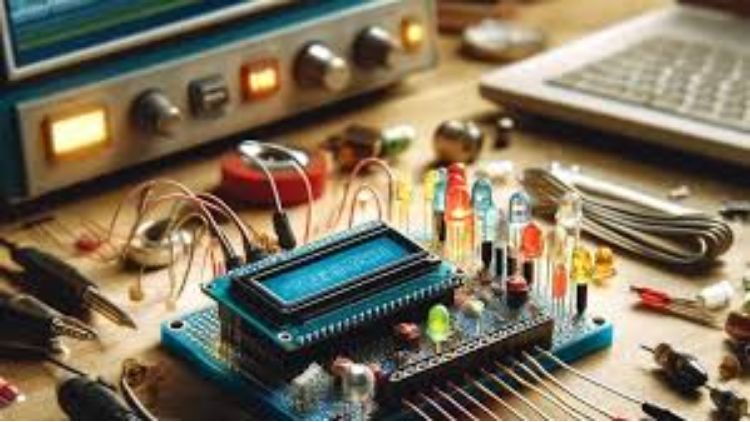
TRAILER
Meet your instructor: Educational Engineering Team
19 ms
5.0 / 5.0
Global Rating1
Active StudentsEnglish (US)
99 Languages Subtitles8h 15m
Total ContentWhat you will learn
Программируйте микроконтроллер PIC как чемпион
Понимайте принципы программирования микроконтроллеров
Понимайте и используйте множество типов датчиков и компонентов
Подключите свой микроконтроллер PIC к экрану LCD и управляйте им.
Course Content
14 sections • 81 lectures • 08:15:38 total lengthOverivew and The software to be used
05:55
Compilation Process and Your First C Project
03:29
How to increase the font size in the Programming environment
01:19
Why C and Basic Program Structure
02:43
Variables
03:11
Statements and Operators
04:38
LOOP Statements
03:32
Conditions if and switch
05:15
Numbering System
05:15
Using Operators
04:25
Using Functions
05:05
Digital inputs and Delay loops
04:12
PIC Manufacture Microship Company
03:33
Programming PIC and Circuit Prototyping
06:52
PIC Architecture and PIC Families
05:59
Harvard Architecture vs Von Neoman Architecture
06:10
PIC16F84 Microcontrollers Explained
04:23
Signle Word Instructions
04:05
Pin Discription and Ocillator Types
11:57
System Reset
08:05
Weekly Study Plan
Plan Your Learning Journey
AI generates a personalized schedule based on your availability5 hrs/week
Requirements
Скачайте и установите Proteus Professional! Мы рассмотрим это в первом разделе
Скачайте и установите MikroC Pro! Мы рассмотрим это в первом разделе
Target Audience
Anyone with a curiosity for making electronics
People with no experience in electronics
People with an intermediate knowledge of electronics
Children over 12 years old
About this course
Почему стоит пройти этот курс?
- Курс содержит много информации, которую не найдете в других местах, и организован в практичной, легко следуемой манере.
- Курс практичен с множеством примеров и упражнений.
- Этот курс поможет вам изучить основы компьютерного программирования с нуля.
- Шаг за шагом - отличное введение для тех, кого отпугивает математическая природа большинства курсов по программированию.
- Подробная информация по всем аспектам микроконтроллеров.
- Курс охватывает все аспекты взаимодействия с микроконтроллерами, от взаимодействия с аналоговыми сигналами до цифрового взаимодействия и многого другого.
Постоянные обновления 4 Звезды | Более 1600 СТУДЕНТОВ!!! СПАСИБО!!!
Что говорят студенты:
- "Этот инструктор потрясающий. Его способность объяснить что-то сложное и помочь вам понять это того стоит. Я рекомендую этот курс всем, кто интересуется программированием на PIC." - Джеймс Клапп
- "Мне понравился этот курс. Это короткое введение в большое количество контроллеров PIC с большинством стандартных задач MCU и типичными компонентами, присоединенными к нему и не больше. Никакой ненужной информации. Электронные книги удобны." - Райнхард Понтиус
- "Мне понравилось содержание и представление материала курса. Инструктор очень хорошо отвечает на вопросы." - Уолтер Андреефф
- "Хороший инструктор, хорошо подготовленный к каждой лекции, без багов, легко следовать, много примеров и подробных объяснений. Стоит изучать микроконтроллеры PIC." - Тан Фам
- "Потому что это практический курс, любой может учиться и понимать." - Абель Касахили
- "Хорошо сделано, четкая точная информация хорошо расположенная." - Кевин Миллс
- "Лучший туториал. Каждый должен проходить лекцию за лекцией." - Нирадж Кумар
Добро пожаловать на этот курс.
Микроконтроллер PIC - это электронное устройство, которое легко использовать как в аппаратном, так и в программном обеспечении. Он чувствует окружающую среду, получая входные данные от многих датчиков, и влияет на окружающую среду, управляя освещением, двигателями и несколькими другими аксессуарами. Он предназначен для всех, кто создает интерактивное аппаратное обеспечение.
Career Opportunities & Job Roles
Build practical, job-ready skills and qualify for high-impact roles worldwide
Job-Ready Curriculum
Target Roles You Can Apply For
Embedded Systems Engineer
IoT Firmware Developer
Automation & SCADA Engineer
PCB & Circuit Layout Designer
Estimated Annual Salary
$85,000 – $135,000 / yr
Global Industry Demand
Top 5% Growing Engineering Segment
In-Demand Skills You Master* Estimates based on global tech hiring benchmarks and industry compensation reports.
Microcontroller Architecture
Hardware-Software Integration
Industrial Protocols & Fieldbus Comms
Schematic & Circuit Diagnostics
Meet your instructor
Educational Engineering Team
Main Instructor
Educational Engineering Team is a Leading Team in Microcontroller Industry, with over 13 Years of Experience in Teaching and Doing Practical Projects.
Educational Engineering Team is a group of skilled engineers dedicated to sharing practical knowledge with learners worldwide. Founded by Ashraf Said Al-Madhoun, the team has worked in programming, microcontrollers, electronics, and engineering education since 2007.
Rather than offering superficial explanations, the team breaks down complex topics into clear, step-by-step lessons supported by practical projects and bite-sized videos. This hands-on approach helps learners understand technical concepts and apply them directly to their studies, careers, and personal projects.
Ashraf is a Mechatronics Engineer, educator, author, electronics and programming enthusiast, and maker. As Chief Educational Engineer, he specializes in explaining challenging concepts in a simple, structured, and accessible way. He has extensive teaching experience and has authored four books about microcontrollers.
Educational Engineering Team has created more than 100 online courses covering circuit design, electronics simulation, PCB fabrication, Arduino, PIC microcontrollers, Raspberry Pi, C, Python, PLC programming, industrial automation, 3D design, ESP boards, embedded systems, and the Internet of Things.
In addition to producing courses, bootcamps, articles, and tutorials, the team supports electronics and programming enthusiasts, STEM students, educators, and aspiring engineers. Its members also provide engineering consultation and guidance for student graduation projects, helping learners develop practical skills and prepare for careers in the technology industry.
...More Courses by
Educational Engineering TeamStudents also bought
Learners who viewed this course also enrolled in these top-rated courses

FREE
Trending
IT & Software | HardwareStart Now
Program ESP32 Board without writing a single code in A Professional Environment
5.0
2h 30m
18 lectures
All
FREE

IT & Software | Hardware
Revolutionize Your Coding Skills with Al: A Comprehensive Guide for Beginners
5.0
2h
11 lectures
All
$10.99
$19.99

IT & Software | Information Security
Master ISO 27001: Achieve Certification, Build Security, and Ensure Compliance for Your Organization
5.0
1h 30m
10 lectures
Beginner
$39.99
$54.99

IT & Software | Certified in Governance, Risk and Compliance (CGRC)
Master GRC: Step-by-Step Guide to Implementing Governance, Risk, and Compliance for Business Success
5.0
2h 30m
35 lectures
Intermediate
$39.99
$64.99

IT & Software | Arduino
Seamlessly Stream and Visualize Real-Time Data from Arduino into Excel with Ease
5.0
1h 30m
6 lectures
All
$9.99
$34.99

IT & Software | Other IT & Software
Learn how to create and customize a website with no prior coding experience.
5.0
1h 30m
12 lectures
All
$9.99
$19.99
Frequently Bought Together
Learners who enrolled in this course also frequently purchased these complementary courses together.
7-Day Money Back Guarantee for all bundle items
Total price for selected items:
$107.98
$134.97
Frequently Asked Questions
Find answers to the most common questions about this course.
Yes! Upon completing 100% of the course lectures and assignments, you can instantly download your verified digital Certificate of Completion directly from your Lucebra profile.
Explore More in Technology
Expand your learning journey with accredited certificates, related digital books, and live interactive classes.