
Lucebra
Lucebra Besigheid
Kantoorproduktiwiteit/Microsoft/Microsoft PowerPoint

पावरपॉइंट बेसिक्स: प्रभावी रूप से विचारों को व्यवस्थित और प्रस्तुत करें

शीघ्रता और आसानी से प्रभावशाली प्रस्तुतियाँ बनाने, व्यवस्थित करने और आत्मविश्वास के साथ प्रस्तुत करने का तरीका जानें।

Alle Vlakke • 20 Lesings • Lewenslange Toegang
LinCademy

Geverifieerde Meester Instrukteur

पावरपॉइंट बेसिक्स: प्रभावी रूप से विचारों को व्यवस्थित और प्रस्तुत करें
SLEEPWA
Ontmoet jou instrukteur: LinCademy

19 ms

5.0 / 5.0
Globale gradering
1
Aktiewe studente
Engels (Verenigde State van Amerika)
99 Tale Onderskrifte
1 uur 21 min
Totale inhoud

Wat jy sal leer

कुशल उपयोग के लिए पावरपॉइंट इंटरफ़ेस को नेविगेट और कस्टमाइज़ करें।
प्रभावशाली प्रस्तुतियों के लिए स्लाइड्स और विचारों को स्पष्ट रूप से व्यवस्थित करें।
पावरपॉइंट टेम्प्लेट और पृष्ठभूमि के साथ प्रभावी ढंग से काम करें।
टेक्स्ट, मीडिया और ग्राफिक्स के साथ आकर्षक स्लाइड डिज़ाइन करें।

Kursusinhoud

5 afdelings • 20 lesings • 01:21:01 totale lengte

PowerPoint Basics Overview

03:05

Effective Use of Right Mouse Button

03:10

Home Menu: Clipboard & Editing Tools

03:17

Home Menu: Slides Management

03:45

Home Menu: Font & Paragraph Settings

03:40

Home Menu: Drawing & Dictation Tools

06:35

Home Menu: Import from Keynote & Google Docs

02:03

Insert Menu: 3D Models & Add-Ins

03:10

Insert Menu: Working with Images

05:09

Insert Menu: Adding Media Content

05:48
Weeklikse Studieplan
Beplan jou leerreis
KI skep n persoonlike skedule gebaseer op jou beskikbaarheid

Vereistes

पावरपॉइंट या अन्य प्रस्तुति सॉफ़्टवेयर से मूल परिचितता।

विचारों को व्यवस्थित और प्रस्तुत करने की सामान्य समझ।

Teikengehoor

This course is perfect for professionals, educators, business owners, and content creators who want to present their ideas effectively. Anyone looking to improve their presentation skills, from students to entrepreneurs, can benefit from this course.

Oor hierdie kursus

यह व्यापक पावरपॉइंट कोर्स आपके प्रस्तुति कौशल को बदलने के लिए डिज़ाइन किया गया है। मूल बातों से शुरू करें—इंटरफ़ेस को नेविगेट करना, आवश्यक टूल्स का उपयोग करना, और अपनी पहली स्लाइड्स बनाना। आगे बढ़ें पेशेवर तकनीकों के लिए विचारों को व्यवस्थित करने, स्लाइड्स को मैनेज करने और विज़ुअली आकर्षक प्रस्तुतियाँ डिज़ाइन करने के लिए। मीडिया को सम्मिलित करने, 3D मॉडल का उपयोग करने, एनिमेशन के साथ काम करने और उन्नत सुविधाओं का लाभ उठाने के तरीके जानें ताकि आपकी प्रस्तुतियाँ बेहतर हों।


अगला, आप शक्तिशाली डिज़ाइन, संक्रमण और एनिमेशन तकनीकों में गोता लगाएँगे ताकि आप अपने दर्शकों का ध्यान आकर्षित और बनाए रख सकें। प्रस्तुतकर्ता व्यू का उपयोग करने के तरीके जानें ताकि आप आत्मविश्वास के साथ जुड़ सकें और अपने अंतिम उत्पाद को निखारने के लिए फ़ीडबैक टूल्स को एकीकृत कर सकें। सहयोग, मोबाइल एक्सेस और पावरपॉइंट ऑनलाइन पर पाठों के साथ, आप उपकरणों और टीमों के बीच प्रभावी ढंग से काम करने में सक्षम होंगे।


चाहे आप किसी व्यवसाय प्रस्ताव, शैक्षिक सामग्री या जानकारी उत्पाद का निर्माण कर रहे हों, यह कोर्स आपको अपने विचारों को जीवंत बनाने के लिए हाथों से काम करने वाले कौशल से लैस करेगा। स्पष्ट प्रदर्शन, विशेषज्ञ सुझाव और वास्तविक दुनिया के उदाहरणों के माध्यम से, आप ऐसी सम्मोहक प्रस्तुतियाँ बनाने के लिए तैयार होंगे जो आपकी दर्शकों के साथ तुरंत जुड़ सकें।


Ontmoet jou instrukteur
LinCademy
5.0 Gradering
34 Studente
Bekyk volle profiel
LinCademy
Hoofinstrukteur
Training courses/programs publisher
Launched in London in 2020 (officially incorporated in 2024), LinCademy empowers you to learn and develop in-demand skills from the comfort of your home. Our unique platform combines engaging, self-paced courses with a vibrant community for interaction, networking, and self-branding. This blend of gamified learning and social connection empowers you to take control of your development and achieve your professional goals....
Meer kursusse deur
LinCademy

Studente het ook gekoop

Leerders wat hierdie kursus bekyk het, het ook vir hierdie top-gegradeerde kursusse ingeskryf

PowerPoint Basics: Organize and Present Ideas Effectively
Kantoorproduktiwiteit | Microsoft PowerPoint

Learn to create, organize, and confidently deliver impactful presentations quickly and with ease.

5.0
1 uur 30 min
19 lesings
Beginner
$19.99

$69.99

Using ChatGPT For Online Business Success
Kantoorproduktiwiteit | ChatGPT

Create, configure, and monetize your own custom GPTs easily with these clear, simple steps.

5.0
1 uur
19 lesings
Alles
$10.99

$59.99

Time Management For Office professionals
Kantoorproduktiwiteit | Begrip Werkspasie

Master practical time management techniques to boost productivity, reduce overwhelm, and achieve more every day.

5.0
2 uur
9 lesings
Alles
$9.99
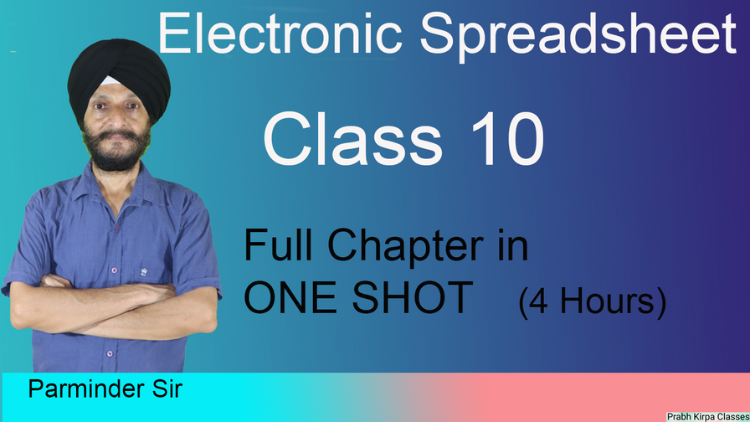
Electronic Spreadsheet Class 10 I.T.
Kantoorproduktiwiteit | Microsoft Excel

Electronic Spreadsheet Class 10 I.T. Part-I

5.0
4 uur 30 min
10 lesings
Alles
$19.99
Work-Life Balance Mastery: Strategies for a Fulfilling Career and Life
Kantoorproduktiwiteit | Personal Productivity

Practical Strategies to Boost Productivity, Set Boundaries, and Build a Fulfilling Work-Life Balance Without Sacrificing

5.0
2 uur 30 min
24 lesings
Alles
$10.99

$39.99

MS Word: Improve Your Writing with Microsoft Word (Advanced)
Kantoorproduktiwiteit | Microsoft Word

Master the Well-known Word Processor, Microsoft Word. MS Word 2013, Word 2016, Word 2019 and Word 2021

5.0
1 uur
19 lesings
Deskundige
$19.99

$74.99

Frequently Bought Together

Learners who enrolled in this course also frequently purchased these complementary courses together.

7-Day Money Back Guarantee for all bundle items

Total price for selected items:

$111.98

$139.97

🎉 Save 20% when bought together

Gereelde Vrae

Vind antwoorde op die mees algemene vrae oor hierdie kursus.

Ja! Nadat u 100% van die kursuslesings en opdragte voltooi het, kan u onmiddellik u geverifieerde digitale Sertifikaat van Voltooiing direk vanaf u Lucebra-profiel aflaai.

Verken meer in Tegnologie

Brei jou leerreis uit met geakkrediteerde sertifikate, e-boeke en interaktiewe regstreekse klasse.