
In this lesson you will be introduced to what you will get in this course.
PIC Microcontroller Step by Step: Twoja kompletna przewodnik
您将进入微控制器的奇妙世界,我们将一起让您成为专业的微控制器专家。
Wszystkie poziomy • 81 Wykłady • Dożywotni dostęp
Sprawdzony Mistrz Instruktor
PRZYCZEPA
Poznaj swojego instruktora: Educational Engineering Team
19 ms
5.0 / 5.0
Globalna ocena1
Aktywni studenciAngielski amerykański
Napisy w 99 językach8 godz. 15 min
Całkowita zawartośćCzego się dowiesz
像冠军一样编程PIC微控制器
了解微控制器编程的原理
理解并使用多种类型的传感器和组件
将PIC微控制器连接到LCD屏幕并控制它。
Treść kursu
14 sekcji • 81 wykłady • 08:15:38 długość całkowitaOverivew and The software to be used
05:55
Compilation Process and Your First C Project
03:29
How to increase the font size in the Programming environment
01:19
Why C and Basic Program Structure
02:43
Variables
03:11
Statements and Operators
04:38
LOOP Statements
03:32
Conditions if and switch
05:15
Numbering System
05:15
Using Operators
04:25
Using Functions
05:05
Digital inputs and Delay loops
04:12
PIC Manufacture Microship Company
03:33
Programming PIC and Circuit Prototyping
06:52
PIC Architecture and PIC Families
05:59
Harvard Architecture vs Von Neoman Architecture
06:10
PIC16F84 Microcontrollers Explained
04:23
Signle Word Instructions
04:05
Pin Discription and Ocillator Types
11:57
System Reset
08:05
Tygodniowy Plan Nauki
Zaplanuj swoją naukę
AI tworzy spersonalizowany harmonogram na podstawie dostępności5 godz/tydz
Wymagania
下载并安装Proteus Professional!我们将在第一部分中介绍这一点
下载并安装MikroC Pro!我们将在第一部分中介绍这一点
Grupa docelowa
Anyone with a curiosity for making electronics
People with no experience in electronics
People with an intermediate knowledge of electronics
Children over 12 years old
O tym kursie
为什么您应该参加这门课程?
- 课程包含大量其他地方找不到的信息,并以实用、易于理解的方式组织。
- 课程实用,有大量的例子和练习。
- 本课程将帮助您从头开始学习计算机编程基础。
- 一步步是对那些被大多数编程课程的数学性质所吓倒的人的一个极好的介绍。
- 详细介绍了微控制器的各个方面。
- 它涵盖了微控制器接口的各个方面,从模拟信号接口到数字接口,以及更多。
持续更新 4星 | 超过1600名学生!!!谢谢!!!
学生在说:
- “这位讲师很棒。他解释复杂事物并帮助你理解的能力是值得的。我会向任何对PIC编程感兴趣的人推荐这门课程。” - James Clapp
- “我很喜欢这门课程。它是对大量PIC控制器的简短介绍,包括MCU的大多数标准任务和附加的典型组件,不多也不少。电子书很方便。” - Reinhard Pontius
- “我喜欢课程内容和内容的呈现方式。讲师对问题的回应非常好。” - Walter Andreeff
- “很好的讲师,每一堂课都准备充分,没有错误,易于理解,有很多例子和详细解释。值得学习PIC微控制器。” - Tan Pham
- “因为这是一门基于实践的课程,所以任何人都可以学习和理解。” - Abel Kasawhili
- “做得很好,信息清晰精确,布局良好。” - Kevin Mills
- “最好的教程。每个人都应该逐讲学习。” - Neeraj Kumar
欢迎参加本课程。
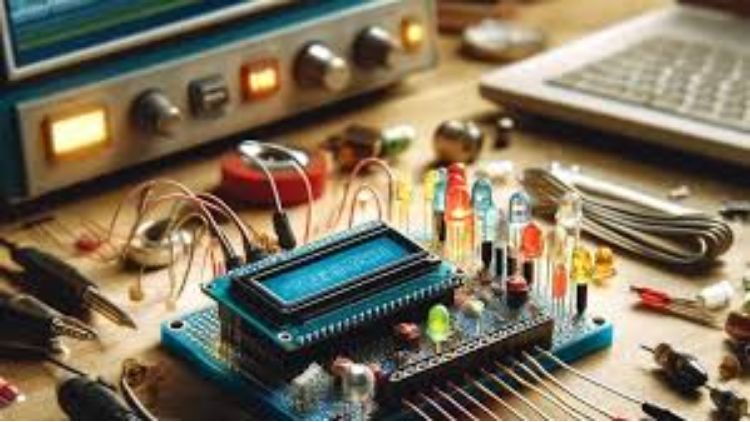
PIC微控制器是一种在硬件和软件方面都易于使用的电子设备。通过从许多传感器接收输入来感知环境,PIC微控制器通过控制灯光、电机和其他多种附件来影响其周围环境。它适用于任何制作交互式硬件的人。
Możliwości Kariery i Stanowiska Docelowe
Zdobądź praktyczne umiejętności i kwalifikuj się na kluczowe stanowiska na świecie
Program Gotowy do Pracy
Stanowiska, na które możesz aplikować
Embedded Systems Engineer
IoT Firmware Developer
Automation & SCADA Engineer
PCB & Circuit Layout Designer
Szacowane Wynagrodzenie Roczne
$85,000 – $135,000 / yr
Globalne Zapotrzebowanie Rynkowe
Top 5% Growing Engineering Segment
Kluczowe Umiejętności, które Zdobędziesz* Szacunki oparte na globalnych raportach płacowych branży technologicznej.
Microcontroller Architecture
Hardware-Software Integration
Industrial Protocols & Fieldbus Comms
Schematic & Circuit Diagnostics
Poznaj swojego instruktora
Educational Engineering Team
Główny Instruktor
Educational Engineering Team is a Leading Team in Microcontroller Industry, with over 13 Years of Experience in Teaching and Doing Practical Projects.
Educational Engineering Team is a group of skilled engineers dedicated to sharing practical knowledge with learners worldwide. Founded by Ashraf Said Al-Madhoun, the team has worked in programming, microcontrollers, electronics, and engineering education since 2007.
Rather than offering superficial explanations, the team breaks down complex topics into clear, step-by-step lessons supported by practical projects and bite-sized videos. This hands-on approach helps learners understand technical concepts and apply them directly to their studies, careers, and personal projects.
Ashraf is a Mechatronics Engineer, educator, author, electronics and programming enthusiast, and maker. As Chief Educational Engineer, he specializes in explaining challenging concepts in a simple, structured, and accessible way. He has extensive teaching experience and has authored four books about microcontrollers.
Educational Engineering Team has created more than 100 online courses covering circuit design, electronics simulation, PCB fabrication, Arduino, PIC microcontrollers, Raspberry Pi, C, Python, PLC programming, industrial automation, 3D design, ESP boards, embedded systems, and the Internet of Things.
In addition to producing courses, bootcamps, articles, and tutorials, the team supports electronics and programming enthusiasts, STEM students, educators, and aspiring engineers. Its members also provide engineering consultation and guidance for student graduation projects, helping learners develop practical skills and prepare for careers in the technology industry.
...Więcej kursów prowadzonych przez
Educational Engineering TeamStudenci też kupili
Uczniowie, którzy oglądali ten kurs, zapisali się również na te najwyżej oceniane kursy

BEZPŁATNY
Tendencia
IT i oprogramowanie | Sprzęt komputerowyZacznij teraz
Program ESP32 Board without writing a single code in A Professional Environment
5.0
2 godz. 30 min
18 wykłady
Wszystko
BEZPŁATNY

IT i oprogramowanie | Sprzęt komputerowy
Revolutionize Your Coding Skills with Al: A Comprehensive Guide for Beginners
5.0
2 godz.
11 wykłady
Wszystko
$10.99
$19.99

IT i oprogramowanie | Bezpieczeństwo Informacji
Master ISO 27001: Achieve Certification, Build Security, and Ensure Compliance for Your Organization
5.0
1 godz. 30 min
10 wykłady
Początkujący
$39.99
$54.99

IT i oprogramowanie | Certyfikat w zakresie zarządzania, ryzyka i zgodności (CGRC)
Master GRC: Step-by-Step Guide to Implementing Governance, Risk, and Compliance for Business Success
5.0
2 godz. 30 min
35 wykłady
Mediator
$39.99
$64.99

IT i oprogramowanie | Arduino
Seamlessly Stream and Visualize Real-Time Data from Arduino into Excel with Ease
5.0
1 godz. 30 min
6 wykłady
Wszystko
$9.99
$34.99

IT i oprogramowanie | Inne IT i oprogramowanie
Learn how to create and customize a website with no prior coding experience.
5.0
1 godz. 30 min
12 wykłady
Wszystko
$9.99
$19.99
Frequently Bought Together
Learners who enrolled in this course also frequently purchased these complementary courses together.
7-Day Money Back Guarantee for all bundle items
Total price for selected items:
$107.98
$134.97
Często zadawane pytania
Znajdź odpowiedzi na najczęściej zadawane pytania dotyczące tego kursu.
Tak! Po ukończeniu 100% wykładów i zadań w ramach kursu możesz natychmiast pobrać zweryfikowany cyfrowy certyfikat ukończenia bezpośrednio ze swojego profilu Lucebra.
Odkryj więcej w Technology
Rozwiń swoją naukę dzięki akredytowanym certyfikatom, e-bookom i interaktywnym lekcjom na żywo.