
In this lesson you will be introduced to what you will get in this course.
Microcontrolador PIC Passo a Passo: Seu guia completo
Você entrará no mundo das maravilhas do Microcontrolador, e juntos faremos de VOCÊ um profissional Geek de Microcontroladores.
Alle Vlakke • 81 Lesings • Lewenslange Toegang
Geverifieerde Meester Instrukteur
SLEEPWA
Ontmoet jou instrukteur: Educational Engineering Team
19 ms
5.0 / 5.0
Globale gradering1
Aktiewe studenteEngels (Verenigde State van Amerika)
99 Tale Onderskrifte8 uur 15 min
Totale inhoudWat jy sal leer
Programar o Microcontrolador PIC como um campeão
Entender os princípios da programação de microcontroladores
Entender e usar muitos tipos de sensores e componentes
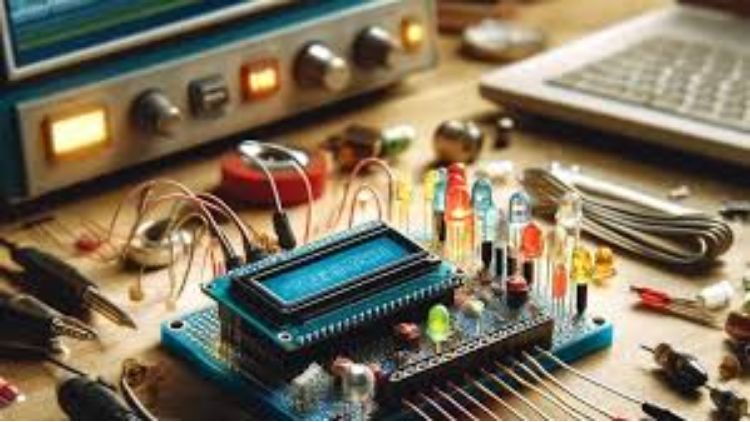
Conectar seu Microcontrolador PIC a uma tela LCD e controlá-lo.
Kursusinhoud
14 afdelings • 81 lesings • 08:15:38 totale lengteOverivew and The software to be used
05:55
Compilation Process and Your First C Project
03:29
How to increase the font size in the Programming environment
01:19
Why C and Basic Program Structure
02:43
Variables
03:11
Statements and Operators
04:38
LOOP Statements
03:32
Conditions if and switch
05:15
Numbering System
05:15
Using Operators
04:25
Using Functions
05:05
Digital inputs and Delay loops
04:12
PIC Manufacture Microship Company
03:33
Programming PIC and Circuit Prototyping
06:52
PIC Architecture and PIC Families
05:59
Harvard Architecture vs Von Neoman Architecture
06:10
PIC16F84 Microcontrollers Explained
04:23
Signle Word Instructions
04:05
Pin Discription and Ocillator Types
11:57
System Reset
08:05
Weeklikse Studieplan
Beplan jou leerreis
KI skep n persoonlike skedule gebaseer op jou beskikbaarheid5 ure/week
Vereistes
Baixe e instale o Proteus Professional! Abordaremos isso na primeira seção
Baixe e instale o MikroC Pro! Abordaremos isso na primeira seção
Teikengehoor
Anyone with a curiosity for making electronics
People with no experience in electronics
People with an intermediate knowledge of electronics
Children over 12 years old
Oor hierdie kursus
8,5 horas de conteúdo em HD | Mais de 1,5 mil alunos | Curso mais bem avaliado
Por que você deve fazer este curso?
- O curso contém muitas informações que não são encontradas em outros lugares e está organizado de maneira prática e fácil de seguir.
- O curso é prático com muitos exemplos e exercícios.
- Este curso o ajudará a aprender os fundamentos da programação de computadores do zero.
- Passo a Passo é uma excelente introdução para aqueles que foram afastados pela natureza matemática da maioria dos cursos de programação.
- Informações detalhadas sobre todos os aspectos dos microcontroladores.
- Abrange todos os aspectos da interface do microcontrolador, desde a interface de sinal analógico até a interface digital e muito mais.
Atualizações Contínuas 4 Estrelas | Mais de 1600 ALUNOS!!! OBRIGADO!!!
O que os alunos estão dizendo:
- "Este instrutor é incrível. Sua capacidade de explicar algo complexo e ajudá-lo a entender vale a pena. Eu recomendaria este curso para qualquer pessoa interessada em programação PIC." - James Clapp
- "Gostei muito deste curso. É uma breve introdução ao grande número de Controladores PIC com a maioria das tarefas padrão de um MCU e os componentes típicos anexados a ele e nada mais. Sem informações desnecessárias. Os eBooks são convenientes." - Reinhard Pontius
- "Gostei do conteúdo e da apresentação do material do curso. O instrutor é muito bom em responder às perguntas." - Walter Andreeff
- "Bom instrutor, bem preparado para cada palestra, livre de bugs, fácil de seguir, muitos exemplos e explicações detalhadas. Vale a pena aprender o Microcontrolador PIC." - Tan Pham
- "Porque é um curso baseado na prática, qualquer pessoa pode aprender e entender." - Abel Kasawhili
- "Bem feito, informações claras e precisas bem apresentadas." - Kevin Mills
- "Melhor tutorial. Todos deveriam passar minuciosamente por aula a aula." - Neeraj Kumar
Bem-vindo a este curso.
O Microcontrolador PIC é um dispositivo eletrônico fácil de usar tanto em hardware quanto em software. Sentindo o ambiente recebendo entradas de muitos sensores, o Microcontrolador PIC afeta seu entorno controlando luzes, motores e vários outros acessórios. É destinado a qualquer pessoa que faça hardware interativo.
Benefícios:
Programar o Microcontrolador PIC como um campeão
Entender os princípios da programação de microcontroladores
Entender e usar muitos tipos de sensores e componentes
Conectar seu Microcontrolador PIC a uma tela LCD e controlá-lo.
Conectar seu Microcontrolador PIC ao Seven Segment e controlá-lo.
Conectar seu Microcontrolador PIC ao Motor e aprender a controlá-lo.
Conectar seu Microcontrolador PIC ao Keypad e controlá-lo.
Conectar seu Microcontrolador PIC ao DOT Matrix e controlá-lo.
Usar ferramentas para construir dispositivos eletrônicos.
Entender os princípios básicos no design eletrônico.
Loopbaangeleenthede & Teikenposte
Bou praktiese, werksgereed vaardighede en kwalifiseer vir gesogte poste wêreldwyd
Werkgereed Kurrikulum
Poste waarvoor jy kan aansoek doen
Embedded Systems Engineer
IoT Firmware Developer
Automation & SCADA Engineer
PCB & Circuit Layout Designer
Beraamde Jaarlikse Salaris
$85,000 – $135,000 / yr
Wêreldwye Bedryfsvraag
Top 5% Growing Engineering Segment
Sleutelvaardighede wat jy Bemeester* Skatting gebaseer op globale tegnologie-werwingsmaatstawwe en salarisverslae.
Microcontroller Architecture
Hardware-Software Integration
Industrial Protocols & Fieldbus Comms
Schematic & Circuit Diagnostics
Ontmoet jou instrukteur
Educational Engineering Team
Hoofinstrukteur
Educational Engineering Team is a Leading Team in Microcontroller Industry, with over 13 Years of Experience in Teaching and Doing Practical Projects.
Educational Engineering Team is a group of skilled engineers dedicated to sharing practical knowledge with learners worldwide. Founded by Ashraf Said Al-Madhoun, the team has worked in programming, microcontrollers, electronics, and engineering education since 2007.
Rather than offering superficial explanations, the team breaks down complex topics into clear, step-by-step lessons supported by practical projects and bite-sized videos. This hands-on approach helps learners understand technical concepts and apply them directly to their studies, careers, and personal projects.
Ashraf is a Mechatronics Engineer, educator, author, electronics and programming enthusiast, and maker. As Chief Educational Engineer, he specializes in explaining challenging concepts in a simple, structured, and accessible way. He has extensive teaching experience and has authored four books about microcontrollers.
Educational Engineering Team has created more than 100 online courses covering circuit design, electronics simulation, PCB fabrication, Arduino, PIC microcontrollers, Raspberry Pi, C, Python, PLC programming, industrial automation, 3D design, ESP boards, embedded systems, and the Internet of Things.
In addition to producing courses, bootcamps, articles, and tutorials, the team supports electronics and programming enthusiasts, STEM students, educators, and aspiring engineers. Its members also provide engineering consultation and guidance for student graduation projects, helping learners develop practical skills and prepare for careers in the technology industry.
...Meer kursusse deur
Educational Engineering TeamStudente het ook gekoop
Leerders wat hierdie kursus bekyk het, het ook vir hierdie top-gegradeerde kursusse ingeskryf

GRATIS
Tendencia
IT en Sagteware | HardewareBegin nou
Program ESP32 Board without writing a single code in A Professional Environment
5.0
2 uur 30 min
18 lesings
Alles
GRATIS

IT en Sagteware | Hardeware
Revolutionize Your Coding Skills with Al: A Comprehensive Guide for Beginners
5.0
2 uur
11 lesings
Alles
$10.99
$19.99

IT en Sagteware | Inligting Sekuriteit
Master ISO 27001: Achieve Certification, Build Security, and Ensure Compliance for Your Organization
5.0
1 uur 30 min
10 lesings
Beginner
$39.99
$54.99

IT en Sagteware | Gesertifiseer in bestuur, risiko en nakoming (CGRC)
Master GRC: Step-by-Step Guide to Implementing Governance, Risk, and Compliance for Business Success
5.0
2 uur 30 min
35 lesings
Intermediêr
$39.99
$64.99

IT en Sagteware | Arduino
Seamlessly Stream and Visualize Real-Time Data from Arduino into Excel with Ease
5.0
1 uur 30 min
6 lesings
Alles
$9.99
$34.99

IT en Sagteware | Ander IT & Sagteware
Learn how to create and customize a website with no prior coding experience.
5.0
1 uur 30 min
12 lesings
Alles
$9.99
$19.99
Frequently Bought Together
Learners who enrolled in this course also frequently purchased these complementary courses together.
7-Day Money Back Guarantee for all bundle items
Total price for selected items:
$107.98
$134.97
Gereelde Vrae
Vind antwoorde op die mees algemene vrae oor hierdie kursus.
Ja! Nadat u 100% van die kursuslesings en opdragte voltooi het, kan u onmiddellik u geverifieerde digitale Sertifikaat van Voltooiing direk vanaf u Lucebra-profiel aflaai.
Verken meer in Tegnologie
Brei jou leerreis uit met geakkrediteerde sertifikate, e-boeke en interaktiewe regstreekse klasse.