
In this lesson you will be introduced to what you will get in this course.
PIC Microcontroller крок за кроком: Ваш повний посібник
Vous entrerez dans le monde merveilleux des microcontrôleurs, et ensemble, nous ferons de VOUS un professionnel des microcontrôleurs Geeks.
Всі рівні • 81 Лекції • Довічний доступ
Перевірений майстер-інструктор
ТРЕЙЛЕР
Зустрічайте свого викладача: Educational Engineering Team
19 ms
5.0 / 5.0
Глобальний рейтинг1
Активні студентиАнглійська (Сполучені Штати)
99 мов субтитрів8 год 15 хв
Загальний вмістЩо ви дізнаєтесь
Programmez le microcontrôleur PIC comme un champion
Comprendre les principes de la programmation des microcontrôleurs
Comprendre et utiliser de nombreux types de capteurs et de composants
Connectez votre microcontrôleur PIC à un écran LCD et contrôlez-le.
Зміст курсу
14 розділів • 81 лекцій • 08:15:38 загальна довжинаOverivew and The software to be used
05:55
Compilation Process and Your First C Project
03:29
How to increase the font size in the Programming environment
01:19
Why C and Basic Program Structure
02:43
Variables
03:11
Statements and Operators
04:38
LOOP Statements
03:32
Conditions if and switch
05:15
Numbering System
05:15
Using Operators
04:25
Using Functions
05:05
Digital inputs and Delay loops
04:12
PIC Manufacture Microship Company
03:33
Programming PIC and Circuit Prototyping
06:52
PIC Architecture and PIC Families
05:59
Harvard Architecture vs Von Neoman Architecture
06:10
PIC16F84 Microcontrollers Explained
04:23
Signle Word Instructions
04:05
Pin Discription and Ocillator Types
11:57
System Reset
08:05
Тижневий план навчання
Сплануйте свій шлях навчання
ШІ створює персональний розклад за вашою доступністю5 год/тиж
Вимоги
Téléchargez et installez Proteus Professional! Nous couvrirons cela dans la première section
Téléchargez et installez MikroC Pro! Nous couvrirons cela dans la première section
Цільова аудиторія
Anyone with a curiosity for making electronics
People with no experience in electronics
People with an intermediate knowledge of electronics
Children over 12 years old
Про цей курс
8,5 heures de contenu HD | Plus de 1,5k étudiants | Cours le mieux noté
Pourquoi vous devriez suivre ce cours ?
- Le cours contient beaucoup d'informations qui ne se trouvent nulle part ailleurs et sont organisées de manière pratique et facile à suivre.
- Le cours est pratique avec de nombreux exemples et exercices.
- Ce cours vous aidera à apprendre les bases de la programmation informatique à partir de zéro.
- Étape par étape est une excellente introduction pour ceux qui ont été découragés par la nature mathématique de la plupart des cours de programmation.
- Informations détaillées sur tous les aspects des microcontrôleurs.
- Il couvre tous les aspects de l'interface des microcontrôleurs, de l'interface des signaux analogiques à l'interface numérique, et plus encore.
Mises à jour continues 4 étoiles | Plus de 1600 ÉTUDIANTS!!! MERCI!!!
Ce que disent les étudiants :
- "Cet instructeur est incroyable. Sa capacité à expliquer quelque chose de complexe et à vous aider à le comprendre en vaut la peine. Je recommanderais ce cours à quiconque s'intéresse à la programmation PIC." - James Clapp
- "J'ai bien aimé ce cours. C'est une courte introduction au grand nombre de contrôleurs PIC avec la plupart des tâches standard d'un MCU et les composants typiques qui y sont attachés et rien de plus. Pas d'informations inutiles. Les eBooks sont pratiques." - Reinhard Pontius
- "J'ai apprécié le contenu et la présentation du matériel de cours. L'instructeur est très bon pour répondre aux questions." - Walter Andreeff
- "Bon instructeur, bien préparé pour chaque conférence, sans bugs, facile à suivre, beaucoup d'exemples et d'explications détaillées. Ça vaut la peine d'apprendre le microcontrôleur PIC." - Tan Pham
- "Parce que c'est un cours basé sur la pratique, tout le monde peut apprendre et comprendre." - Abel Kasawhili
- "Bien fait, informations claires et précises bien présentées." - Kevin Mills
- "Meilleur tutoriel. Tout le monde devrait parcourir méthodiquement les leçons." - Neeraj Kumar
Bienvenue dans ce cours.
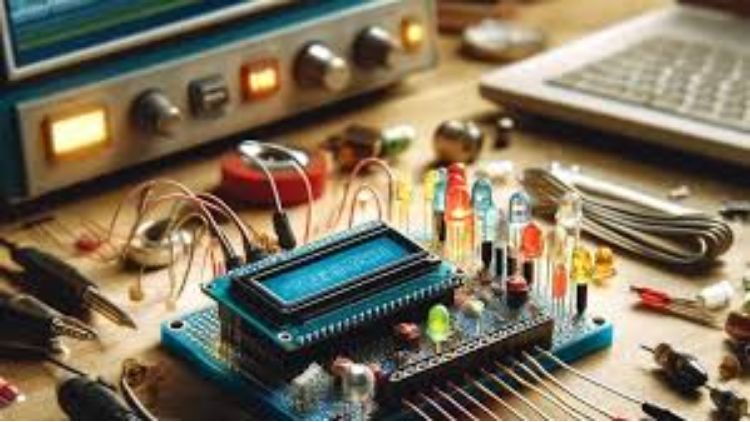
Le microcontrôleur PIC est un dispositif électronique facile à utiliser en hardware et en software. En détectant l'environnement en recevant des entrées de nombreux capteurs, le microcontrôleur PIC affecte son environnement en contrôlant les lumières, les moteurs et plusieurs autres accessoires. Il est destiné à tous ceux qui fabriquent du matériel interactif.
Кар'єрні можливості та цільові професії
Опануйте практичні навички для працевлаштування та претендуйте на престижні міжнародні посади
Програма для кар'єрного старту
Посади, на які ви можете претендувати
Embedded Systems Engineer
IoT Firmware Developer
Automation & SCADA Engineer
PCB & Circuit Layout Designer
Орієнтовна річна зарплата
$85,000 – $135,000 / yr
Попит на світовому ринку
Top 5% Growing Engineering Segment
Ключові практичні навички* Оцінки базуються на міжнародних звітах про компенсації в IT-галузі.
Microcontroller Architecture
Hardware-Software Integration
Industrial Protocols & Fieldbus Comms
Schematic & Circuit Diagnostics
Познайомтеся з викладачем
Educational Engineering Team
Головний інструктор
Educational Engineering Team is a Leading Team in Microcontroller Industry, with over 13 Years of Experience in Teaching and Doing Practical Projects.
Educational Engineering Team is a group of skilled engineers dedicated to sharing practical knowledge with learners worldwide. Founded by Ashraf Said Al-Madhoun, the team has worked in programming, microcontrollers, electronics, and engineering education since 2007.
Rather than offering superficial explanations, the team breaks down complex topics into clear, step-by-step lessons supported by practical projects and bite-sized videos. This hands-on approach helps learners understand technical concepts and apply them directly to their studies, careers, and personal projects.
Ashraf is a Mechatronics Engineer, educator, author, electronics and programming enthusiast, and maker. As Chief Educational Engineer, he specializes in explaining challenging concepts in a simple, structured, and accessible way. He has extensive teaching experience and has authored four books about microcontrollers.
Educational Engineering Team has created more than 100 online courses covering circuit design, electronics simulation, PCB fabrication, Arduino, PIC microcontrollers, Raspberry Pi, C, Python, PLC programming, industrial automation, 3D design, ESP boards, embedded systems, and the Internet of Things.
In addition to producing courses, bootcamps, articles, and tutorials, the team supports electronics and programming enthusiasts, STEM students, educators, and aspiring engineers. Its members also provide engineering consultation and guidance for student graduation projects, helping learners develop practical skills and prepare for careers in the technology industry.
...Інші курси викладача:
Educational Engineering TeamКупували і студенти
Учні, які переглянули цей курс, також записалися на ці курси з найвищим рейтингом

БЕЗКОШТОВНО
В тренде
IT та програмне забезпечення | ОбладнанняПочати
Program ESP32 Board without writing a single code in A Professional Environment
5.0
2 год 30 хв
18 лекцій
всі
БЕЗКОШТОВНО

IT та програмне забезпечення | Обладнання
Revolutionize Your Coding Skills with Al: A Comprehensive Guide for Beginners
5.0
2 год
11 лекцій
всі
$10.99
$19.99

IT та програмне забезпечення | Інформаційна безпека
Master ISO 27001: Achieve Certification, Build Security, and Ensure Compliance for Your Organization
5.0
1 год 30 хв
10 лекцій
Початківець
$39.99
$54.99

IT та програмне забезпечення | Сертифікат з управління, ризиків і відповідності (CGRC)
Master GRC: Step-by-Step Guide to Implementing Governance, Risk, and Compliance for Business Success
5.0
2 год 30 хв
35 лекцій
Проміжний
$39.99
$64.99

IT та програмне забезпечення | Arduino
Seamlessly Stream and Visualize Real-Time Data from Arduino into Excel with Ease
5.0
1 год 30 хв
6 лекцій
всі
$9.99
$34.99

IT та програмне забезпечення | Інші IT та програмне забезпечення
Learn how to create and customize a website with no prior coding experience.
5.0
1 год 30 хв
12 лекцій
всі
$9.99
$19.99
Frequently Bought Together
Learners who enrolled in this course also frequently purchased these complementary courses together.
7-Day Money Back Guarantee for all bundle items
Total price for selected items:
$107.98
$134.97
Часті запитання
Знайдіть відповіді на найпоширеніші запитання про цей курс.
так! Виконавши 100% лекцій і завдань курсу, ви можете миттєво завантажити свій підтверджений цифровий сертифікат про проходження безпосередньо зі свого профілю Lucebra.
Дізнайтеся більше в Technology
Розширюйте навчання за допомогою акредитованих сертифікатів, електронних книг та інтерактивних онлайн-уроків.