
In this lesson you will be introduced to what you will get in this course.
PIC Microcontroller Step by Step: Your complete guide
마이크로컨트롤러의 경이로운 세계에 입문하고, 함께 당신을 전문 마이크로컨트롤러 전문가로 만들어 보세요.
All Levels • 81 Lectures • Full Lifetime Access
Verified Master Instructor
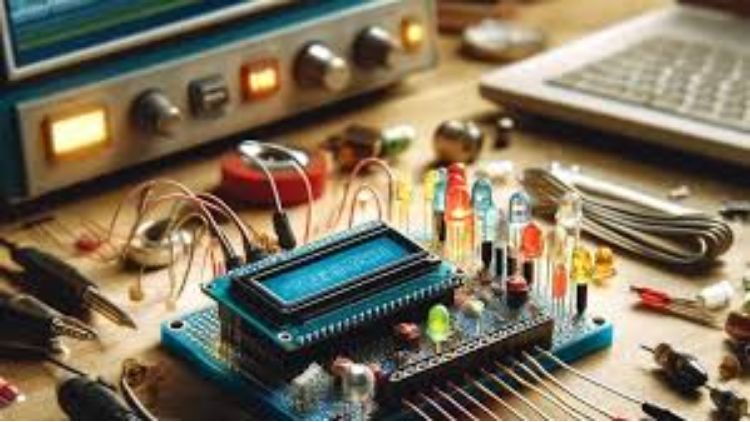
TRAILER
Meet your instructor: Educational Engineering Team
19 ms
5.0 / 5.0
Global Rating1
Active StudentsEnglish (US)
99 Languages Subtitles8h 15m
Total ContentWhat you will learn
PIC 마이크로컨트롤러를 완벽하게 프로그래밍하세요
마이크로컨트롤러 프로그래밍의 원리를 이해하세요
다양한 센서 및 구성 요소를 이해하고 사용하세요
PIC 마이크로컨트롤러를 LCD 화면에 연결하고 제어하세요.
Course Content
14 sections • 81 lectures • 08:15:38 total lengthOverivew and The software to be used
05:55
Compilation Process and Your First C Project
03:29
How to increase the font size in the Programming environment
01:19
Why C and Basic Program Structure
02:43
Variables
03:11
Statements and Operators
04:38
LOOP Statements
03:32
Conditions if and switch
05:15
Numbering System
05:15
Using Operators
04:25
Using Functions
05:05
Digital inputs and Delay loops
04:12
PIC Manufacture Microship Company
03:33
Programming PIC and Circuit Prototyping
06:52
PIC Architecture and PIC Families
05:59
Harvard Architecture vs Von Neoman Architecture
06:10
PIC16F84 Microcontrollers Explained
04:23
Signle Word Instructions
04:05
Pin Discription and Ocillator Types
11:57
System Reset
08:05
Weekly Study Plan
Plan Your Learning Journey
AI generates a personalized schedule based on your availability5 hrs/week
Requirements
프로테우스 프로페셔널을 다운로드하고 설치하세요! 첫 번째 섹션에서 이에 대해 다룰 것입니다.
마이크로C 프로를 다운로드하고 설치하세요! 첫 번째 섹션에서 이에 대해 다룰 것입니다.
Target Audience
Anyone with a curiosity for making electronics
People with no experience in electronics
People with an intermediate knowledge of electronics
Children over 12 years old
About this course
이 과정을 선택해야 하는 이유는?
- 이 과정에는 다른 곳에서는 찾을 수 없는 많은 정보가 포함되어 있으며, 실용적이고 따라하기 쉬운 방식으로 구성되어 있습니다.
- 이 과정은 다양한 예제와 연습이 포함된 실용적인 과정입니다.
- 이 과정은 처음부터 컴퓨터 프로그래밍의 기초를 배우는 데 도움을 줍니다.
- 단계별은 대부분의 프로그래밍 과정의 수학적 성격에 벙어리새처럼 느껴진 사람들에게 훌륭한 소개입니다.
- 마이크로컨트롤러의 모든 측면에 대한 상세한 정보가 포함되어 있습니다.
- 아날로그 신호 인터페이싱에서 디지털 인터페이싱 등 마이크로컨트롤러 인터페이싱의 모든 측면을 다룹니다.
지속적인 업데이트 4성 | 1,600명 이상의 학생!!! 감사합니다!!!
학생들의 의견:
- "이 강사님은 훌륭합니다. 복잡한 것을 설명하고 이해하도록 도와주는 능력은 그 어떤 것보다 가치가 있습니다. PIC 프로그래밍에 관심이 있는 모든 사람에게 이 과정을 추천합니다." - James Clapp
- "이 과정을 잘 좋아했습니다. 많은 PIC 컨트롤러에 대한 간단한 소개로, MCU의 표준 작업과 그에 붙은 일반적인 구성 요소가 포함되어 있으며, 그 이상은 없습니다. 전자책이 편리합니다." - Reinhard Pontius
- "강의 자료의 내용과 발표를 즐겼습니다. 강사님은 질문에 매우 잘 대응하십니다." - Walter Andreeff
- "좋은 강사님, 모든 강의에 대해 잘 준비되어 있으며, 버그가 없고, 따라하기 쉽고, 많은 예제와 상세한 설명이 있습니다. PIC 마이크로컨트롤러를 배울 가치가 있습니다." - Tan Pham
- "실습 기반 과정이기 때문에 누구나 배우고 이해할 수 있습니다." - Abel Kasawhili
- "잘 짜여진 정보가 명확하고 정확합니다." - Kevin Mills
- "최고의 튜토리얼입니다. 모든 사람이 강의를 철저히 따라해야 합니다." - Neeraj Kumar
이 과정에 오신 것을 환영합니다.
PIC 마이크로컨트롤러는 하드웨어와 소프트웨어 모두 사용하기 쉬운 전자 장치입니다. 다양한 센서로부터 입력을 받아 환경을 감지하고, 조명, 모터 및 기타 여러 액세서리를 제어하여 주변 환경에 영향을 미칩니다. 상호작용하는 하드웨어를 만드는 모든 사람을 대상으로 합니다.
Career Opportunities & Job Roles
Build practical, job-ready skills and qualify for high-impact roles worldwide
Job-Ready Curriculum
Target Roles You Can Apply For
Embedded Systems Engineer
IoT Firmware Developer
Automation & SCADA Engineer
PCB & Circuit Layout Designer
Estimated Annual Salary
$85,000 – $135,000 / yr
Global Industry Demand
Top 5% Growing Engineering Segment
In-Demand Skills You Master* Estimates based on global tech hiring benchmarks and industry compensation reports.
Microcontroller Architecture
Hardware-Software Integration
Industrial Protocols & Fieldbus Comms
Schematic & Circuit Diagnostics
Meet your instructor
Educational Engineering Team
Main Instructor
Educational Engineering Team is a Leading Team in Microcontroller Industry, with over 13 Years of Experience in Teaching and Doing Practical Projects.
Educational Engineering Team is a group of skilled engineers dedicated to sharing practical knowledge with learners worldwide. Founded by Ashraf Said Al-Madhoun, the team has worked in programming, microcontrollers, electronics, and engineering education since 2007.
Rather than offering superficial explanations, the team breaks down complex topics into clear, step-by-step lessons supported by practical projects and bite-sized videos. This hands-on approach helps learners understand technical concepts and apply them directly to their studies, careers, and personal projects.
Ashraf is a Mechatronics Engineer, educator, author, electronics and programming enthusiast, and maker. As Chief Educational Engineer, he specializes in explaining challenging concepts in a simple, structured, and accessible way. He has extensive teaching experience and has authored four books about microcontrollers.
Educational Engineering Team has created more than 100 online courses covering circuit design, electronics simulation, PCB fabrication, Arduino, PIC microcontrollers, Raspberry Pi, C, Python, PLC programming, industrial automation, 3D design, ESP boards, embedded systems, and the Internet of Things.
In addition to producing courses, bootcamps, articles, and tutorials, the team supports electronics and programming enthusiasts, STEM students, educators, and aspiring engineers. Its members also provide engineering consultation and guidance for student graduation projects, helping learners develop practical skills and prepare for careers in the technology industry.
...More Courses by
Educational Engineering TeamStudents also bought
Learners who viewed this course also enrolled in these top-rated courses

FREE
Trending
IT & Software | HardwareStart Now
Program ESP32 Board without writing a single code in A Professional Environment
5.0
2h 30m
18 lectures
All
FREE

IT & Software | Hardware
Revolutionize Your Coding Skills with Al: A Comprehensive Guide for Beginners
5.0
2h
11 lectures
All
$10.99
$19.99

IT & Software | Information Security
Master ISO 27001: Achieve Certification, Build Security, and Ensure Compliance for Your Organization
5.0
1h 30m
10 lectures
Beginner
$39.99
$54.99

IT & Software | Certified in Governance, Risk and Compliance (CGRC)
Master GRC: Step-by-Step Guide to Implementing Governance, Risk, and Compliance for Business Success
5.0
2h 30m
35 lectures
Intermediate
$39.99
$64.99

IT & Software | Arduino
Seamlessly Stream and Visualize Real-Time Data from Arduino into Excel with Ease
5.0
1h 30m
6 lectures
All
$9.99
$34.99

IT & Software | Other IT & Software
Learn how to create and customize a website with no prior coding experience.
5.0
1h 30m
12 lectures
All
$9.99
$19.99
Frequently Bought Together
Learners who enrolled in this course also frequently purchased these complementary courses together.
7-Day Money Back Guarantee for all bundle items
Total price for selected items:
$107.98
$134.97
Frequently Asked Questions
Find answers to the most common questions about this course.
Yes! Upon completing 100% of the course lectures and assignments, you can instantly download your verified digital Certificate of Completion directly from your Lucebra profile.
Explore More in Technology
Expand your learning journey with accredited certificates, related digital books, and live interactive classes.