Lucebra
Lucebra สำหรับธุรกิจ
ประสิทธิภาพการทำงานในสำนักงาน/Microsoft/ไมโครซอฟต์ ออฟฟิศ 365

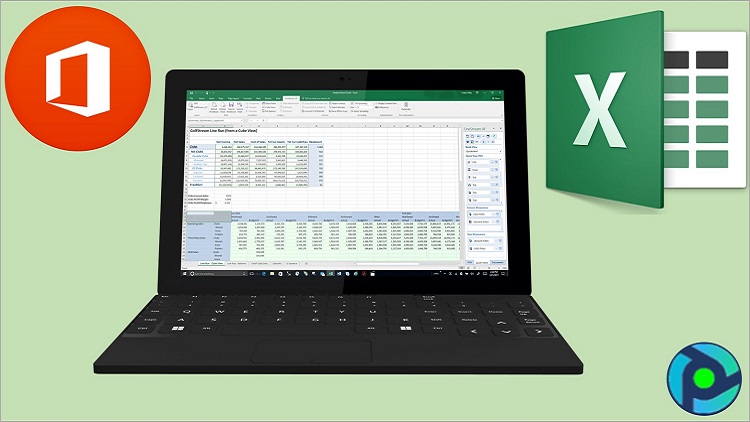
MS Excel: จัดการและรายงานด้วย Microsoft Excel (พื้นฐาน)

Master the Most Used Spreadsheet Processor, Microsoft Excel. MS Excel 2013, Excel 2016, Excel 2019 and Excel 2021

ทุกระดับ • 25 บรรยาย • เข้าถึงได้ตลอดชีวิต
LinCademy

อาจารย์ผู้สอนที่ได้รับการรับรอง

MS Excel: Manage and Report with Microsoft Excel (Basic)
รถพ่วง
พบกับผู้สอนของคุณ: LinCademy

19 ms

5.0 / 5.0
นักเรียนที่กระตือรือร้น
1
นักเรียนที่กระตือรือร้น
อังกฤษ - สหรัฐอเมริกา
คำบรรยาย 99 ภาษา
1 ชม. 1 นาที
เนื้อหาทั้งหมด

สิ่งที่คุณจะได้เรียนรู้

Understanding MS Excel Interface.
Working with the File and Home menus.
Working with the Insert and Page Layout menus.
Working with the Formulas and Data menus.

เนื้อหาหลักสูตร

7 ส่วน • 25 การบรรยาย • 01:01:34 ความยาวรวม

Course Overview

01:04

Excel Interface Understanding

02:24

Excel Interface Understanding

01:59

Working with File Menu - Part 1

02:40

Working with File Menu - Part 2

03:58

Working with Home Menu - Part 1

02:36

Working with Insert Menu - Part 1

02:20

Working with Insert Menu - Part 2

02:27

Working with Page Layout Menu - Part 1

02:18

Working with Page Layout Menu - Part 2

02:29

Working with Formulas Menu - Part 1

02:28

Working with Formulas Menu - Part 2

01:47
แผนการเรียนรายสัปดาห์
วางแผนการเรียนรู้ของคุณ
AI สร้างตารางเวลาส่วนตัวตามเวลาว่างของคุณ

ความต้องการ

No prerequisites needed to take this course except for strong determination to update your office skills by starting to work professionally on the most important software for professionals - MS Excel.

กลุ่มเป้าหมาย

Any professional who is familiar with the function and the basic use of the software.

เกี่ยวกับหลักสูตรนี้

There's now an explosion of data and statistics that businesses and non-profits need to track, manage, analyze, and interpret. To handle this, you'd need a flexible tool you can use for each instance without having to recreate the data over and over again. Fortunately, Microsoft has created its widely used tool - Excel. Excel allows you to be able to display calculations and analysis that you determine are necessary. It will also help you create sensible documents and knowledge.


This step-by-step, practical course from LinCademy will provide you with all what it takes to master the basics of using Microsoft Excel that will help you to create sensible documents and knowledge. And you can use these documents to create knowledge for yourself and others you work with. Developing the skill of using Excel will also help you create data on demand to create good decisions.


Throughout 26 tutorials, you will practically learn the basics of Microsoft Excel. You will understand how to deal with its interface and use its basic elements and menus such as File Menu, Home menu, Insert menu, Layout menu, Formulas menu, Data menu, Review menu, and View menu. You will also learn the needed elements to help you enter and manipulate data such as using Excel templates, and calculations, etc.


By taking this concise course, you will master the following:


  • Understanding MS Excel Interface
  • Working with the File and Home menus
  • Working with the Insert and Page Layout menus
  • Working with the Formulas and Data menus
  • Working with the Review and View menus
  • Working with Excel templates
  • Working with dates in Excel
  • Working with numbers in Excel
  • Working with text in Excel
  • Working with calculations in Excel
  • Understanding how to set up pages in Excel
  • Understanding how to configure print settings in Excel
  • And much more...


So, grab this great opportunity and start the course now.

พบกับผู้สอนของคุณ
LinCademy
5.0 เรตติ้ง
34 นักเรียน
ดูโปรไฟล์แบบเต็ม
LinCademy
อาจารย์ผู้สอนหลัก
Training courses/programs publisher
Launched in London in 2020 (officially incorporated in 2024), LinCademy empowers you to learn and develop in-demand skills from the comfort of your home. Our unique platform combines engaging, self-paced courses with a vibrant community for interaction, networking, and self-branding. This blend of gamified learning and social connection empowers you to take control of your development and achieve your professional goals....
คอร์สอื่น ๆ โดย
LinCademy

นักเรียนก็ซื้อด้วย

ผู้เรียนที่ดูหลักสูตรนี้ได้ลงทะเบียนเรียนในหลักสูตรที่ได้รับคะแนนสูงสุดเหล่านี้ด้วย

PowerPoint Basics: Organize and Present Ideas Effectively
ประสิทธิภาพการทำงานในสำนักงาน | ไมโครซอฟต์ พาวเวอร์พอยท์

Learn to create, organize, and confidently deliver impactful presentations quickly and with ease.

5.0
1 ชม. 30 นาที
19 การบรรยาย
ระดับเริ่มต้น
$19.99

$69.99

Using ChatGPT For Online Business Success
ประสิทธิภาพการทำงานในสำนักงาน | ChatGPT

Create, configure, and monetize your own custom GPTs easily with these clear, simple steps.

5.0
1 ชม.
19 การบรรยาย
ทุกระดับ
$10.99

$59.99

Time Management For Office professionals
ประสิทธิภาพการทำงานในสำนักงาน | พื้นที่ทำงานของแนวคิด

Master practical time management techniques to boost productivity, reduce overwhelm, and achieve more every day.

5.0
2 ชม.
9 การบรรยาย
ทุกระดับ
$9.99
Electronic Spreadsheet Class 10 I.T.
ประสิทธิภาพการทำงานในสำนักงาน | ไมโครซอฟต์ ออฟฟิศ 365

Electronic Spreadsheet Class 10 I.T. Part-I

5.0
4 ชม. 30 นาที
10 การบรรยาย
ทุกระดับ
$19.99
Work-Life Balance Mastery: Strategies for a Fulfilling Career and Life
ประสิทธิภาพการทำงานในสำนักงาน | Personal Productivity

Practical Strategies to Boost Productivity, Set Boundaries, and Build a Fulfilling Work-Life Balance Without Sacrificing

5.0
2 ชม. 30 นาที
24 การบรรยาย
ทุกระดับ
$10.99

$39.99

MS Word: Improve Your Writing with Microsoft Word (Advanced)
ประสิทธิภาพการทำงานในสำนักงาน | ไมโครซอฟต์ เวิร์ด

Master the Well-known Word Processor, Microsoft Word. MS Word 2013, Word 2016, Word 2019 and Word 2021

5.0
1 ชม.
19 การบรรยาย
ผู้เชี่ยวชาญ
$19.99

$74.99

Frequently Bought Together

Learners who enrolled in this course also frequently purchased these complementary courses together.

7-Day Money Back Guarantee for all bundle items

Total price for selected items:

$179.98

$224.97

🎉 Save 20% when bought together

คำถามที่พบบ่อย

ค้นหาคำตอบของคำถามที่พบบ่อยเกี่ยวกับหลักสูตรนี้

ใช่! เมื่อเสร็จสิ้นการบรรยายและการมอบหมายหลักสูตร 100% คุณสามารถดาวน์โหลดใบรับรองการสำเร็จหลักสูตรดิจิทัลที่ผ่านการตรวจสอบแล้วได้ทันทีจากโปรไฟล์ Lucebra ของคุณ

สำรวจเพิ่มเติมใน Technology

ต่อยอดการเรียนรู้ของคุณด้วยใบรับรองที่ผ่านการรับรอง อีบุ๊กที่เกี่ยวข้อง และชั้นเรียนสดแบบอินเทอร์แอคทีฟ