Lucebra
Lucebra Business
Office Productivity/Microsoft/Microsoft Excel

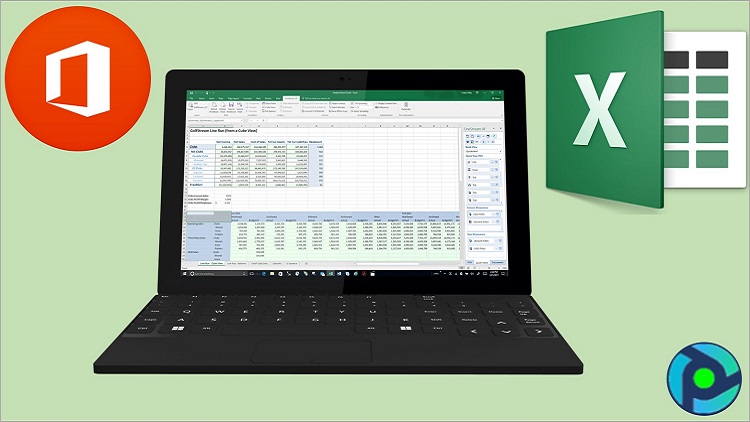
MS Excel: Manage and Report with Microsoft Excel (Basic)

전 세계적으로 가장 많이 사용되는 스프레드시트 프로세서인 Microsoft Excel을 마스터하세요. MS Excel 2013, Excel 2016, Excel 2019 및 Excel 2021

All Levels • 25 Lectures • Full Lifetime Access
LinCademy

Verified Master Instructor

MS Excel: Microsoft Excel로 관리 및 보고서 작성 (기초)
TRAILER
Meet your instructor: LinCademy

19 ms

5.0 / 5.0
Global Rating
1
Active Students
English (US)
99 Languages Subtitles
1h 1m
Total Content

What you will learn

MS Excel 인터페이스 이해.
파일 및 홈 메뉴 작업.
삽입 및 페이지 레이아웃 메뉴 작업.
수식 및 데이터 메뉴 작업.

Course Content

7 sections • 25 lectures • 01:01:34 total length

Course Overview

01:04

Excel Interface Understanding

02:24

Excel Interface Understanding

01:59

Working with File Menu - Part 1

02:40

Working with File Menu - Part 2

03:58

Working with Home Menu - Part 1

02:36

Working with Insert Menu - Part 1

02:20

Working with Insert Menu - Part 2

02:27

Working with Page Layout Menu - Part 1

02:18

Working with Page Layout Menu - Part 2

02:29

Working with Formulas Menu - Part 1

02:28

Working with Formulas Menu - Part 2

01:47
Weekly Study Plan
Plan Your Learning Journey
AI generates a personalized schedule based on your availability

Requirements

이 강좌를 수강하기 위한 전제 조건은 없으며, MS Excel을 전문적으로 사용하여 사무실 기술을 업데이트하려는 강한 결심만 있으면 됩니다.

Target Audience

Any professional who is familiar with the function and the basic use of the software.

About this course

현재 기업과 비영리 단체가 추적, 관리, 분석 및 해석해야 하는 데이터와 통계가 폭발적으로 증가하고 있습니다. 이를 처리하기 위해서는 데이터를 계속해서 다시 만들지 않고도 각 인스턴스에 사용할 수 있는 유연한 도구가 필요합니다. 다행히도 Microsoft는 널리 사용되는 도구인 Excel을 만들었습니다. Excel을 사용하면 필요하다고 판단한 계산 및 분석을 표시할 수 있습니다. 또한 합리적인 문서와 지식을 만드는 데 도움이 될 것입니다.


LinCademy의 단계별 실용적인 강좌를 통해 Microsoft Excel의 기초를 마스터하는 데 필요한 모든 것을 제공합니다. 이를 통해 합리적인 문서와 지식을 만들 수 있으며, 이러한 문서를 사용하여 자신과 함께 일하는 다른 사람들을 위한 지식을 만들 수 있습니다. Excel을 사용하는 기술을 개발하면 좋은 결정을 내리기 위해 필요한 데이터를 만드는 데 도움이 될 것입니다.


26개의 튜토리얼을 통해 Microsoft Excel의 기초를 실용적으로 배우게 됩니다. 파일 메뉴, 홈 메뉴, 삽입 메뉴, 레이아웃 메뉴, 수식 메뉴, 데이터 메뉴, 검토 메뉴 및 보기 메뉴와 같은 인터페이스와 기본 요소 및 메뉴를 다루는 방법을 이해하게 됩니다. 또한 Excel 템플릿 사용, 계산 등과 같은 데이터를 입력하고 조작하는 데 필요한 요소도 배우게 됩니다.


이 간결한 강좌를 수강하면 다음 사항을 마스터할 수 있습니다:


  • MS Excel 인터페이스 이해
  • 파일 및 홈 메뉴 작업
  • 삽입 및 페이지 레이아웃 메뉴 작업
  • 수식 및 데이터 메뉴 작업
  • 검토 및 보기 메뉴 작업
  • Excel 템플릿 작업
  • Excel에서 날짜 작업
  • Excel에서 숫자 작업
  • Excel에서 텍스트 작업
  • Excel에서 계산 작업
  • Excel에서 페이지 설정 이해
  • Excel에서 인쇄 설정 구성 이해
  • 그리고 훨씬 더...


이 좋은 기회를 잡고 지금 바로 강좌를 시작하세요.

Meet your instructor
LinCademy
5.0 Rating
34 Students
View Full Profile
LinCademy
Main Instructor
Training courses/programs publisher
Launched in London in 2020 (officially incorporated in 2024), LinCademy empowers you to learn and develop in-demand skills from the comfort of your home. Our unique platform combines engaging, self-paced courses with a vibrant community for interaction, networking, and self-branding. This blend of gamified learning and social connection empowers you to take control of your development and achieve your professional goals....
More Courses by
LinCademy

Students also bought

Learners who viewed this course also enrolled in these top-rated courses

PowerPoint Basics: Organize and Present Ideas Effectively
Office Productivity | Microsoft PowerPoint

Learn to create, organize, and confidently deliver impactful presentations quickly and with ease.

5.0
1h 30m
19 lectures
Beginner
$19.99

$69.99

Using ChatGPT For Online Business Success
Office Productivity | ChatGPT

Create, configure, and monetize your own custom GPTs easily with these clear, simple steps.

5.0
1h
19 lectures
All
$10.99

$59.99

Time Management For Office professionals
Office Productivity | Notion Workspace

Master practical time management techniques to boost productivity, reduce overwhelm, and achieve more every day.

5.0
2h
9 lectures
All
$9.99
Electronic Spreadsheet Class 10 I.T.
Office Productivity | Microsoft Excel

Electronic Spreadsheet Class 10 I.T. Part-I

5.0
4h 30m
10 lectures
All
$19.99
Work-Life Balance Mastery: Strategies for a Fulfilling Career and Life
Office Productivity | Personal Productivity

Practical Strategies to Boost Productivity, Set Boundaries, and Build a Fulfilling Work-Life Balance Without Sacrificing

5.0
2h 30m
24 lectures
All
$10.99

$39.99

MS Word: Improve Your Writing with Microsoft Word (Advanced)
Office Productivity | Microsoft Word

Master the Well-known Word Processor, Microsoft Word. MS Word 2013, Word 2016, Word 2019 and Word 2021

5.0
1h
19 lectures
Expert
$19.99

$74.99

Frequently Bought Together

Learners who enrolled in this course also frequently purchased these complementary courses together.

7-Day Money Back Guarantee for all bundle items

Total price for selected items:

$179.98

$224.97

🎉 Save 20% when bought together

Frequently Asked Questions

Find answers to the most common questions about this course.

Yes! Upon completing 100% of the course lectures and assignments, you can instantly download your verified digital Certificate of Completion directly from your Lucebra profile.

Explore More in Technology

Expand your learning journey with accredited certificates, related digital books, and live interactive classes.