Lucebra
Lucebra Perniagaan
Produktiviti Pejabat/Microsoft/Microsoft Excel

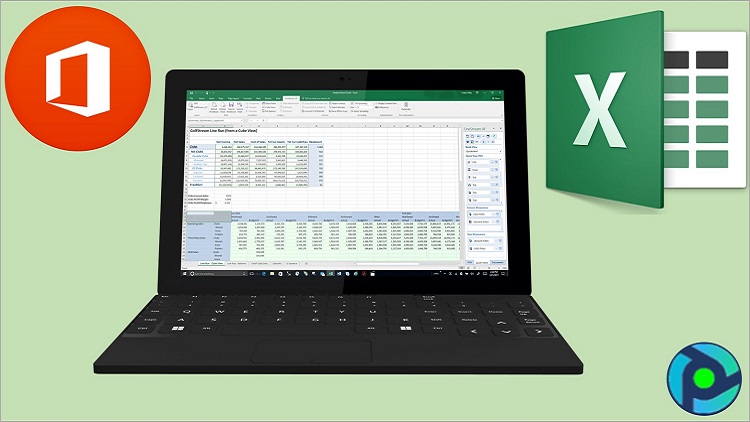
MS Excel: จัดการและรายงานด้วย Microsoft Excel (พื้นฐาน)

ทำเนียบโปรแกรมสแปรดชีตที่ใช้กันมากที่สุด Microsoft Excel คือ MS Excel 2013, Excel 2016, Excel 2019 และ Excel 2021

Semua Tahap • 25 Kuliah • Akses Sepanjang Hayat
LinCademy

Pengajar Sarjana Disahkan

MS Excel: จัดการและรายงานด้วย Microsoft Excel (พื้นฐาน)
TRAILER
Temui pengajar anda: LinCademy

19 ms

5.0 / 5.0
Sarikata 99 Bahasa
1
Pelajar Aktif
Inggeris AS
Sarikata 99 Bahasa
1 jam 1 min
Jumlah Kandungan

Apa yang anda akan pelajari

การเข้าใจอินเทอร์เฟซของ MS Excel
การใช้งานเมนูไฟล์และเมนูโฮม
การใช้งานเมนูเสริมและเมนูเข้ากัน
การใช้งานเมนูสูตรและเมนูข้อมูล

Kandungan Kursus

7 bahagian • 25 kuliah • 01:01:34 jumlah panjang

Course Overview

01:04

Excel Interface Understanding

02:24

Excel Interface Understanding

01:59

Working with File Menu - Part 1

02:40

Working with File Menu - Part 2

03:58

Working with Home Menu - Part 1

02:36

Working with Insert Menu - Part 1

02:20

Working with Insert Menu - Part 2

02:27

Working with Page Layout Menu - Part 1

02:18

Working with Page Layout Menu - Part 2

02:29

Working with Formulas Menu - Part 1

02:28

Working with Formulas Menu - Part 2

01:47
Pelan Belajar Mingguan
Rancang perjalanan pembelajaran anda
AI menjana jadual peribadi berdasarkan ketersediaan anda

Keperluan

ไม่มีข้อกำหนดเบื้องต้นที่จำเป็นในการเรียนรู้หลักสูตรนี้ ยกเว้นความตั้งใจที่แข็งแกร่งในการปรับปรุงทักษะการทำงานของคุณด้วยการเริ่มทำงานอย่างเป็นมืออาชีพกับซอฟต์แวร์ที่สำคัญที่สุดสำหรับผู้เชี่ยวชาญ คือ MS Excel

Khalayak Sasaran

Any professional who is familiar with the function and the basic use of the software.

Mengenai kursus ini

ปัจจุบันมีการเก็บรวบรวมข้อมูลและสถิติมากมายที่ธุรกิจและองค์กรไม่ควรพลาด เพื่อจัดการ วิเคราะห์ และตีความ คุณต้องใช้เครื่องมือที่ยืดหยุ่นซึ่งสามารถใช้งานได้ในทุกกรณีโดยไม่ต้องสร้างข้อมูลซ้ำๆ โชคดีที่ Microsoft ได้สร้างเครื่องมือที่ใช้กันอย่างแพร่หลายคือ Excel ซึ่งช่วยให้คุณแสดงการคำนวณและการวิเคราะห์ที่คุณต้องการ นอกจากนี้ยังช่วยให้คุณสร้างเอกสารและความรู้ที่เป็นประโยชน์


หลักสูตรที่ให้การสอนทีละขั้นตอนจาก LinCademy นี้จะมอบทุกสิ่งที่คุณต้องการเพื่อทำเนียบพื้นฐานของการใช้ Microsoft Excel ซึ่งจะช่วยให้คุณสามารถสร้างเอกสารและความรู้ที่เป็นประโยชน์ และคุณสามารถใช้เอกสารเหล่านี้เพื่อสร้างความรู้สำหรับตัวคุณเองและคนอื่นๆ ที่คุณทำงานร่วมกัน การพัฒนาทักษะในการใช้ Excel จะช่วยให้คุณสามารถสร้างข้อมูลตามความต้องการเพื่อตัดสินใจได้อย่างถูกต้อง


ในหลักสูตรนี้ 26 บทเรียน คุณจะเรียนรู้พื้นฐานของ Microsoft Excel โดยการปฏิบัติ คุณจะเข้าใจในการจัดการอินเทอร์เฟซและการใช้งานองค์ประกอบพื้นฐานและเมนูต่างๆ เช่น เมนูไฟล์ เมนูโฮม เมนูเสริม เมนูเข้ากัน เมนูสูตร เมนูข้อมูล เมนูตรวจสอบ และเมนูดู คุณยังจะเรียนรู้องค์ประกอบที่จำเป็นที่จะช่วยให้คุณป้อนและจัดการข้อมูล เช่น การใช้เทมเพลต Excel และการคำนวณ เป็นต้น


จากการเรียนรู้หลักสูตรที่เข้มข้นนี้ คุณจะทำเนียบสิ่งต่อไปนี้:


  • การเข้าใจอินเทอร์เฟซของ MS Excel
  • การใช้งานเมนูไฟล์และเมนูโฮม
  • การใช้งานเมนูเสริมและเมนูเข้ากัน
  • การใช้งานเมนูสูตรและเมนูข้อมูล
  • การใช้งานเมนูตรวจสอบและเมนูดู
  • การใช้งานเทมเพลต Excel
  • การใช้งานวันที่ใน Excel
  • การใช้งานตัวเลขใน Excel
  • การใช้งานข้อความใน Excel
  • การใช้งานการคำนวณใน Excel
  • การเข้าใจในการตั้งค่าหน้าใน Excel
  • การเข้าใจในการตั้งค่าการพิมพ์ใน Excel
  • และอื่นๆ อีกมากมาย...


ดังนั้น อย่าพลาดโอกาสที่ยอดเยี่ยมนี้และเริ่มหลักสูตรตอนนี้เอง

Kenali Pengajar Anda
LinCademy
Lihat Profil Penuh
34 Pelajar
Pengajar Utama
LinCademy
Pengajar Utama
Training courses/programs publisher
Launched in London in 2020 (officially incorporated in 2024), LinCademy empowers you to learn and develop in-demand skills from the comfort of your home. Our unique platform combines engaging, self-paced courses with a vibrant community for interaction, networking, and self-branding. This blend of gamified learning and social connection empowers you to take control of your development and achieve your professional goals....
Lebih Banyak Kursus oleh
LinCademy

Pelajar pun beli

Pelajar yang melihat kursus ini turut mendaftar dalam kursus yang mendapat penilaian tertinggi ini

PowerPoint Basics: Organize and Present Ideas Effectively
Produktiviti Pejabat | IT & Perisian lain

Learn to create, organize, and confidently deliver impactful presentations quickly and with ease.

5.0
1 jam 30 min
19 Semua
pemula
$19.99

$69.99

Using ChatGPT For Online Business Success
Produktiviti Pejabat | SembangGPT

Create, configure, and monetize your own custom GPTs easily with these clear, simple steps.

5.0
1 jam
19 Semua
Semua Peringkat
$10.99

$59.99

Time Management For Office professionals
Produktiviti Pejabat | Ruang Kerja Notion

Master practical time management techniques to boost productivity, reduce overwhelm, and achieve more every day.

5.0
2 jam
9 Semua
Semua Peringkat
$9.99
Electronic Spreadsheet Class 10 I.T.
Produktiviti Pejabat | Microsoft Excel

Electronic Spreadsheet Class 10 I.T. Part-I

5.0
4 jam 30 min
10 Semua
Semua Peringkat
$19.99
Work-Life Balance Mastery: Strategies for a Fulfilling Career and Life
Produktiviti Pejabat | Personal Productivity

Practical Strategies to Boost Productivity, Set Boundaries, and Build a Fulfilling Work-Life Balance Without Sacrificing

5.0
2 jam 30 min
24 Semua
Semua Peringkat
$10.99

$39.99

MS Word: Improve Your Writing with Microsoft Word (Advanced)
Produktiviti Pejabat | Microsoft Word

Master the Well-known Word Processor, Microsoft Word. MS Word 2013, Word 2016, Word 2019 and Word 2021

5.0
1 jam
19 Semua
pakar
$19.99

$74.99

Frequently Bought Together

Learners who enrolled in this course also frequently purchased these complementary courses together.

7-Day Money Back Guarantee for all bundle items

Total price for selected items:

$179.98

$224.97

🎉 Save 20% when bought together

Soalan Lazim

Cari jawapan kepada soalan yang paling biasa tentang kursus ini.

Ya! Setelah menyelesaikan 100% kuliah dan tugasan kursus, anda boleh memuat turun serta-merta Sijil Tamat Digital yang disahkan terus daripada profil Lucebra anda.

Terokai Lebih Lanjut dalam Technology

Kembangkan perjalanan pembelajaran anda dengan sijil yang diiktiraf, e-buku berkaitan dan kelas interaktif langsung.