
null
PIC Microcontrollers Timer and Watchdog Timer
Passa al livello successivo nella programmazione dei microcontrollori PIC utilizzando la manipolazione dei registri per controllare il tempo nei tuoi progetti
All Levels • 21 Lectures • Full Lifetime Access
Verified Master Instructor
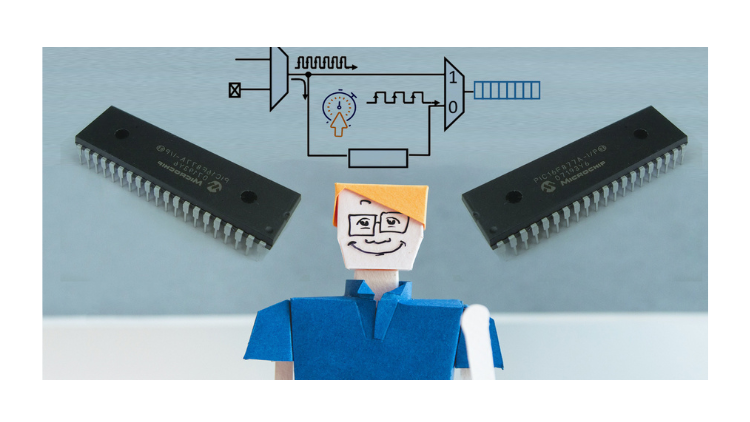
TRAILER
Meet your instructor: Educational Engineering Team
19 ms
5.0 / 5.0
Global Rating1
Active StudentsEnglish (US)
99 Languages Subtitles2h 28m
Total ContentWhat you will learn
Cosa sono i timer
Cosa è il Timer0
Qual è la differenza tra Timer0, Timer1 e Timer2
Come interrompere il PIC quando il timer si sovraccarica
Course Content
9 sections • 21 lectures • 02:28:49 total lengthHardware and Software Requirements
01:21
Download and Install Proteus Software
11:00
Download and Install MikroC Software
11:22
What are timers and Why not using Delay Function
02:54
PIC Microcontroller Timers
01:41
Timer Features
01:08
Important Terms related to Timers
04:58
More about Timers
17:06
null
Weekly Study Plan
Plan Your Learning Journey
AI generates a personalized schedule based on your availability5 hrs/week
Requirements
Esperienza di base in elettronica
Esperienza di base nei microcontrollori PIC
Voglia di applicare, non solo guardare
Target Audience
PIC Microcontroller Geeks
Electronics Geeks
Anyone Interested in Learning New Things about PIC Microcontroller
Anyone Interested in Learning PIC Microcontroller Timer Registers and how to use them
About this course
Benvenuto in questo corso.
Questo corso ti insegnerà come gestire i timer dei microcontrollori PIC e la programmazione del watchdog timer utilizzando la manipolazione dei registri per controllare il tempo nei tuoi progetti invece della funzione di ritardo per principianti.
Spesso utilizziamo la famosa funzione di ritardo quando abbiamo bisogno di aggiungere un ritardo nella nostra applicazione, ma sai davvero cosa fa la chiamata della funzione di ritardo in background alla tua app?
La maggior parte dei programmatori esperti evita di utilizzare la funzione di ritardo per una serie di motivi che esamineremo in questo corso. Descriveremo anche in modo metodico come leggere la scheda tecnica del microcontrollore PIC di Microchip per ottenere le informazioni sull'orologio che desideriamo.
I timer watchdog sono uno strumento incredibilmente utile da implementare nelle tue app sensibili al tempo reale. Probabilmente ne hai sentito parlare della sua esistenza, ma sai perché vale la pena implementarlo nei tuoi progetti di microcontrollore PIC?
Questo corso discuterà le funzioni e gli usi del timer e del watchdog timer. I partecipanti al corso impareranno queste funzionalità e i loro scopi specifici nella progettazione di un progetto. Il corso fornirà anche indicazioni su come utilizzarli.
Cosa imparerai in questo corso:
- Cosa sono i timer
- Cosa è il Timer0
- Qual è la differenza tra Timer0, Timer1 e Timer2
- Come interrompere il PIC quando il timer si sovraccarica
- Come gestire il registro del timer
- Come implementare il ritardo utilizzando i timer anziché la funzione di ritardo
- Perché non dovresti utilizzare la funzione di ritardo e come influisce sul tuo progetto basato su microcontrollore PIC
- Cosa è un watchdog timer
- Come il watchdog timer può aiutarti a salvare la vita! e perché viene utilizzato in progetti real-time molto critici?
- Come gestire il watchdog timer
- Perché i timer sono un periferico essenziale
- Esempi di applicazioni pratiche
Perché dovresti seguire questo corso?
Imparerai a utilizzare il watchdog timer e gli interruttori del timer/contatore 0 per creare un timer che può essere utilizzato per molti tipi diversi di applicazioni. Puoi controllare il tempo nei tuoi progetti utilizzando i microcontrollori PIC. Risparmia tempo nei tuoi progetti utilizzando questo strumento di programmazione gratuito per microcontrollori PIC per controllare il tempo nei tuoi progetti.
Dopo aver seguito questo corso, posso assicurarti che tratterai tutto ciò che riguarda i timer e i ritardi in PIC
Career Opportunities & Job Roles
Build practical, job-ready skills and qualify for high-impact roles worldwide
Job-Ready Curriculum
Target Roles You Can Apply For
Embedded Systems Engineer
IoT Firmware Developer
Automation & SCADA Engineer
PCB & Circuit Layout Designer
Estimated Annual Salary
$85,000 – $135,000 / yr
Global Industry Demand
Top 5% Growing Engineering Segment
In-Demand Skills You Master* Estimates based on global tech hiring benchmarks and industry compensation reports.
Microcontroller Architecture
Hardware-Software Integration
Industrial Protocols & Fieldbus Comms
Schematic & Circuit Diagnostics
Meet your instructor
Educational Engineering Team
Main Instructor
Educational Engineering Team is a Leading Team in Microcontroller Industry, with over 13 Years of Experience in Teaching and Doing Practical Projects.
Educational Engineering Team is a group of skilled engineers dedicated to sharing practical knowledge with learners worldwide. Founded by Ashraf Said Al-Madhoun, the team has worked in programming, microcontrollers, electronics, and engineering education since 2007.
Rather than offering superficial explanations, the team breaks down complex topics into clear, step-by-step lessons supported by practical projects and bite-sized videos. This hands-on approach helps learners understand technical concepts and apply them directly to their studies, careers, and personal projects.
Ashraf is a Mechatronics Engineer, educator, author, electronics and programming enthusiast, and maker. As Chief Educational Engineer, he specializes in explaining challenging concepts in a simple, structured, and accessible way. He has extensive teaching experience and has authored four books about microcontrollers.
Educational Engineering Team has created more than 100 online courses covering circuit design, electronics simulation, PCB fabrication, Arduino, PIC microcontrollers, Raspberry Pi, C, Python, PLC programming, industrial automation, 3D design, ESP boards, embedded systems, and the Internet of Things.
In addition to producing courses, bootcamps, articles, and tutorials, the team supports electronics and programming enthusiasts, STEM students, educators, and aspiring engineers. Its members also provide engineering consultation and guidance for student graduation projects, helping learners develop practical skills and prepare for careers in the technology industry.
...More Courses by
Educational Engineering TeamStudents also bought
Learners who viewed this course also enrolled in these top-rated courses

FREE
Trending
IT & Software | HardwareStart Now
Program ESP32 Board without writing a single code in A Professional Environment
5.0
2h 30m
18 lectures
All
FREE

IT & Software | Hardware
Revolutionize Your Coding Skills with Al: A Comprehensive Guide for Beginners
5.0
2h
11 lectures
All
$10.99
$19.99

IT & Software | Information Security
Master ISO 27001: Achieve Certification, Build Security, and Ensure Compliance for Your Organization
5.0
1h 30m
10 lectures
Beginner
$39.99
$54.99

IT & Software | Certified in Governance, Risk and Compliance (CGRC)
Master GRC: Step-by-Step Guide to Implementing Governance, Risk, and Compliance for Business Success
5.0
2h 30m
35 lectures
Intermediate
$39.99
$64.99

IT & Software | Arduino
Seamlessly Stream and Visualize Real-Time Data from Arduino into Excel with Ease
5.0
1h 30m
6 lectures
All
$9.99
$34.99

IT & Software | Other IT & Software
Learn how to create and customize a website with no prior coding experience.
5.0
1h 30m
12 lectures
All
$9.99
$19.99
Frequently Bought Together
Learners who enrolled in this course also frequently purchased these complementary courses together.
7-Day Money Back Guarantee for all bundle items
Total price for selected items:
$75.98
$94.97
Frequently Asked Questions
Find answers to the most common questions about this course.
Yes! Upon completing 100% of the course lectures and assignments, you can instantly download your verified digital Certificate of Completion directly from your Lucebra profile.
Explore More in Technology
Expand your learning journey with accredited certificates, related digital books, and live interactive classes.