

Lucebra
Lucebra Business
IT & Software/Hardware

LabVIEW 15 Days Bootcamp: Learn LabVIEW Practical Approach

מדריך מקיף למשך 15 יום לשלוט ב-LabVIEW עם דוגמאות מעשיות ופרויקטים מהעולם האמיתי

All Levels • 35 Lectures • Full Lifetime Access
Educational Engineering Team

Verified Master Instructor

מחנה אימונים LabVIEW 15 ימים: למד גישה מעשית ל-LabVIEW
TRAILER
Meet your instructor: Educational Engineering Team

19 ms

5.0 / 5.0
Global Rating
1
Active Students
English (US)
99 Languages Subtitles
2h 28m
Total Content

What you will learn

להבין את היסודות של LabVIEW
לתכנת ב-LabVIEW כמו אלוף
להשתמש בכלים לבניית אפליקציות מערכת בקרה
ללמוד LabVIEW ולהקים הבנה חזקה של הרעיון מאחורי מערכות בקרה.

Course Content

5 sections • 35 lectures • 02:28:45 total length

LabVIEW Bootcamp Introduction

02:32

LabVIEW Step by Step Introduction

01:00

What is LabVIEW

01:50

Compare LabVIEW with traditional Tools

01:54

LabVIEW Fundamentals Flow of data

02:41

LabVIEW Environment

02:23

LabVIEW Environment - Continue

02:47

Common Data Types

02:05

LabVIEW Key Features

01:30

Run LabVIEW

05:21

Express VIs VIs and Functions

01:34

Tools Palette and Status Toolbar

03:18

First Example Creating VI

03:59

For Loop and While Loop

03:51

Charts

04:00

Arrays

04:25
Weekly Study Plan
Plan Your Learning Journey
AI generates a personalized schedule based on your availability

Requirements

דרישות: מחשב או מחשב נייד - עם Windows 7 או מאוחר יותר, יותר מ-2Gb של RAM (4Gb מומלץ), מעבד 1.5Ghz או גבוה יותר (מומלץ מעבד רב-ליבתי 2Ghz). תוכנת LabVIEW בגירסת ניסיון או שתוכלו לרכוש רישיון. חיבור לאינטרנט להורדת LabVIEW. ידע בסיסי באלקטרוניקה דיגיטלית.

Target Audience

Anyone with a curiosity for building control applications

People with no experience in Control or Programming

People with an intermediate knowledge of Control Systems

Engineering Students - Electronics, Electrical & Computer Science

About this course

למדו את המושגים, הכלים והפונקציות הבסיסיים הנחוצים לבניית יישומי בקרה מלאים עם LabVIEW באמצעות דוגמאות מעשיות, ידניות. מחנה האימונים האינטנסיבי הזה ל-15 יום נועד להביא אתכם ממתחילים למשתמש מקצועי של LabVIEW, עם התמקדות בפרויקטים מעולם האמיתי של Arduino.


מה תלמדו:


  • LabVIEW שלב אחר שלב: מדריך מלא מ-A עד Z לשליטה ב-LabVIEW, החל מהבסיסים ועד ליישומים מורכבים.
  • Arduino פוגש LabVIEW: ווירטואליזציה של Arduino על מסך המחשב באמצעות LabVIEW ותרגול עם פרויקטים של מיקרו-בקרים.
  • ממשק LabVIEW עם Arduino דרך LINX: שדרגו את יכולות הבקרה שלכם עם ספריית LINX.


מדוע כדאי לכם לקחת את הקורס הזה:


  • הקורס מציע מדריך מלא מ-A עד Z, החל ממושגים בסיסיים ועד ליישומים מורכבים, ומבטיח שתשיגו הבנה מעמיקה של LabVIEW.
  • הקורס מפורט עם קטעי קוד ודיאגרמות שעוזרים לכם להתחיל להשתמש ב-LabVIEW ביעילות.
  • למדו לבצע אוטומציה של משימות חוזרות, לקודד מהר יותר ולהשיג תוצאות טובות יותר.
  • השתלטו על תהליך התכנות עם הממשק ידידותית למשתמש של LabVIEW.


עדויות סטודנטים:


  • כריס היידן: "אינפורמטיבי. הסברים גרפיים טובים עוזרים להציג דוגמאות."
  • אייבס לברון: "תודה רבה על שיתוף המידע איתנו. למדתי הרבה מהקורס. תודה רבה."
  • אבישק דהר: "מתחיל אתכם עם LabVIEW. קורס מבוא טוב."
  • מארי-נייג גרן: "מושלם למתחילים. בדיוק מה שאני צריכה, איך זה עובד, מה זה עושה, מהם הכלים וכו'."
  • בריידי אלן רדלינג ג'וניור: "בסיס נהדר ל-LabVIEW. בסוף הצלחתי להבין כמה מושגים מורכבים כמו לולאות וגרפים."
  • וו-יונג יון: "הוראה נפלאה."


נקודות עיקריות של הקורס:


  • הורדה והתקנה של LabVIEW: הדרכה שלב אחר שלב להתקנת LabVIEW.
  • תכונות בסיסיות: סקירה של התכונות והפונקציות החיוניות של LabVIEW.
  • דוגמאות ותרגילים: דוגמאות מעשיות ותרגילים לגיבוש ההבנה שלכם.
  • תכונות מתקדמות וטכנולוגיות

Career Opportunities & Job Roles

Build practical, job-ready skills and qualify for high-impact roles worldwide

Job-Ready Curriculum
Target Roles You Can Apply For

Embedded Systems Engineer

IoT Firmware Developer

Hardware Prototyping Specialist

PCB & Circuit Layout Designer

Estimated Annual Salary
$85,000 – $135,000 / yr
Global Industry Demand

Top 5% Growing Engineering Segment

In-Demand Skills You Master
Microcontroller Architecture
Hardware-Software Integration
Sensor Protocols (I2C, SPI, UART)
Schematic & Circuit Diagnostics
* Estimates based on global tech hiring benchmarks and industry compensation reports.
Meet your instructor
Educational Engineering Team
5.0 Rating
96 Students
View Full Profile
Educational Engineering Team
Main Instructor
Educational Engineering Team is a Leading Team in Microcontroller Industry, with over 13 Years of Experience in Teaching and Doing Practical Projects.

Educational Engineering Team is a group of skilled engineers dedicated to sharing practical knowledge with learners worldwide. Founded by Ashraf Said Al-Madhoun, the team has worked in programming, microcontrollers, electronics, and engineering education since 2007.

Rather than offering superficial explanations, the team breaks down complex topics into clear, step-by-step lessons supported by practical projects and bite-sized videos. This hands-on approach helps learners understand technical concepts and apply them directly to their studies, careers, and personal projects.

Ashraf is a Mechatronics Engineer, educator, author, electronics and programming enthusiast, and maker. As Chief Educational Engineer, he specializes in explaining challenging concepts in a simple, structured, and accessible way. He has extensive teaching experience and has authored four books about microcontrollers.

Educational Engineering Team has created more than 100 online courses covering circuit design, electronics simulation, PCB fabrication, Arduino, PIC microcontrollers, Raspberry Pi, C, Python, PLC programming, industrial automation, 3D design, ESP boards, embedded systems, and the Internet of Things.

In addition to producing courses, bootcamps, articles, and tutorials, the team supports electronics and programming enthusiasts, STEM students, educators, and aspiring engineers. Its members also provide engineering consultation and guidance for student graduation projects, helping learners develop practical skills and prepare for careers in the technology industry.

...

Students also bought

Learners who viewed this course also enrolled in these top-rated courses

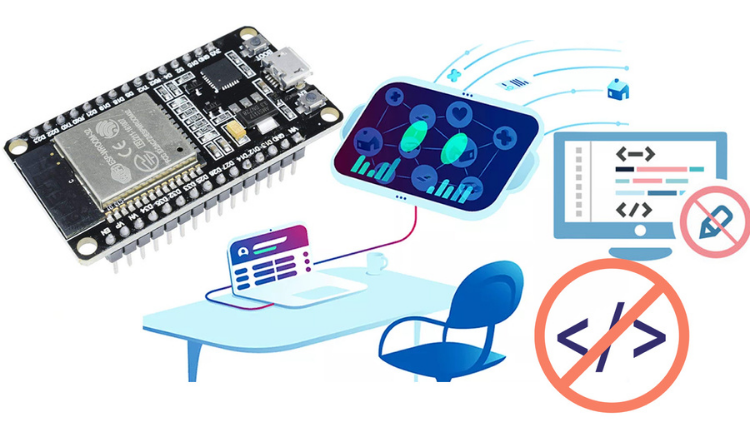
Program ESP32 without Coding
FREE
IT & Software | Hardware

Program ESP32 Board without writing a single code in A Professional Environment

5.0
2h 30m
18 lectures
All
Using Al to Code: Your Step-by-Step Guide
IT & Software | Hardware

Revolutionize Your Coding Skills with Al: A Comprehensive Guide for Beginners

5.0
2h
11 lectures
All
$10.99

$19.99

ISO 27001 Certification Process – A Step-by-Step Guide
IT & Software | Information Security

Master ISO 27001: Achieve Certification, Build Security, and Ensure Compliance for Your Organization

5.0
1h 30m
10 lectures
Beginner
$39.99

$54.99

Implement GRC (Governance, Risk, Compliance) Step by Step
IT & Software | Certified in Governance, Risk and Compliance (CGRC)

Master GRC: Step-by-Step Guide to Implementing Governance, Risk, and Compliance for Business Success

5.0
2h 30m
35 lectures
Intermediate
$39.99

$64.99

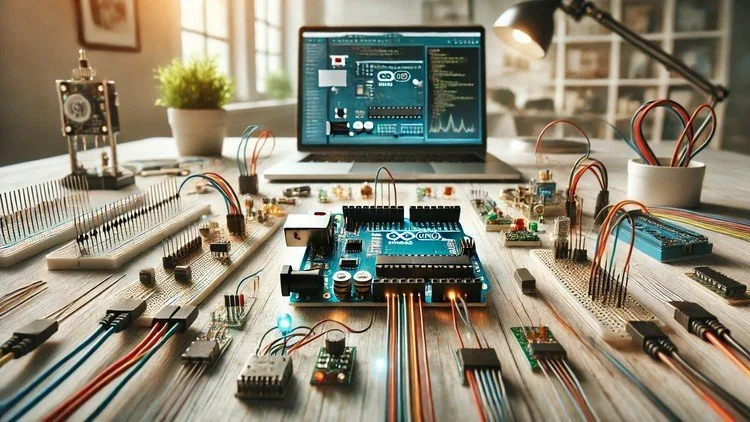
Mastering Arduino Data Streaming to Excel
IT & Software | Arduino

Seamlessly Stream and Visualize Real-Time Data from Arduino into Excel with Ease

5.0
1h 30m
6 lectures
All
$9.99

$34.99

Blogger: Make A Professional Website For Free With No Coding
IT & Software | Other IT & Software

Learn how to create and customize a website with no prior coding experience.

5.0
1h 30m
12 lectures
All
$9.99

$19.99

Frequently Asked Questions

Find answers to the most common questions about this course.

Yes! Upon completing 100% of the course lectures and assignments, you can instantly download your verified digital Certificate of Completion directly from your Lucebra profile.

Explore More in Technology

Expand your learning journey with accredited certificates, related digital books, and live interactive classes.