Lucebra
Lucebra Biashara
Ubunifu/3D & Uhuishaji

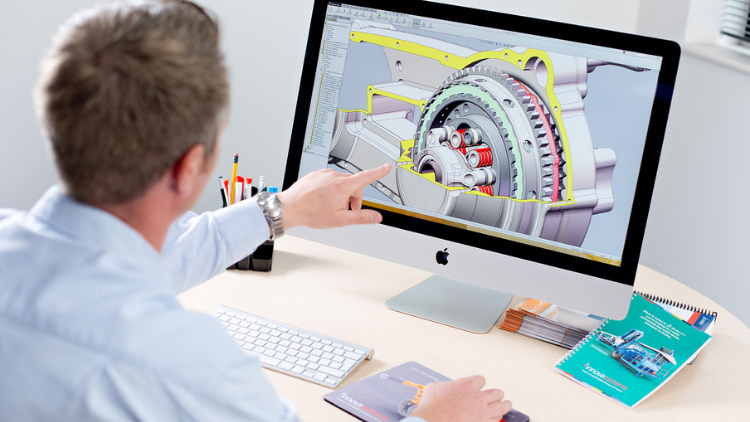
Khóa học SOLIDWORKS: Biến Đồ họa 2D thành Mô hình 3D

Học cách tạo Mô hình 3D cho các bộ phận, lắp ráp các bộ phận khác nhau và tạo chuyển động giữa chúng.

Ngazi Zote • 14 Mihadhara • Ufikiaji wa Maisha Yote
Educational Engineering Team

Mwalimu Mkuu Aliyethibitishwa

Khóa học SOLIDWORKS: Biến Đồ họa 2D thành Mô hình 3D
trailer ya gari
Kutana na mwalimu wako: Educational Engineering Team

19 ms

5.0 / 5.0
Ukadiriaji wa Kimataifa
1
Wanafunzi Watendaji
Kiingereza (Marekani)
Nukuu 99 za Lugha
1 saa 14 dak
Jumla ya Maudhui

Utajifunza nini

Tạo đồ họa
Tạo các bộ phận và lắp ráp
Tạo và kiểm soát các phiên bản khác nhau của các bộ phận của bạn với các cấu hình
Tự động hóa sửa đổi thiết kế với các phương trình

Maudhui ya Kozi

4 sehemu • 14 mihadhara • 01:14:14 urefu wa jumla

Introduction

01:20

SolidWorks Components - Parts Asseblies Drawings

02:34

Let's Begin! Starting SolidWorks

05:22

SolidWork Explorer Tab Explained

04:27

SolidWork Toolbars Explained

05:33

SolidWork Exercise

13:16

SolidWork Exercise - Continue

08:45

Handfull Shortcuts

02:37

3D Views Tab

03:49

Second Exsercise

05:33

Assemblies

06:12

Motion Study

03:38

Drawing

05:18
Mpango wa Masomo wa Kila Wiki
Panga safari yako ya kujifunza
AI hutengeneza ratiba ya kibinafsi kulingana na upatikanaji wako

Mahitaji

Tải xuống SolidWorks

Watazamaji Walengwa

Anyone interested in 3D Design and Simulation

3D Geeks and Fans

Engineers

Inventors and Designers

Kuhusu kozi hii

SOLIDWORKS là nhà lãnh đạo thế giới trong phần mềm 3D cho phát triển và thiết kế sản phẩm. Với SOLIDWORKS, bạn có thể tạo các bộ phận và lắp ráp sẵn sàng để sản xuất, cũng như các bản vẽ chi tiết và danh sách các vật liệu.


Tại sao bạn nên tham gia khóa học này?


  • Khóa học này dành cho người mới bắt đầu, vì vậy không cần có kiến thức trước về CAD hoặc phần mềm mô hình hóa.
  • Các chủ đề bao gồm thiết kế từ đồ họa 2D và sử dụng phần mềm mô hình hóa để tạo mô hình 3D từ những đồ họa đó.
  • Học các kỹ năng quan trọng như vẽ hình học, đo kích thước hình học, tạo hình thể rắn và sử dụng mặt phẳng vẽ.
  • Bạn sẽ học cách biến đồ họa 2D thành mô hình 3D.
  • Khóa học này cũng bao gồm nhiều tài nguyên như video và ví dụ mô hình.


Cập nhật liên tục Hơn 1000 HỌC VIÊN!!! CẢM ƠN!!!


Chào mừng bạn đến với khóa học này.


Khóa học này sẽ dẫn bạn từ không kinh nghiệm trong mô hình hóa 3D đến một chuyên gia có thể xây dựng các bộ phận và lắp ráp 3D và biến chúng thành các bản vẽ sẵn sàng để sản xuất. Khóa học SOLIDWORKS Essentials này được khuyến khích cho bất kỳ ai mới bắt đầu với SOLIDWORKS. Bất kể bạn đã di chuyển từ CAD 2D, hệ thống 3D khác, hoặc không có kinh nghiệm với CAD nào, khóa học này phù hợp với bạn. Bắt đầu từ những kiến thức cơ bản nhất của chương trình, khóa học phát triển bằng cách xem xét các yếu tố cốt yếu của mô hình cần thiết cho việc sử dụng phần mềm hàng ngày, cho đến một số chủ đề nâng cao để tự động hóa thiết kế.


Khóa học này cũng tập trung vào khía cạnh vẽ 2D của gói, đi sâu vào việc thiết lập tờ vẽ, tạo các góc nhìn vẽ và áp dụng các sơ đồ kích thước. Thời gian được dành cho việc tùy chỉnh viền vẽ cho các yêu cầu cụ thể của công ty.


Bằng cách nhanh chóng nắm bắt tốc độ và sử dụng các phương pháp mô hình tốt nhất, khóa học SOLIDWORKS Essentials cuối cùng đảm bảo hiệu quả và năng suất tối đa cho tất cả người dùng SOLIDWORKS. Người dùng CAD mới, người dùng có kinh nghiệm khách hàng CAD và người dùng SOLIDWORKS giàu kinh nghiệm đều có thể hưởng lợi từ khóa đào tạo Essentials. Các trường hợp thực tế được sử dụng để minh họa các quy trình, dạy tất cả những gì bạn cần biết để xây dựng mô hình các bộ phận và lắp ráp và tạo các bản vẽ của các bộ phận và lắp ráp đó.


Trong khóa học này, chúng tôi sẽ chỉ cho học viên cách tạo các bộ phận và lắp ráp sẵn sàng để sản xuất trong SOLIDWORKS. Chúng tôi sẽ bắt đầu với việc vẽ 2D đơn giản và mềm mỏng
Kutana na mkufunzi wako
Educational Engineering Team
5.0 Ukadiriaji
97 Wanafunzi
Tazama Wasifu Kamili
Educational Engineering Team
Mwalimu Mkuu
Educational Engineering Team is a Leading Team in Microcontroller Industry, with over 13 Years of Experience in Teaching and Doing Practical Projects.

Educational Engineering Team is a group of skilled engineers dedicated to sharing practical knowledge with learners worldwide. Founded by Ashraf Said Al-Madhoun, the team has worked in programming, microcontrollers, electronics, and engineering education since 2007.

Rather than offering superficial explanations, the team breaks down complex topics into clear, step-by-step lessons supported by practical projects and bite-sized videos. This hands-on approach helps learners understand technical concepts and apply them directly to their studies, careers, and personal projects.

Ashraf is a Mechatronics Engineer, educator, author, electronics and programming enthusiast, and maker. As Chief Educational Engineer, he specializes in explaining challenging concepts in a simple, structured, and accessible way. He has extensive teaching experience and has authored four books about microcontrollers.

Educational Engineering Team has created more than 100 online courses covering circuit design, electronics simulation, PCB fabrication, Arduino, PIC microcontrollers, Raspberry Pi, C, Python, PLC programming, industrial automation, 3D design, ESP boards, embedded systems, and the Internet of Things.

In addition to producing courses, bootcamps, articles, and tutorials, the team supports electronics and programming enthusiasts, STEM students, educators, and aspiring engineers. Its members also provide engineering consultation and guidance for student graduation projects, helping learners develop practical skills and prepare for careers in the technology industry.

...

Wanafunzi pia walinunua

Wanafunzi waliotazama kozi hii pia walijiandikisha katika kozi hizi zilizopewa alama za juu

SOLIDWORKS Course: Turn 2D Sketches into 3D Models
Ubunifu | 3D & Uhuishaji

Learn Creating 3D Models for parts, assemble different parts and make motion between them.

5.0
1 saa 30 dak
13 Lecture
Yote
$19.99
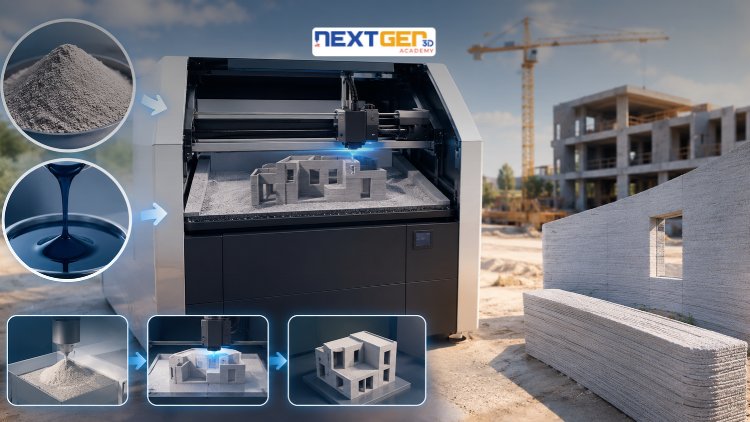
Complete 3D Printing Guide: Binder Jetting for Construction
Ubunifu | Uchapishaji wa 3D

Learn construction binder jetting, materials, CAD design, and quality control.

5.0
3 saa
25 Lecture
Kati
$12.99
Complete 3D Printing Guide: Industrial Applications of Additive Manufacturing
Ubunifu | Uchapishaji wa 3D

Master 3D printing fundamentals, FDM, SLA, SLS, DMLS, industrial applications, rapid prototyping, production workflows, quality control, and additive manufacturing case studies.

5.0
3 saa 30 dak
26 Lecture
Kati
$9.99
Master Canva (III): Boost Creativity with AI-Powered Design
Ubunifu | Zana za Kubuni za Canva AI

Unlock AI features in Canva to design, teach, and sell effectively for your business.

5.0
1 saa
19 Lecture
Mtaalamu
$12.99

$54.99

Graphics Expert: Advanced Photoshop and GIMP
Ubunifu | Usanifu wa Picha & Mchoro

Develop your graphic design skills by mastering the advanced features of Both Photoshop and GIMP

5.0
1 saa 30 dak
29 Lecture
Yote
$9.99

$74.99

The Complete Drawing & Sketching Masterclass: Beginner to Pro in 30 Days
Ubunifu | Kuchora

Learn pencil control, lines, shapes, forms, shading, proportions, perspective, and still-life sketching through a practical 30-day beginner drawing journey.

5.0
3 saa 30 dak
4 Lecture
Mwanzilishi
$34.99

$49.99

Frequently Bought Together

Learners who enrolled in this course also frequently purchased these complementary courses together.

7-Day Money Back Guarantee for all bundle items

Total price for selected items:

$34.38

$42.97

🎉 Save 20% when bought together

Maswali Yanayoulizwa Mara Kwa Mara

Pata majibu kwa maswali ya kawaida kuhusu kozi hii.

Ndiyo! Baada ya kukamilisha 100% ya mihadhara na kazi za kozi, unaweza kupakua Cheti chako cha Dijitali cha Kukamilisha papo hapo moja kwa moja kutoka kwa wasifu wako wa Lucebra.

Gundua zaidi katika Technology

Panua safari yako ya kujifunza kwa vyeti vilivyoidhinishwa, vitabu vya kielektroniki na madarasa ya moja kwa moja.