

Lucebra
Lucebra Biashara
TEHAMA na Programu/Vifaa/Raspberry Pi

Hausautomation mit Raspberry Pi und Windows 10 IoT

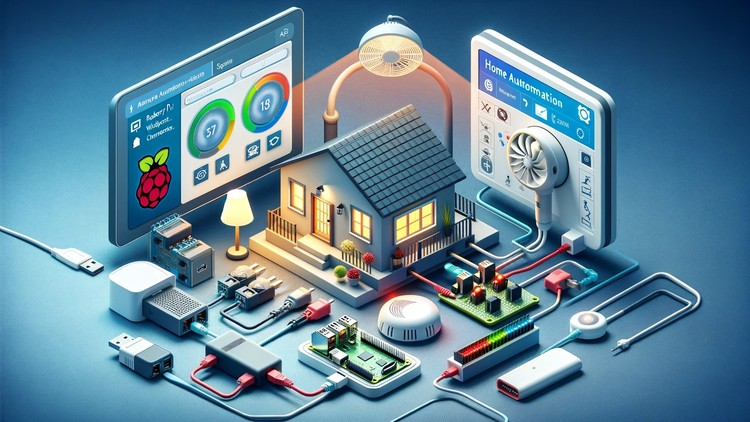
Nutzen Sie Raspberry Pi und Windows 10, um ein Hausautomationssystem zu erstellen, das Haushaltsgeräte automatisch steuern kann.

Ngazi Zote • 46 Mihadhara • Ufikiaji wa Maisha Yote
Educational Engineering Team

Mwalimu Mkuu Aliyethibitishwa

Hausautomation mit Raspberry Pi und Windows 10 IoT
trailer ya gari
Kutana na mwalimu wako: Educational Engineering Team

19 ms

5.0 / 5.0
Ukadiriaji wa Kimataifa
1
Wanafunzi Watendaji
Kiingereza (Marekani)
Nukuu 99 za Lugha
6 saa 32 dak
Jumla ya Maudhui

Utajifunza nini

Wie dieses Hausautomationsgerät strukturiert ist, Benutzeroberfläche, Geräteverbindung und Funktionsprinzip.
Verwaltung verschiedener Räume
Geräteadressierung: Adresszuordnung
Was ist der Unterschied zwischen I²C und anderen Kommunikationsmethoden

Maudhui ya Kozi

15 sehemu • 46 mihadhara • 06:32:30 urefu wa jumla

Introduction & Getting Started

04:10

Hardware and Software Requirements

03:16

Smart Home Rooms Setup

07:57

Devices and Rooms addressing Mechanism

03:12

Download and Install Fritzing Software

05:59

Circuit Schematic Part1

09:39

Circuit Schematic Part2

14:44
Mpango wa Masomo wa Kila Wiki
Panga safari yako ya kujifunza
AI hutengeneza ratiba ya kibinafsi kulingana na upatikanaji wako

Mahitaji

Internetverbindung

Computer, Laptop, Mac oder Chrome-Gerät

Grundlegende Kenntnisse in der C-Programmierung

Watazamaji Walengwa

Anyone Interested in Learning How to learn Home Automation Using Raspberry Pi And Windows 10 IoT

Anyone Interested in Learning How to Control Home devices using a beautifully created User Interface by Combining the power of Raspberry Pi with Windows 10IoT

Anyone Interested in Learning I2C Communication between Arduino and Raspberry Pi

Anyone Interested in Learning I2C Communication in A Step by Step Manner

Kuhusu kozi hii

Nutzen Sie Raspberry Pi und Windows 10, um ein Hausautomationssystem zu erstellen, das Haushaltsgeräte automatisch steuern kann.


Heute verbessert die Technologie das menschliche Leben. Die Technologie entwickelt sich sehr schnell. Automatisierung war eine Idee und ein Traum, aber nicht heute. Durch die Kombination der neuesten Technologien mit Haushaltsgeräten kann jeder ein vollständig automatisiertes Zuhause bauen. Mit dem Raspberry Pi und Windows 10 IoT können wir ein Hausautomationssystem erstellen, das in der Lage ist, alle Ihre Haushaltsgeräte automatisch zu handhaben und zu bedienen.


In diesem Kurs wird ein Arduino UNO verwendet, um verschiedene Geräte zu steuern und verschiedene Sensordaten zu lesen. Der Raspberry Pi sendet Anfragen an den Arduino UNO, um die gesammelten Sensordaten zu erhalten.


Jeder Raum kann mehrere steuerbare Geräte (Licht, Ventilator, Wandsteckdose), PIR-Sensor, Temperatursensor und LDR haben. Wir werden erklären, wie man alles anschließt und wie man jeden Teil Schritt für Schritt programmiert.


Warum wir Windows 10 IoT Core verwenden:


  • Gebaut für kleine, sichere, intelligente Geräte: Das kleinste Windows 10 Betriebssystem hat immer noch die Verwaltbarkeit und Sicherheit, die von Windows erwartet wird.
  • Intelligent: Bringen Sie einfach künstliche Intelligenz (KI) und maschinelles Lernen (ML) mit Windows an den Rand.
  • Sicher: Helfen Sie, Geräte langfristig sicher zu halten.
  • Schnell: Bringen Sie IoT-Geräte schnell auf den Markt und warten Sie sie langfristig mit einem sofort einsatzbereiten Betriebssystem.


Was ist mit Kommunikationsprotokollen?


  • I²C (ausgesprochen I-Quadrat-C): Ermöglicht die Kommunikation von Daten zwischen I2C-Geräten über zwei Drähte, wodurch es für jeden einfacher wird, Informationen ohne zu viel Verkabelung auszutauschen.
  • I2C-Kommunikation zwischen Arduino und Raspberry Pi: Eine Schritt-für-Schritt-Anleitung, um das I2C-Protokoll zu meistern und es zu verwenden, um Ihren Arduino und Raspberry Pi zu verbinden.


In der heutigen Welt arbeitet jeder Elektronik-Hobbyist mit Arduino und Raspberry Pi an seinen Projekten. Mit der Einführung von Windows 10 IoT Core ist Microsoft auch in der Embedded-Welt tätig. Heute ist das Internet der Dinge ein Schlagwort, aber für grundlegende Dinge benötigen wir einen Arduino, um mit einem Raspberry Pi zu kommunizieren. In diesem Kurs werde ich erklären, wie man den Arduino mit dem Pi über einen I2C-Bus und Windows 10 kommunizieren lässt.


Fursa za Kazi na Majukumu Lengwa

Jenga ujuzi wa vitendo unaotakiwa kazini na uhitimu kwa nafasi zenye ushawishi mkubwa duniani

Mtaala Uliotayarishwa kwa Ajira
Majukumu ya Kazi Unayoweza Kuomba

Embedded Systems Engineer

IoT Firmware Developer

Automation & SCADA Engineer

PCB & Circuit Layout Designer

Mshahara Unaokadiriwa kwa Mwaka
$85,000 – $135,000 / yr
Mahitaji ya Soko Ulimwenguni

Top 5% Growing Engineering Segment

Ujuzi Muhimu Utakaobobea
Microcontroller Architecture
Hardware-Software Integration
Industrial Protocols & Fieldbus Comms
Schematic & Circuit Diagnostics
* Makadirio yanatokana na vigezo vya kimataifa vya uajiri wa kiteknolojia.
Kutana na mkufunzi wako
Educational Engineering Team
5.0 Ukadiriaji
98 Wanafunzi
Tazama Wasifu Kamili
Educational Engineering Team
Mwalimu Mkuu
Educational Engineering Team is a Leading Team in Microcontroller Industry, with over 13 Years of Experience in Teaching and Doing Practical Projects.

Educational Engineering Team is a group of skilled engineers dedicated to sharing practical knowledge with learners worldwide. Founded by Ashraf Said Al-Madhoun, the team has worked in programming, microcontrollers, electronics, and engineering education since 2007.

Rather than offering superficial explanations, the team breaks down complex topics into clear, step-by-step lessons supported by practical projects and bite-sized videos. This hands-on approach helps learners understand technical concepts and apply them directly to their studies, careers, and personal projects.

Ashraf is a Mechatronics Engineer, educator, author, electronics and programming enthusiast, and maker. As Chief Educational Engineer, he specializes in explaining challenging concepts in a simple, structured, and accessible way. He has extensive teaching experience and has authored four books about microcontrollers.

Educational Engineering Team has created more than 100 online courses covering circuit design, electronics simulation, PCB fabrication, Arduino, PIC microcontrollers, Raspberry Pi, C, Python, PLC programming, industrial automation, 3D design, ESP boards, embedded systems, and the Internet of Things.

In addition to producing courses, bootcamps, articles, and tutorials, the team supports electronics and programming enthusiasts, STEM students, educators, and aspiring engineers. Its members also provide engineering consultation and guidance for student graduation projects, helping learners develop practical skills and prepare for careers in the technology industry.

...

Wanafunzi pia walinunua

Wanafunzi waliotazama kozi hii pia walijiandikisha katika kozi hizi zilizopewa alama za juu

Program ESP32 without Coding
BURE
Tendencia
TEHAMA na Programu | Vifaa

Program ESP32 Board without writing a single code in A Professional Environment

5.0
2 saa 30 dak
18 Lecture
Yote
Using Al to Code: Your Step-by-Step Guide
TEHAMA na Programu | Vifaa

Revolutionize Your Coding Skills with Al: A Comprehensive Guide for Beginners

5.0
2 saa
11 Lecture
Yote
$10.99

$19.99

ISO 27001 Certification Process – A Step-by-Step Guide
TEHAMA na Programu | Usalama wa Habari

Master ISO 27001: Achieve Certification, Build Security, and Ensure Compliance for Your Organization

5.0
1 saa 30 dak
10 Lecture
Mwanzilishi
$39.99

$54.99

Implement GRC (Governance, Risk, Compliance) Step by Step
TEHAMA na Programu | Imethibitishwa katika Utawala, Hatari na Uzingatiaji (CGRC)

Master GRC: Step-by-Step Guide to Implementing Governance, Risk, and Compliance for Business Success

5.0
2 saa 30 dak
35 Lecture
Kati
$39.99

$64.99

Mastering Arduino Data Streaming to Excel
TEHAMA na Programu | Arduino

Seamlessly Stream and Visualize Real-Time Data from Arduino into Excel with Ease

5.0
1 saa 30 dak
6 Lecture
Yote
$9.99

$34.99

Blogger: Make A Professional Website For Free With No Coding
TEHAMA na Programu | Nyingine za IT na Programu

Learn how to create and customize a website with no prior coding experience.

5.0
1 saa 30 dak
12 Lecture
Yote
$9.99

$19.99

Frequently Bought Together

Learners who enrolled in this course also frequently purchased these complementary courses together.

7-Day Money Back Guarantee for all bundle items

Total price for selected items:

$75.98

$94.97

🎉 Save 20% when bought together

Maswali Yanayoulizwa Mara Kwa Mara

Pata majibu kwa maswali ya kawaida kuhusu kozi hii.

Ndiyo! Baada ya kukamilisha 100% ya mihadhara na kazi za kozi, unaweza kupakua Cheti chako cha Dijitali cha Kukamilisha papo hapo moja kwa moja kutoka kwa wasifu wako wa Lucebra.

Gundua zaidi katika Technology

Panua safari yako ya kujifunza kwa vyeti vilivyoidhinishwa, vitabu vya kielektroniki na madarasa ya moja kwa moja.



