
Lucebra
Lucebra 비즈니스
디자인/그래픽 디자인 및 일러스트레이션

그래픽 전문가: 고급 Photoshop 및 GIMP

Kembangkan keterampilan desain grafis Anda dengan menguasai fitur-fitur canggih dari Photoshop dan GIMP

모든 레벨 • 30 강의 • 평생 이용권
LinCademy

검증된 마스터 강사

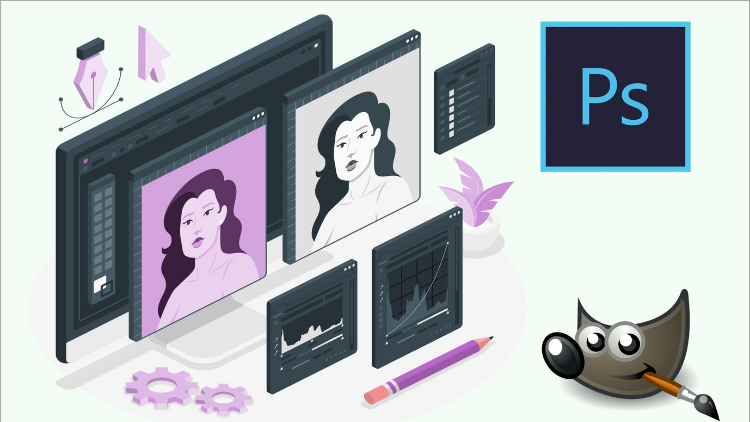
Graphics Expert: Advanced Photoshop and GIMP
트레일러
강사를 만나세요: LinCademy

19 ms

5.0 / 5.0
글로벌 평가
1
활동적인 학생
영어(미국)
99개 언어 자막
1시간 19분
총 내용

무엇을 배울 것인가

-         Gunakan kurva untuk meningkatkan pencahayaan dan pewarnaan di Photoshop
-         Menyesuaikan kontras, kecerahan, dan eksposur untuk pencahayaan yang lebih baik di Photoshop
-         Buat foto menonjol dan ubah warna dengan jenuh warna di Photoshop
-         Buat iklan banner web di Photoshop

코스 내용

2 섹션 • 30 강의 • 01:19:44 총 길이

Using Curves in for Better Lighting and Coloring

02:30

Adjusting Contrast, Brightness and Exposure for Better Lighting

01:58

Making Photo Pop and Changing Colors with Hue Saturation

01:22

Project 1: Creating Web Banner Ads

04:25

Project 2: Designing for YouTube

02:32

Project 3: Designing a Facebook Ad

01:34

Project 4: Designing a Facebook Page Cover

01:47

Project 5: Making Typography Quotes Images

02:51

Using Healing Brush

01:49

Utilizing the Powers of Smart Filters

01:42

Using Image Dispersion Effect

04:15

Using Double Exposure Effect

02:35

Using Neon Text Effect

05:12

Using Fire Text Effect

03:55

Using Lens Flare Effect

03:19

Using Lomography Effect

02:40

Doing Digital Black and White Conversions

02:41

Coloring a Black and White Sketch

03:17

Doing Tone Mapping with Colors Exposures

03:33

Removing Film Grain or Noise

02:03

Using Luminosity Masks

04:52

Creating A Contrast Mask

01:32

Changing Background Color (Part 1)

01:21

Changing Background Color (Part 2)

01:47

Using Various Blur Filters for Cool Effects

03:33

Using Selective Gaussian Blur to Remove Noise

00:58

Using Various Paint Tools for Different Effects

03:06

Using Color Tools to Change Parts of the Image

03:04

Using Path Tool to Create Different Shapes

01:17

Adding Scripts Plug-Ins and Brushes to GIMP

02:00
주간 학습 계획
학습 여정을 계획하세요
AI가 가용 시간에 맞춤 일정을 생성합니다

요구사항

Pengetahuan dasar tentang Photoshop dan GIMP diperlukan.

대상 고객

Intermediate and advanced graphic designers

이 코스에 대하여

Meningkatkan keterampilan karir desain grafis Anda pasti akan menguntungkan, karena desain grafis dianggap sebagai salah satu karir paling menguntungkan di pasar. Permintaan untuk tugas desain grafis sangat TIDAK TERBATAS!

Anda akan selalu menemukan pemilik bisnis atau bahkan individu di sekitar Anda yang terus mencari desainer grafis untuk melakukan berbagai desain untuk usahanya. Baik Anda seorang ahli atau desainer grafis pemula, Anda akan selalu diminati.

Bagian terbaiknya adalah bahwa pekerjaan desain grafis sebagian besar dibutuhkan dari freelancer, sehingga Anda akan memiliki kebebasan waktu dan kepuasan pekerjaan terbesar dibandingkan dengan ribuan pekerjaan di luar sana! Itu karena desainer grafis tidak terikat pada kursi kantor selama 8 jam dari jam 9 hingga 5 seperti yang dilakukan kebanyakan orang. Anda sebagai desainer grafis dapat melakukan pekerjaan Anda dari mana saja di dunia. Sebagian besar desainer grafis saat ini dapat melakukan pekerjaan desain grafis mereka, dan mereka dapat menikmati ombak-ombak laut indah di Bali, atau menikmati hiking di pegunungan Swiss atau Selandia Baru...

Dengan mengikuti kursus ringkas ini yang dibawa oleh linCademy, Anda akan belajar keterampilan desain grafis canggih menggunakan Photoshop dan GIMP. Terlepas dari perangkat lunak mana yang Anda pilih untuk digunakan, kursus ini akan mengajarkan apa yang akan meningkatkan dan memajukan keterampilan desain grafis Anda.

Kursus ini mencakup:


  •      30 kuliah ringkas, langsung inti tanpa pembicaraan samping; Anda mendapatkan apa yang Anda butuhkan.
  •      16 kuliah yang diilustrasikan tentang penggunaan dan aplikasi fitur canggih Photoshop
  •      4 proyek penting yang dilakukan menggunakan Photoshop
  •     14 kuliah yang diilustrasikan tentang penggunaan dan aplikasi fitur canggih GIMP
커리어 기회 및 목표 직무

실무 중심의 역량을 강화하고 글로벌 경쟁력을 갖춘 핵심 직무에 지원하세요

실무 즉시 적용 커리큘럼
지원 가능한 주요 직무

Certified Domain Practitioner

Technical Project Specialist

Operations & Implementation Lead

Independent Consultant / Freelancer

예상 평균 연봉
$70,000 – $115,000 / yr
글로벌 시장 수요

High Global Market Applicability

습득하게 되는 핵심 실무 역량
Industry Best Practices & Methodology
Hands-On Project Execution
Analytical Problem Solving
Verified International Certification
* 글로벌 IT 채용 벤치마크 및 산업별 급여 보고서를 바탕으로 한 추정치입니다.
강사 소개
LinCademy
5.0 평가
34 학생
프로필 전체 보기
LinCademy
메인 강사
Training courses/programs publisher
Launched in London in 2020 (officially incorporated in 2024), LinCademy empowers you to learn and develop in-demand skills from the comfort of your home. Our unique platform combines engaging, self-paced courses with a vibrant community for interaction, networking, and self-branding. This blend of gamified learning and social connection empowers you to take control of your development and achieve your professional goals....

학생들도 구매했어요

이 강좌를 본 학습자는 다음 최고 등급 강좌에도 등록했습니다.

SOLIDWORKS Course: Turn 2D Sketches into 3D Models
디자인 | 3D 및 애니메이션

Learn Creating 3D Models for parts, assemble different parts and make motion between them.

5.0
1시간 30분
13 개 강의
전체 난이도
$19.99
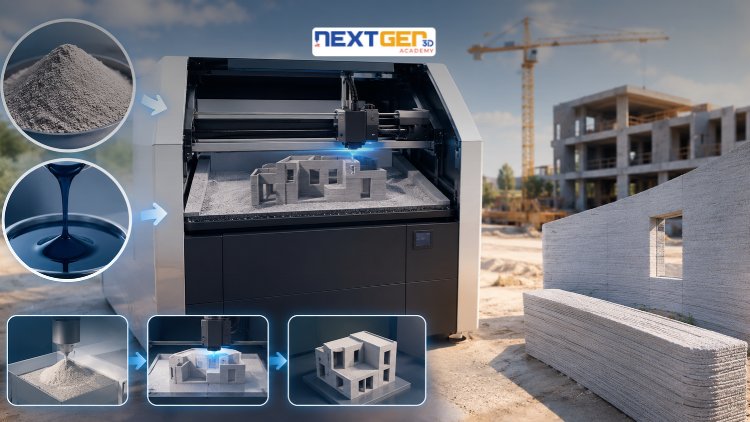
Complete 3D Printing Guide: Binder Jetting for Construction
신규
디자인 | 3D 프린팅

Learn construction binder jetting, materials, CAD design, and quality control.

5.0
3시간
25 개 강의
중급
$12.99
Complete 3D Printing Guide: Industrial Applications of Additive Manufacturing
디자인 | 3D 프린팅

Master 3D printing fundamentals, FDM, SLA, SLS, DMLS, industrial applications, rapid prototyping, production workflows, quality control, and additive manufacturing case studies.

5.0
3시간 30분
26 개 강의
중급
$9.99
Master Canva (III): Boost Creativity with AI-Powered Design
디자인 | Canva AI 디자인 도구

Unlock AI features in Canva to design, teach, and sell effectively for your business.

5.0
1시간
19 개 강의
전문가
$12.99

$54.99

Graphics Expert: Advanced Photoshop and GIMP
디자인 | 그래픽 디자인 및 일러스트레이션

Develop your graphic design skills by mastering the advanced features of Both Photoshop and GIMP

5.0
1시간 30분
29 개 강의
전체 난이도
$9.99

$74.99

The Complete Drawing & Sketching Masterclass: Beginner to Pro in 30 Days
디자인 | 그림

Learn pencil control, lines, shapes, forms, shading, proportions, perspective, and still-life sketching through a practical 30-day beginner drawing journey.

5.0
3시간 30분
4 개 강의
초보자
$34.99

$49.99

자주 묻는 질문

이 과정에 대한 가장 일반적인 질문에 대한 답변을 찾아보세요.

예! 강좌 강의와 과제를 100% 완료하면 Lucebra 프로필에서 직접 확인된 디지털 수료증을 즉시 다운로드할 수 있습니다.

Technology 분야 더 알아보기

공인 수료증, 관련 전자책 및 실시간 라이브 수업을 통해 학습의 폭을 넓혀보세요.