
null
إتقان كانفا: خيار رائع لغير المصممين الجرافيك
استخدم كانفا لإنشاء وتصميم العلامات التجارية حتى لو كنت تعرف القليل عن تصميم الجرافيك
Semua Tahap • 39 Kuliah • Akses Sepanjang Hayat
Pengajar Sarjana Disahkan
TRAILER
Temui pengajar anda: LinCademy
19 ms
5.0 / 5.0
Sarikata 99 Bahasa1
Pelajar AktifInggeris AS
Sarikata 99 Bahasa1 jam 25 min
Jumlah KandunganApa yang anda akan pelajari
استخدام تطبيق كانفا وتكوين ملفك الشخصي والإعدادات.
التصميم في كانفا من البداية.
استخدام تصميمات كانفا.
تحرير محتوى تصميمك.
Kandungan Kursus
2 bahagian • 39 kuliah • 01:25:57 jumlah panjangLecture 21 - Section 2 Overview
01:25
Lecture 22 - Output Your Design to Business Cards
02:10
Lecture 23 - Output Your Design to Posters
01:57
Lecture 24 - Output Your Design to Flyers
01:48
Lecture 25 - Output Your Design to Postcards
02:09
Lecture 26 - Output Designs to Printable Invitations
01:52
Lecture 27 - Testing Canva for Work
01:36
Lecture 28 - Resizing Canva for Work
02:13
Lecture 29 - Brand Kit of Canva for Work
02:35
Lecture 30 - Animation in Canva for Work
01:54
Lecture 31 - Images Access in Canva for Work
01:41
Lecture 32 - Folders and Storage in Canva for Work
01:48
Lecture 33 - Transparent Background in Canva for Work
01:32
Lecture 34 - Special Fonts in Canva for Work
02:19
Lecture 35 - Live Example - Creating Pinterest Pin
04:20
Lecture 36 - Live Example - Creating Business Card
04:01
Lecture 37 - Live Example - Creating Facebook Event Cover
03:02
Lecture 38 - Live Example - Creating Instagram Post
02:04
Lecture 39 - Live Example - Creating YouTube Thumbnail
03:20
Lecture 40 - Section 2 Conclusion
01:32
Pelan Belajar Mingguan
Rancang perjalanan pembelajaran anda
AI menjana jadual peribadi berdasarkan ketersediaan anda5 jam/minggu
Keperluan
لا توجد متطلبات مسبقة لأخذ هذا المساق باستثناء الإصرار القوي على إتقان التصميم على كانفا
Khalayak Sasaran
Graphic designer
Anyone interested in creating simple or advanced graphic designs
Mengenai kursus ini
كانفا هي برامج ويب رائعة لأي شخص يحتاج إلى إنشاء تصميمات غرافيكية لمشاركات وسائل التواصل الاجتماعي والبطاقات والرسوم البيانية وغيرها الكثير. كانفا مشهورة جدًا بمكتبتها الضخمة من العناصر الرسومية التي يمكن للمستخدمين استخدامها في تصميماتهم.
يمكن لكانفا تحويل أي شخص إلى فنان غرافيكي محترف. الشيء الرائع في استخدام كانفا هو أنك لست بحاجة إلى أن تكون مصممًا غرافيكيًا ماهرًا لإنشاء بعض الأعمال الرسومية الرائعة. كانفا هي خيار رائع لأولئك الذين لا يريدون دفع مبالغ كبيرة لمصمم غرافيكي لصنع بعض الرسومات لهم أو لشراء برامج غرافيك باهظة الثمن.
إذا كنت واحدًا من هؤلاء وجاهزة لإتقان استخدام كانفا، فإن هذا المساق التعليمي العملي والمختصر خطوة بخطوة من LinCademy هو لك. من خلال 40 مقطع فيديو تعليمي خطوة بخطوة في هذا المساق مع أول وحدة من العمل على أساسيات كانفا ووحدته الثانية من العمل على ميزات كانفا المتقدمة، سوف تكون قد تعلمت ما يلي:
- البدء مع كانفا
خلال 6 دروس، تبدأ العمل مع كانفا عن طريق تكوين ملفك الشخصي والإعدادات؛ واستخدام تطبيق كانفا؛ وفهم كانفا براند كيت والتسعير؛ ودعوة أعضاء فريقك إلى كانفا
- التصميم على كانفا (الجزء الأول)
خلال 4 دروس، ستتعلم كيفية التصميم باستخدام قوالب كانفا وكذلك التصميم من البداية. ستتعلم أيضًا كيفية مشاركة تصميماتك مع فريقك وكيفية تحرير محتوى تصميمك.
- التصميم على كانفا (الجزء الثاني)
خلال 4 دروس، ستتقن العمل مع عناصر مختلفة على كانفا مثل عناصر النص وعناصر الخلفية. ستتعلم أيضًا كيفية تحميل المحتوى إلى كانفا وكذلك استيراد التصميمات من مصادر أخرى مثل فيسبوك، إنستغرام، يوتيوب، دروبوكس.
- مشاركة ومخرجات تصميماتك المكتملة
خلال 10 دروس، ستتعلم كيفية مشاركة ومخرجات تصميماتك المكتملة. ستتمكن من تحميل ملفات تصميمك بتنسيقات مختلفة بما في ذلك باوربوينت؛ ومشاركة تصميماتك على وسائل التواصل الاجتماعي؛ ومخرجات تصميماتك إلى موقع ويب، بطاقات عمل، ملصقات، منشورات، بطاقات بريدية، دعوات قابلة للطباعة.
- العمل مع كانفا
Peluang Kerjaya & Peranan Sasaran
Bina kemahiran sedia kerja dan layak untuk memohon jawatan berimpak tinggi di seluruh dunia
Kurikulum Sedia Kerja
Jawatan yang Boleh Anda Mohon
Product Designer (UI/UX)
User Experience Researcher
Interaction & Visual Designer
Design Systems Lead
Anggaran Gaji Tahunan
$80,000 – $130,000 / yr
Permintaan Pasaran Global
Strong Demand in SaaS & Mobile Tech
Kemahiran Utama yang Anda Kuasai* Anggaran berdasarkan penanda aras pengambilan pekerja teknologi global.
End-to-End User Journey Mapping
Interactive Prototyping & Figma Mastery
Usability Testing & Heuristic Evaluation
Design System Architecture & Tokens
Kenali Pengajar Anda
LinCademy
Pengajar Utama
Training courses/programs publisher
Launched in London in 2020 (officially incorporated in 2024), LinCademy empowers you to learn and develop in-demand skills from the comfort of your home. Our unique platform combines engaging, self-paced courses with a vibrant community for interaction, networking, and self-branding. This blend of gamified learning and social connection empowers you to take control of your development and achieve your professional goals....
Lebih Banyak Kursus oleh
LinCademyPelajar pun beli
Pelajar yang melihat kursus ini turut mendaftar dalam kursus yang mendapat penilaian tertinggi ini
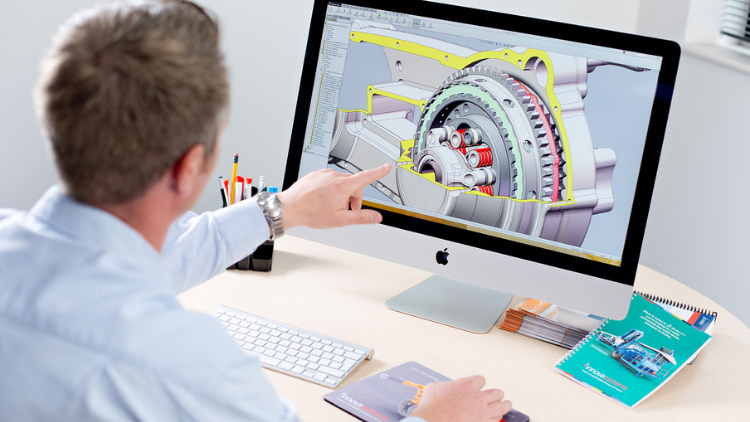
Reka Bentuk | 3D & Animasi
Learn Creating 3D Models for parts, assemble different parts and make motion between them.
5.0
1 jam 30 min
13 Semua
Semua Peringkat
$19.99
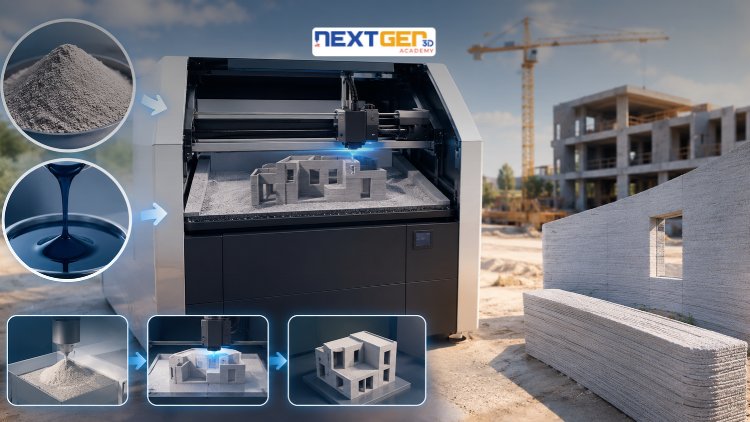
Reka Bentuk | Percetakan 3D
Learn construction binder jetting, materials, CAD design, and quality control.
5.0
3 jam
25 Semua
Pertengahan
$12.99

Reka Bentuk | Percetakan 3D
Master 3D printing fundamentals, FDM, SLA, SLS, DMLS, industrial applications, rapid prototyping, production workflows, quality control, and additive manufacturing case studies.
5.0
3 jam 30 min
26 Semua
Pertengahan
$9.99

Reka Bentuk | Alat Reka Bentuk Canva AI
Unlock AI features in Canva to design, teach, and sell effectively for your business.
5.0
1 jam
19 Semua
pakar
$12.99
$54.99

Reka Bentuk | Reka Bentuk Grafik & Ilustrasi
Develop your graphic design skills by mastering the advanced features of Both Photoshop and GIMP
5.0
1 jam 30 min
29 Semua
Semua Peringkat
$9.99
$74.99

Reka Bentuk | Drone
Learn pencil control, lines, shapes, forms, shading, proportions, perspective, and still-life sketching through a practical 30-day beginner drawing journey.
5.0
3 jam 30 min
4 Semua
pemula
$34.99
$49.99
Frequently Bought Together
Learners who enrolled in this course also frequently purchased these complementary courses together.
7-Day Money Back Guarantee for all bundle items
Total price for selected items:
$70.38
$87.97
Soalan Lazim
Cari jawapan kepada soalan yang paling biasa tentang kursus ini.
Ya! Setelah menyelesaikan 100% kuliah dan tugasan kursus, anda boleh memuat turun serta-merta Sijil Tamat Digital yang disahkan terus daripada profil Lucebra anda.
Terokai Lebih Lanjut dalam Technology
Kembangkan perjalanan pembelajaran anda dengan sijil yang diiktiraf, e-buku berkaitan dan kelas interaktif langsung.