

Lucebra
Lucebra Бизнес

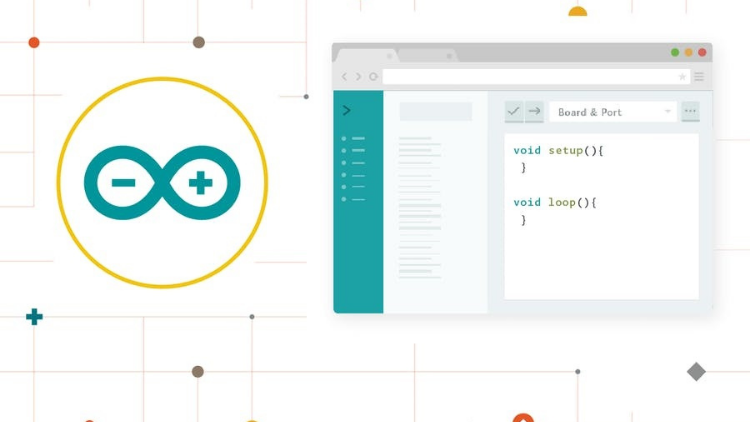
Démarrage avec l'Éditeur Web Arduino

Commencez à coder en ligne avec l'Éditeur Web Arduino, sauvegardez les croquis dans le cloud et disposez toujours de la version à jour de l'IDE

Барлық деңгейлер • 10 Дәрістер • Өмір бойы қол жеткізу
Educational Engineering Team

Тексерілген шебер нұсқаушы

Démarrage avec l'Éditeur Web Arduino
ТРЕЙЛЕР
Нұсқаушымен танысыңыз: Educational Engineering Team

19 ms

5.0 / 5.0
Жаһандық рейтинг
2
Белсенді студенттер
Ағылшын тілі (Америка Құрама Штаттары)
99 Тілдер субтитрлері
1 сағ 10 мин
Жалпы мазмұн

Сіз не үйренесіз

Éditeur Web Arduino, et la plateforme Create
Inscrivez-vous à Arduino
Connectez-vous à l'Éditeur Web Arduino
Choisissez votre plateforme : Windows, Mac ou Linux

Курстың мазмұны

3 бөлімдер • 10 дәрістер • 01:10:36 жалпы ұзындығы

Introduction

04:27

Sign up to Arduino and Log in to the Web Editor

08:44

Arduino Web Editor anatomy

20:24

Make your board blink from the browser

03:57

What boards are supported

02:19

Serial Monitor

04:03

Document and Share Your Project

04:27

Libraries and the Arduino Web Editor

05:20

Arduino Pro IDE 2.0

11:02

Who we are?

05:46
Апталық оқу жоспары
Оқу жолыңызды жоспарлаңыз
AI сіздің уақытыңызға сай жеке кесте құрады

Талаптар

Une connexion Internet

Ordinateur, ordinateur portable, Mac ou appareil Chrome

Мақсатты аудитория

Anyone looking to Start coding online with the Arduino Web Editor, save sketches in the cloud, and always have up-to-date version of IDE

Anyone looking to code Arduino without a Software directly from the browser

Anyone Interested in Learning Arduino Web Editor, and the Create Platform

Anyone looking to learn The All New Arduino Pro IDE

Бұл курс туралы

Démarrage avec l'Éditeur Web Arduino sur diverses plateformes


L'Éditeur Web Arduino vous permet d'écrire du code et de charger des croquis sur n'importe quelle carte Arduino officielle depuis votre navigateur web (Chrome, Firefox, Safari et Edge). Cet IDE (Environnement de Développement Intégré) fait partie d'Arduino Create, une plateforme en ligne qui permet aux développeurs d'écrire du code, d'accéder à des tutoriels, de configurer des cartes et de partager des projets. Conçu pour offrir aux utilisateurs un flux de travail continu, Arduino Create relie les points entre chaque partie du parcours d'un développeur, de l'inspiration à la mise en œuvre. Cela signifie que vous avez maintenant la possibilité de gérer tous les aspects de votre projet directement depuis un seul tableau de bord.


L'Éditeur Web Arduino est hôbergé en ligne, il sera donc toujours à jour avec les dernières fonctionnalités et le support pour les nouvelles cartes. Cet IDE vous permet d'écrire du code et de le sauvegarder dans le cloud, le sauvegardant toujours et le rendant accessible depuis n'importe quel appareil. Il reconnaît automatiquement toute carte Arduino et Genuino connectée à votre PC et se configure en conséquence. Un compte Arduino est tout ce dont vous avez besoin pour commencer.


Pourquoi vous devriez suivre ce cours ?


  • L'Éditeur Web Arduino est une plateforme de codage en ligne avec une interface facile à utiliser.
  • Utilisez l'Éditeur Web Arduino pour commencer à coder en ligne avec l'IDE Arduino, sauvegarder des croquis dans le cloud et disposer toujours de versions à jour de l'IDE.
  • L'éditeur est parfait pour les débutants qui ne sont pas sûrs du matériel qu'ils veulent utiliser.
  • Les nouveaux utilisateurs pourront apprendre à coder tout en expérimentant avec différents pièces de matériel.
  • Le logiciel permettra également à l'utilisateur de coder hors ligne, donc si vous n'avez pas accès à Internet, vous pouvez toujours travailler sur vos projets.
  • Le codage n'a jamais été aussi facile que cela!


Ce que vous apprendrez :


  • Inscrivez-vous sur le site Web Arduino.
  • Connectez-vous à l'Éditeur Web Arduino.
  • Choisissez votre plateforme : Windows, Mac ou Linux.
  • Anatomie de l'Éditeur Web Arduino.
  • Faites clignoter votre carte depuis le navigateur.
  • Chargez votre code depuis le navigateur vers votre carte.
  • Quelles cartes sont supportées.
  • Moniteur série.
  • Documentez et partagez votre projet.
  • Bibliothèques et l'Éditeur Web Arduino.


Commencez avec l'Éditeur Web Arduino aujourd'hui et explorez les possibilités infinies du codage en ligne


Мансап мүмкіндіктері және мақсатты лауазымдар

Тәжірибелік дағдыларды меңгеріп, халықаралық сұранысқа ие лауазымдарға өтініш беріңіз

Мансапқа дайын оқу бағдарламасы
Сіз өтініш бере алатын лауазымдар

Embedded Systems Engineer

IoT Firmware Developer

Automation & SCADA Engineer

PCB & Circuit Layout Designer

Болжамды жылдық жалақы
$85,000 – $135,000 / yr
Жаһандық нарық сұранысы

Top 5% Growing Engineering Segment

Сіз игеретін негізгі дағдылар
Microcontroller Architecture
Hardware-Software Integration
Industrial Protocols & Fieldbus Comms
Schematic & Circuit Diagnostics
* Бағалау халықаралық технологиялық жалақы есептеріне негізделген.
Оқытушыңызбен танысыңыз
Educational Engineering Team
5.0 Рейтинг
98 Студенттер
Profili Görüntüle
Educational Engineering Team
Бас нұсқаушы
Educational Engineering Team is a Leading Team in Microcontroller Industry, with over 13 Years of Experience in Teaching and Doing Practical Projects.

Educational Engineering Team is a group of skilled engineers dedicated to sharing practical knowledge with learners worldwide. Founded by Ashraf Said Al-Madhoun, the team has worked in programming, microcontrollers, electronics, and engineering education since 2007.

Rather than offering superficial explanations, the team breaks down complex topics into clear, step-by-step lessons supported by practical projects and bite-sized videos. This hands-on approach helps learners understand technical concepts and apply them directly to their studies, careers, and personal projects.

Ashraf is a Mechatronics Engineer, educator, author, electronics and programming enthusiast, and maker. As Chief Educational Engineer, he specializes in explaining challenging concepts in a simple, structured, and accessible way. He has extensive teaching experience and has authored four books about microcontrollers.

Educational Engineering Team has created more than 100 online courses covering circuit design, electronics simulation, PCB fabrication, Arduino, PIC microcontrollers, Raspberry Pi, C, Python, PLC programming, industrial automation, 3D design, ESP boards, embedded systems, and the Internet of Things.

In addition to producing courses, bootcamps, articles, and tutorials, the team supports electronics and programming enthusiasts, STEM students, educators, and aspiring engineers. Its members also provide engineering consultation and guidance for student graduation projects, helping learners develop practical skills and prepare for careers in the technology industry.

...
Оқытушының басқа курстары:
Educational Engineering Team

Студенттер де сатып алды

Бұл курсты көрген оқушылар да осы жоғары бағаланған курстарға жазылды

Program ESP32 without Coding
Тегін
IT және бағдарламалық қамтамасыз ету | Аппараттық құрал

Program ESP32 Board without writing a single code in A Professional Environment

5.0
2 сағ 30 мин
18 Дәрістер
Барлығы
Using Al to Code: Your Step-by-Step Guide
IT және бағдарламалық қамтамасыз ету | Аппараттық құрал

Revolutionize Your Coding Skills with Al: A Comprehensive Guide for Beginners

5.0
2 сағ
11 Дәрістер
Барлығы
$10.99

$19.99

ISO 27001 Certification Process – A Step-by-Step Guide
IT және бағдарламалық қамтамасыз ету | Ақпараттық қауіпсіздік

Master ISO 27001: Achieve Certification, Build Security, and Ensure Compliance for Your Organization

5.0
1 сағ 30 мин
10 Дәрістер
Бастаушы
$39.99

$54.99

Implement GRC (Governance, Risk, Compliance) Step by Step
IT және бағдарламалық қамтамасыз ету | Басқару, тәуекел және сәйкестік (CGRC) бойынша сертификатталған

Master GRC: Step-by-Step Guide to Implementing Governance, Risk, and Compliance for Business Success

5.0
2 сағ 30 мин
35 Дәрістер
Орташа
$39.99

$64.99

Mastering Arduino Data Streaming to Excel
IT және бағдарламалық қамтамасыз ету | Arduino

Seamlessly Stream and Visualize Real-Time Data from Arduino into Excel with Ease

5.0
1 сағ 30 мин
6 Дәрістер
Барлығы
$9.99

$34.99

Blogger: Make A Professional Website For Free With No Coding
IT және бағдарламалық қамтамасыз ету | Басқа АТ және бағдарламалық қамтамасыз ету

Learn how to create and customize a website with no prior coding experience.

5.0
1 сағ 30 мин
12 Дәрістер
Барлығы
$9.99

$19.99

Жиі қойылатын сұрақтар

Осы курсқа қатысты жиі қойылатын сұрақтарға жауап табыңыз.

Иә! Курстың лекциялары мен тапсырмаларының 100% орындағаннан кейін сіз өзіңіздің расталған цифрлық аяқтау сертификатыңызды тікелей Lucebra профиліңізден жүктеп ала аласыз.

Technology бойынша көбірек біліңіз

Аккредиттелген сертификаттар, электронды кітаптар және тікелей эфирдегі сабақтармен біліміңізді кеңейтіңіз.



