Lucebra
Lucebra سازمانی

Camtasia Mastery: Master Screen Recording & Video Production

Learn Camtasia from installation to creating professional videos with audio, animations, and more!

همه سطوح • 17 سخنرانی ها • دسترسی مادام العمر
Educational Engineering Team

استاد استاد تایید شده

Camtasia Mastery: Master Screen Recording & Video Production
تریلر
با مربی خود آشنا شوید: Educational Engineering Team

19 ms

5.0 / 5.0
رتبه بندی جهانی
1
دانش آموزان فعال
انگلیسی آمریکا
99 زبان زیرنویس
2 ساعت 4 دقیقه
کل محتوا

آنچه خواهید آموخت

Master the complete process of using Camtasia, from installation to advanced video production.
Learn to create high-quality videos with professional audio, animations, and engaging visual effects.
Understand how to use Camtasia to produce videos for online courses, YouTube, social media, and more.
Discover time-saving tips and tricks to enhance productivity and create visually stunning videos.

محتوای دوره

بخش 12 • 17 سخنرانی • طول کل 02:04:15

Introduction

03:39

Download Camtasia and Create TechSmith Account

02:27

Camtasia Installation

02:54

Welcome Screen

03:56
برنامه مطالعه هفتگی
سفر یادگیری خود را برنامه‌ریزی کنید
هوش مصنوعی برنامه شخصی بر اساس زمان شما می‌سازد

الزامات

Have A PC, Mac or Laptop

Be familiar with Your Operating System

مخاطب هدف

People who want to create Videos using Camtasia.

People who want to create online courses using Camtasia.

People who want to edit Videos using Camtasia.

Instructors looking to learn how to best use Camtasia

در مورد این دوره

Welcome to "Camtasia Mastery: Master Screen Recording & Video Production"! In this comprehensive course, you'll dive into the world of Camtasia, a powerful audio and video software that allows you to create professional videos without needing extensive expertise.


Whether you're a beginner or an experienced user, this course caters to all skill levels. From understanding the basics of Camtasia to mastering advanced techniques like combining animations and utilizing the latest features in version 9, you'll find loads of valuable information to elevate your video production skills.


With bite-sized videos, you can follow the course sequentially if you're new to Camtasia, or jump to specific topics if you need assistance with particular functionalities. The course is meticulously designed with over 7 hours of instruction, ensuring you receive in-depth guidance while being able to access relevant information quickly.


As you progress, feel free to post your questions and comments, as I actively respond to student inquiries within a few days. Great questions even receive video answers, which are shared with all students in an optional section for collective learning.


Whether you're creating training videos, educational content, or engaging videos for various platforms, this course equips you with the skills to save time, produce visually stunning videos, and make the most of Camtasia's capabilities. Enroll now and embark on a journey to become a Camtasia master!


Course Features:


  • Comprehensive video lessons covering Camtasia installation, basic and advanced features.
  • Step-by-step tutorials to help you understand the software and its capabilities.
  • Practical exercises and examples to reinforce learning and enhance your skills.
  • Time-saving tips and tricks to maximize productivity and create visually appealing videos.
  • Guidance on utilizing audio, animations, and visual effects to enhance video quality.
  • Strategies for monetizing your videos through online courses or popular platforms.
  • Active instructor support, with responses to student questions within a few days.
  • Optional section featuring video answers to great questions for collective learning.


Unlock the power of Camtasia and create professional videos that captivate your audience. Enroll now and embark on your journey to become a Camtasia master!


User Testimonials and Social Proof: "This course is a game-changer for anyone looking to master Camtasia. The step-by-step tutorials are incredibly helpful." - John D.


"I thought I knew Camtasia, but this course opened my eyes to so many new features. Highly recommend!" - Sarah L.


A Single Powerful CTA: Enroll now to master Camtasia and elevate your video production skills!


FAQ Section: Q: Do I need any prior experience to take this course? A: No prior experience is necessary. This course is suitable for beginners and experienced individuals alike.


Q: How quickly can I start creating professional videos? A: You can start creating professional videos immediately after completing the relevant sections of the course.


Q: Is there a money-back guarantee? A: Yes, Udemy offers a 30-day money-back guarantee if you're not satisfied with the course.


What You Will Learn


  • How to install and set up Camtasia
  • Basic and advanced features of Camtasia
  • Techniques to combine animations and visual effects
  • Tips for enhancing audio quality
  • Strategies for creating professional training and educational videos
  • Methods for monetizing your videos


Who is This Course For


  • Beginners looking to learn Camtasia from scratch
  • Intermediate users wanting to enhance their skills
  • Content creators and educators looking to produce high-quality videos
  • Anyone interested in video production and editing


Requirements


  • A computer with Camtasia installed
  • Basic computer skills
  • No prior video editing experience needed


About the Instructor:


ProTech Academy


ProTech Academy is dedicated to providing high-quality training and resources for professionals and individuals looking to enhance their skills and productivity. Our experienced instructors are passionate about helping students achieve their goals through practical, hands-on learning.


Instructor Bio: Our instructors at ProTech Academy have extensive experience in project management, productivity tools, and team collaboration. They bring real-world knowledge and expertise to the courses, ensuring that students receive practical, actionable insights. Join us to learn from the best and take your productivity to the next level!
با مدرس خود آشنا شوید
Educational Engineering Team
5.0 رتبه بندی
98 دانش آموزان
مشاهده پروفایل کامل
Educational Engineering Team
مربی اصلی
Educational Engineering Team is a Leading Team in Microcontroller Industry, with over 13 Years of Experience in Teaching and Doing Practical Projects.

Educational Engineering Team is a group of skilled engineers dedicated to sharing practical knowledge with learners worldwide. Founded by Ashraf Said Al-Madhoun, the team has worked in programming, microcontrollers, electronics, and engineering education since 2007.

Rather than offering superficial explanations, the team breaks down complex topics into clear, step-by-step lessons supported by practical projects and bite-sized videos. This hands-on approach helps learners understand technical concepts and apply them directly to their studies, careers, and personal projects.

Ashraf is a Mechatronics Engineer, educator, author, electronics and programming enthusiast, and maker. As Chief Educational Engineer, he specializes in explaining challenging concepts in a simple, structured, and accessible way. He has extensive teaching experience and has authored four books about microcontrollers.

Educational Engineering Team has created more than 100 online courses covering circuit design, electronics simulation, PCB fabrication, Arduino, PIC microcontrollers, Raspberry Pi, C, Python, PLC programming, industrial automation, 3D design, ESP boards, embedded systems, and the Internet of Things.

In addition to producing courses, bootcamps, articles, and tutorials, the team supports electronics and programming enthusiasts, STEM students, educators, and aspiring engineers. Its members also provide engineering consultation and guidance for student graduation projects, helping learners develop practical skills and prepare for careers in the technology industry.

...
دوره‌های دیگر از
Educational Engineering Team

دانش آموزان نیز خرید کردند

فراگیرانی که این دوره را مشاهده کردند نیز در این دوره های دارای رتبه برتر ثبت نام کردند

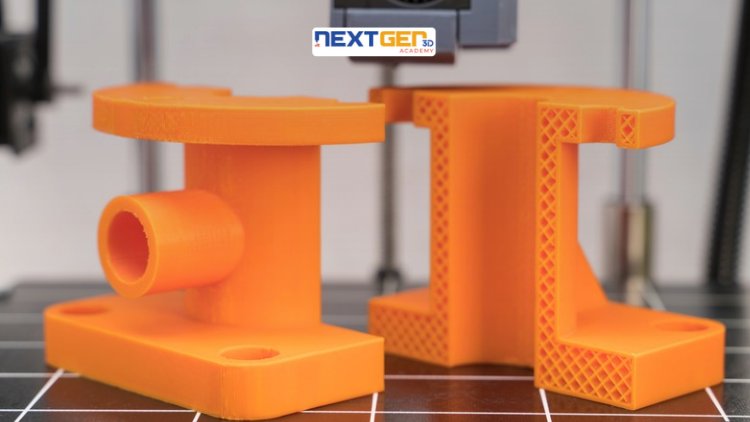
3D Printing Failure Analysis: Root Cause & Diagnostics Masterclass
آموزش و امور آکادمیک | مهندسی

Unlock the world of 3D printing and product creation with a hands-on, industry-focused course designed to turn your ideas into reality. Whether you’re an engineer, designer, technician Masterclass.

5.0
3 ساعت
19 درس
متوسط
$12.99
Probability Beyond the Basics: Part 1
آموزش و امور آکادمیک | ریاضی

Taking Your Mastery of Probability to the Next Level

5.0
1 ساعت 30 دقیقه
6 درس
همه سطوح
$9.99

$19.99

Beyond Basics: Calculating Cone Surface Area with Precision
آموزش و امور آکادمیک | ریاضی

Advanced Formulas and Strategies for Cone Surface Area Determination

5.0
1 ساعت
10 درس
همه سطوح
$19.99
Future Tense
رایگان
آموزش و امور آکادمیک | گرامر انگلیسی

FUTURE TENSE

5.0
2 ساعت
4 درس
همه سطوح
رایگان
شروع دوره
June 2026 Current Affairs Complete Revision Course
آموزش و امور آکادمیک | امور جاری

Master all important Current Affairs from June 1–30, 2026 with daily video lectures, MCQs, exam-oriented explanations an

5.0
8 ساعت 30 دقیقه
29 درس
مبتدی
$29.99

$39.99

Bar Graphs Unveiled: A Comprehensive Introduction
آموزش و امور آکادمیک | ریاضی

Unlocking the Power of Bar Charts for Effective Data Communication

5.0
1 ساعت
5 درس
همه سطوح
$14.99

$19.99

Frequently Bought Together

Learners who enrolled in this course also frequently purchased these complementary courses together.

7-Day Money Back Guarantee for all bundle items

Total price for selected items:

$42.38

$52.97

🎉 Save 20% when bought together

سوالات متداول

پاسخ رایج ترین سوالات این دوره را بیابید.

بله! پس از تکمیل 100٪ از سخنرانی ها و تکالیف دوره، می توانید فوراً گواهی تکمیل دیجیتال تأیید شده خود را مستقیماً از نمایه Lucebra خود دانلود کنید.

کاوش بیشتر در Technology

مسیر یادگیری خود را با مدارک معتبر، کتاب‌های الکترونیکی مرتبط و کلاس‌های زنده تعاملی گسترش دهید.