
Lucebra
Lucebra Business
IT & Software/Hardware/Arduino

Arduino Rotating LED Display That Prints Text on Air POV

Stwórz przyciągającą uwagę obrotową wyświetlacz LED, który pokazuje nieskończone słowa w małej przestrzeni | POV | Wyświetlacz śmigłowca

All Levels • 14 Lectures • Full Lifetime Access
Educational Engineering Team

Verified Master Instructor

Arduino Obrotowa Wyświetlacz LED, Który Drukuje Tekst W Powietrzu POV
TRAILER
Meet your instructor: Educational Engineering Team

19 ms

5.0 / 5.0
Global Rating
1
Active Students
English (US)
99 Languages Subtitles
2h 8m
Total Content

What you will learn

Odkryj, czym jest POV - Persistencja Wizualna
Stwórz obrotową wyświetlacz LED z Arduino, która drukuje tekst w powietrzu POV
Programowanie Arduino do wyświetlania tekstu przy użyciu bardzo małej liczby diod LED
Interfejsowanie Arduino z diodami LED i czujnikami do wyświetlania tekstu w powietrzu

Course Content

9 sections • 14 lectures • 02:08:48 total length

Introduction

02:27

Hardware and Software Requirements

01:35

Working Principle

07:37

Download OrCAD Software

03:10

Download and Install Arduino Pro IDE

07:03
Weekly Study Plan
Plan Your Learning Journey
AI generates a personalized schedule based on your availability

Requirements

Musisz być zaznajomiony z Internetem i komputerem

Musisz mieć wolę zastosowania, a nie tylko oglądania

Znajomość Arduino jest plusem

Target Audience

Anyone Interested in Learning New Things about Arduino

Anyone with slight interest in making Arduino Rotating LED Display That Prints Text on Air POV

Anyone want's to learn how to make eye catching interactive rotating led display that display words on air

Anyone Interested in learning the working principle of POV

About this course

Co nauczysz się:


  • Odkryj, czym jest POV - Persistencja Wizualna
  • Stwórz obrotową wyświetlacz LED z Arduino, która drukuje tekst w powietrzu POV
  • Programowanie Arduino do wyświetlania tekstu przy użyciu bardzo małej liczby diod LED
  • Interfejsowanie Arduino z diodami LED i czujnikami do wyświetlania tekstu w powietrzu


Opis kursu:


Stwórz przyciągającą uwagę obrotową wyświetlacz LED, który pokazuje nieskończone słowa w małej przestrzeni | POV | Wyświetlacz śmigłowca


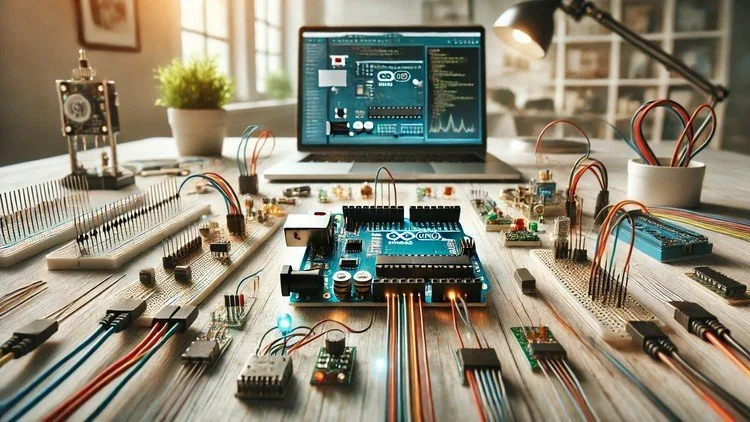
Obrotowa wyświetlacz LED to niesamowity, przyciągający wzrok wyświetlacz, który możesz łatwo zrobić i używać w biurze lub sprzedawać jako produkt. Obrotowe wyświetlacze LED, nazywane również wyświetlaczami POV (Persistencja Wizualna), są oparte na Arduino Nano. Arduino Nano jest bardzo małej wielkości, tani i ma wbudowany programator, więc nie potrzebuje żadnego zewnętrznego programatora.


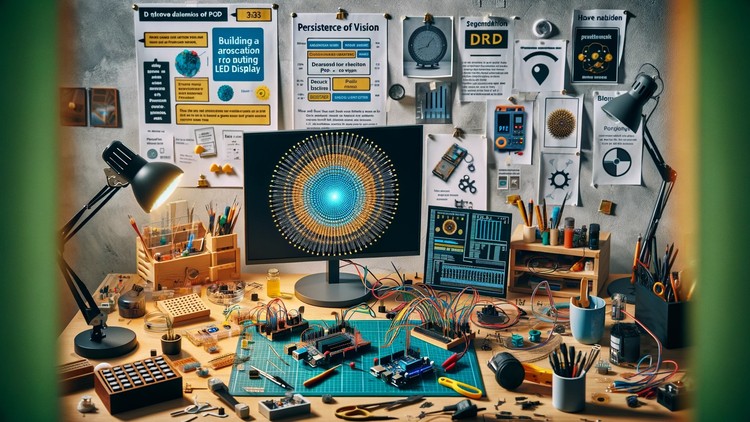
Obrotowa wyświetlacz LED lub wyświetlacz POV to obracająca się taśma LED, zwykle wymagająca mniej niż 10 diod LED. Te diody migają zgodnie z alfabetami, które pokazują widoczne słowa. „Wyświetlacz POV” lub „obrotowa wyświetlacz LED” to tylko oszustwo wzroku; nasze oczy nie mogą rozróżnić bardzo szybkiego ruchu diod LED włączających się i wyłączających. W tym 'wyświetlaczu POV' taśma LED obraca się bardzo szybko (ponad 500 RPM) a diody tworzą wzór zgodnie z alfabetami, pozwalając nam wyraźnie widzieć słowa lub alfabet.


W obrotowej wyświetlacz LED, Arduino steruje diodami LED i tworzy wzór migania. Para IR LED (diody LED podczerwieni) i fotodioda, a czasem czujnik efektu Hall i magnes, są zwykle używane do określenia punktu wyjściowego obrotu. Kiedy obwód wyświetlacza POV przekracza białą taśmę, fotodioda wykrywa to i uruchomi taśmę LED zgodnie z alfabetami, tworząc za każdym razem ten sam wzór, abyśmy mogli wyraźnie widzieć alfabet.


Bądź gotowy, aby zobaczyć tekst wydrukowany w powietrzu!!


Nie jest wymagane żadne doświadczenie, a wszystko, czego potrzebujesz, to Arduino i kilka prostych elementów elektronicznych. Ten kurs jest przeznaczony dla każdego, kto jest zainteresowany Arduino z zerową wiedzą wstępną.


Dla kogo ten kurs:


  • Każdego, kto jest zainteresowany nauką nowych rzeczy o Arduino
  • Każdego, kto ma lekki interes w tworzeniu obrotowej wyświetlacz LED z Arduino, która drukuje tekst w powietrzu POV
  • Każdego, kto chce nauczyć się tworzyć przyciągające wzrok interaktywne obrotowe wyświetlacze LED, które wyświetlają słowa na powietrzu
Career Opportunities & Job Roles

Build practical, job-ready skills and qualify for high-impact roles worldwide

Job-Ready Curriculum
Target Roles You Can Apply For

Embedded Systems Engineer

IoT Firmware Developer

Hardware Prototyping Specialist

PCB & Circuit Layout Designer

Estimated Annual Salary
$85,000 – $135,000 / yr
Global Industry Demand

Top 5% Growing Engineering Segment

In-Demand Skills You Master
Microcontroller Architecture
Hardware-Software Integration
Sensor Protocols (I2C, SPI, UART)
Schematic & Circuit Diagnostics
* Estimates based on global tech hiring benchmarks and industry compensation reports.
Meet your instructor
Educational Engineering Team
5.0 Rating
96 Students
View Full Profile
Educational Engineering Team
Main Instructor
Educational Engineering Team is a Leading Team in Microcontroller Industry, with over 13 Years of Experience in Teaching and Doing Practical Projects.

Educational Engineering Team is a group of skilled engineers dedicated to sharing practical knowledge with learners worldwide. Founded by Ashraf Said Al-Madhoun, the team has worked in programming, microcontrollers, electronics, and engineering education since 2007.

Rather than offering superficial explanations, the team breaks down complex topics into clear, step-by-step lessons supported by practical projects and bite-sized videos. This hands-on approach helps learners understand technical concepts and apply them directly to their studies, careers, and personal projects.

Ashraf is a Mechatronics Engineer, educator, author, electronics and programming enthusiast, and maker. As Chief Educational Engineer, he specializes in explaining challenging concepts in a simple, structured, and accessible way. He has extensive teaching experience and has authored four books about microcontrollers.

Educational Engineering Team has created more than 100 online courses covering circuit design, electronics simulation, PCB fabrication, Arduino, PIC microcontrollers, Raspberry Pi, C, Python, PLC programming, industrial automation, 3D design, ESP boards, embedded systems, and the Internet of Things.

In addition to producing courses, bootcamps, articles, and tutorials, the team supports electronics and programming enthusiasts, STEM students, educators, and aspiring engineers. Its members also provide engineering consultation and guidance for student graduation projects, helping learners develop practical skills and prepare for careers in the technology industry.

...

Students also bought

Learners who viewed this course also enrolled in these top-rated courses

Program ESP32 without Coding
FREE
IT & Software | Hardware

Program ESP32 Board without writing a single code in A Professional Environment

5.0
2h 30m
18 lectures
All
Using Al to Code: Your Step-by-Step Guide
IT & Software | Hardware

Revolutionize Your Coding Skills with Al: A Comprehensive Guide for Beginners

5.0
2h
11 lectures
All
$10.99

$19.99

ISO 27001 Certification Process – A Step-by-Step Guide
IT & Software | Information Security

Master ISO 27001: Achieve Certification, Build Security, and Ensure Compliance for Your Organization

5.0
1h 30m
10 lectures
Beginner
$39.99

$54.99

Implement GRC (Governance, Risk, Compliance) Step by Step
IT & Software | Certified in Governance, Risk and Compliance (CGRC)

Master GRC: Step-by-Step Guide to Implementing Governance, Risk, and Compliance for Business Success

5.0
2h 30m
35 lectures
Intermediate
$39.99

$64.99

Mastering Arduino Data Streaming to Excel
IT & Software | Arduino

Seamlessly Stream and Visualize Real-Time Data from Arduino into Excel with Ease

5.0
1h 30m
6 lectures
All
$9.99

$34.99

Blogger: Make A Professional Website For Free With No Coding
IT & Software | Other IT & Software

Learn how to create and customize a website with no prior coding experience.

5.0
1h 30m
12 lectures
All
$9.99

$19.99

Frequently Asked Questions

Find answers to the most common questions about this course.

Yes! Upon completing 100% of the course lectures and assignments, you can instantly download your verified digital Certificate of Completion directly from your Lucebra profile.

Explore More in Technology

Expand your learning journey with accredited certificates, related digital books, and live interactive classes.