
Lucebra
Lucebra 企業版
資訊科技與軟體/硬體/Arduino

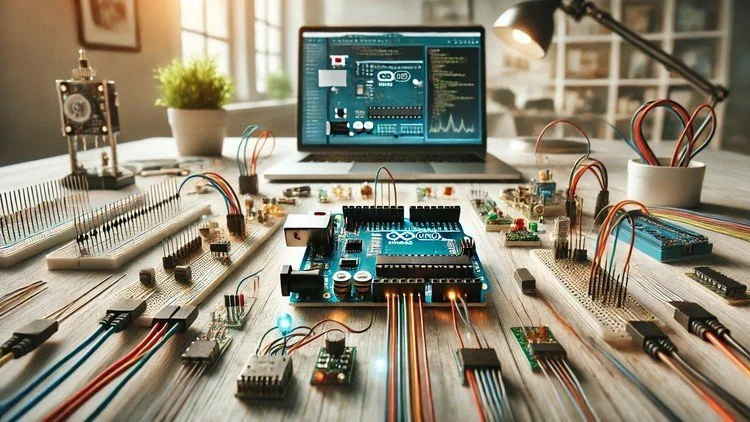
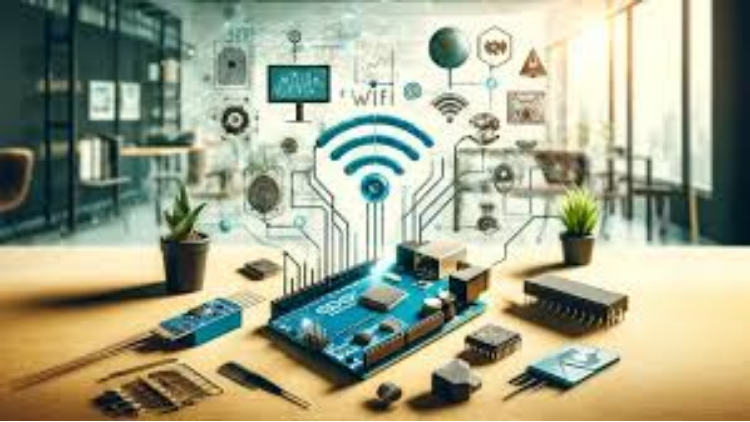
Add WiFi to Arduino Boards: Enable Web Connectivity Features

Make your Arduino a Web Enabled Board without WiFi Module with this step-by-step practical guide

所有級別21 講座終身訪問
Add WiFi to Arduino Boards: Enable Web Connectivity Features
拖車
認識您的導師:Educational Engineering Team

18 ms

5.0 / 5.0
全球評級
1
活躍的學生
2小時 37分
總內容
你將學到什麼
How to download and install the required software
The user interface and the components that you need to use to program Arduino without coding.
How to send output signals to different Arduino pins.
How to read digital input and control output.
課程內容2 部分21 講座02:37:01 總長度

Introduction

02:06

Hardware and Software Requirements

02:03

Download and Install Arduino IDE

09:23

Working Principle

03:24

Circuit Connection

08:31

Free IoT Platform to Visualize Data from Arduino

12:42

Coding Part1

16:51

Coding Part2

14:16

Practical Testing

10:32

Introduction

02:18

Hardware and Software Requirements

01:53

What is ESP32 Board

04:30

ESP 32 Pinout v1 DOIT

09:08

Download and Install Arduino ESP and USB_Driver

04:05

Download_and_Install_Arduino_ESP_and_USB_Driver

06:17

Load Your First Code to ESP32 Board

03:45

Coding LED Blink

05:48

Touch Sensor

11:06

Dealing with Analog Signals

08:05

PWM Signals

14:38

Servo Motor Control using PWM Signal in ESP32

05:32
每週學習計劃
規劃您的學習之旅
AI根據您的可用時間生成個人化時間表
要求

Basic experience in Electronics

A Will to apply, not just watch

目標受眾

Anyone Interested in Programming Arduino Without coding

Anyone Interested in Teaching Arduino for Kids and Old people without the hassle of coding

Anyone Interested in Learning A New Way to Program Arduino

Anyone Interested in Turn Ideas into Projects quickly

關於本課程

This course is designed for people who have a basic understanding of Arduino and want to learn how to add internet connectivity to their projects. The course covers everything from setting up the WiFi connection to sending data over the web. By the end of this course, students will be able to build projects that can communicate with the outside world using the internet.


Introduction: Adding WiFi capabilities to Arduino boards is a great way to add web connectivity to your projects. While using an Arduino WiFi shield can be costly and complex, this course will teach you how to use an alternative board that is cheaper, faster, and easier to set up. This board plugs into your Arduino and provides a WiFi interface, allowing you to access websites, send data to the internet, and more.


Advantages of This Course:


  • Easily add web connectivity to your Arduino boards.
  • Control your projects remotely and unlock new possibilities.
  • The ESP8266 WiFi module is a complete Wi-Fi network adapter that connects easily to any microcontroller-based design using its Serial Communication or UART interface.


Why You Should Take This Course:


  • Learn how to add WiFi to Arduino UNO.
  • Connect your Arduino to the internet using the ESP8266 WiFi Module.
  • Understand the components required and set up a connection.
  • Start your own projects immediately and learn at your own pace.
  • Discover a better and cheaper alternative to an Arduino board with built-in WiFi and Bluetooth.


Course Process: The course covers various ways to communicate with ESP8266, including sending and receiving data via the internet and uploading data regularly. Learn how to interface with Arduino wirelessly using your phone (Android or iPhone) without needing an internet connection. The ESP8266 will act as an Access Point (AP Mode), giving other devices access to the Wi-Fi network and connecting them to a wired network.


Simulated Boards:


  • Arduino boards
  • Arduino clones
  • ESP8266, ESP32
  • Raspberry Pi
  • Teensy
  • Femto IO
  • Controllino, Goldilocks Analogue, FreeSoC2, chipKIT, micro:bit, Maple Mini, and other Arduino clones


Programming Without Coding: Learn to program the Arduino board without writing a single line of code. Simply drag and drop to construct any Arduino device. Additionally, learn to use other modules such as Bluetooth, SPI, I2C, graphical LCDs, and stepper motors.


Client Applications: If you're familiar with building mobile apps, web apps, web services, or web development, you can create client applications that send TCP requests to ESP. Examples include Remote Control, Web Control Panel, ChatBot, Push the Button app, and more.


Sign Up, Learn, and Have Fun!


What You Will Learn:


  • Adding WiFi to Arduino
  • Connecting Arduino to the internet
  • Setting up WiFi connections
  • Programming without coding
  • Creating client applications


Who Is This Course For:


  • Arduino enthusiasts
  • Electronics hobbyists
  • Students and educators
  • Anyone interested in adding internet connectivity to their projects


Requirements:


  • Basic knowledge of Arduino
  • Willingness to learn and experiment


About the Instructor: Educational Engineering Team


A team of skilled engineers sharing knowledge with the world. Educational Engineering Team is a leading team in the microcontroller industry, with over 13 years of experience in teaching and doing practical projects. We strive to put all our hands-on experience into these courses, providing a step-by-step blueprint on how to tame simple and complex topics in easy and digestible bite-sized videos.


Ashraf Ashraf is an educator, mechatronics engineer, electronics and programming hobbyist, and maker. He creates online video courses on the EduEng YouTube Channel, which has more than 4 million views and 20k+ subscribers. As a Chief Educational Engineer since 2007 at Educational Engineering Team, the company he founded, Ashraf’s mission is to explore new trends and technology, helping educate the world and make it a better place. His online courses have helped over 250,000 people from around the world to improve their skills and careers in the industry.

職業發展機會與目標職位

掌握前沿實務技能,勝任全球高薪核心職務

就業就緒型課程
可應徵的目標職位

Embedded Systems Engineer

IoT Firmware Developer

Hardware Prototyping Specialist

PCB & Circuit Layout Designer

預估年薪範圍
$85,000 – $135,000 / yr
全球產業需求

Top 5% Growing Engineering Segment

掌握的核心關鍵技能
Microcontroller Architecture
Hardware-Software Integration
Sensor Protocols (I2C, SPI, UART)
Schematic & Circuit Diagnostics
* 估算數據基於全球科技產業薪酬指標與市場招聘報告。
認識您的講師
5.0 評級
95 學生
看完整資料
Educational Engineering Team
主要導師
Educational Engineering Team is a Leading Team in Microcontroller Industry, with over 13 Years of Experience in Teaching and Doing Practical Projects.

Educational Engineering Team is a group of skilled engineers dedicated to sharing practical knowledge with learners worldwide. Founded by Ashraf Said Al-Madhoun, the team has worked in programming, microcontrollers, electronics, and engineering education since 2007.

Rather than offering superficial explanations, the team breaks down complex topics into clear, step-by-step lessons supported by practical projects and bite-sized videos. This hands-on approach helps learners understand technical concepts and apply them directly to their studies, careers, and personal projects.

Ashraf is a Mechatronics Engineer, educator, author, electronics and programming enthusiast, and maker. As Chief Educational Engineer, he specializes in explaining challenging concepts in a simple, structured, and accessible way. He has extensive teaching experience and has authored four books about microcontrollers.

Educational Engineering Team has created more than 100 online courses covering circuit design, electronics simulation, PCB fabrication, Arduino, PIC microcontrollers, Raspberry Pi, C, Python, PLC programming, industrial automation, 3D design, ESP boards, embedded systems, and the Internet of Things.

In addition to producing courses, bootcamps, articles, and tutorials, the team supports electronics and programming enthusiasts, STEM students, educators, and aspiring engineers. Its members also provide engineering consultation and guidance for student graduation projects, helping learners develop practical skills and prepare for careers in the technology industry.

...

學生也買了

查看此課程的學習者也註冊了這些評價最高的課程

Program ESP32 without Coding
暢銷排行榜
免費
資訊科技與軟體 | 硬體

Program ESP32 Board without writing a single code in A Professional Environment

5.0
2小時 30分
18 講座
全部
Using Al to Code: Your Step-by-Step Guide
資訊科技與軟體 | 硬體

Revolutionize Your Coding Skills with Al: A Comprehensive Guide for Beginners

5.0
2小時
11 講座
全部
$10.99

$19.99

ISO 27001 Certification Process – A Step-by-Step Guide
資訊科技與軟體 | 資訊安全

Master ISO 27001: Achieve Certification, Build Security, and Ensure Compliance for Your Organization

5.0
1小時 30分
10 講座
初學者
$39.99

$54.99

Implement GRC (Governance, Risk, Compliance) Step by Step
資訊科技與軟體 | 取得治理、風險與合規認證 (CGRC)

Master GRC: Step-by-Step Guide to Implementing Governance, Risk, and Compliance for Business Success

5.0
2小時 30分
35 講座
中間的
$39.99

$64.99

Mastering Arduino Data Streaming to Excel
資訊科技與軟體 | Arduino

Seamlessly Stream and Visualize Real-Time Data from Arduino into Excel with Ease

5.0
1小時 30分
6 講座
全部
$9.99

$34.99

Blogger: Make A Professional Website For Free With No Coding
資訊科技與軟體 | 其他 IT 和軟體

Learn how to create and customize a website with no prior coding experience.

5.0
1小時 30分
12 講座
全部
$9.99

$19.99

常見問題解答

尋找有關本課程的最常見問題的答案。

是的! 100% 完成課程講座和作業後,您可以立即直接從您的 Lucebra 個人資料下載經過驗證的數位結業證書。

探索更多 Technology 內容

透過權威認證證書、精選電子書與即時互動直播課程拓展您的學習之旅。