

Lucebra
Lucebra 企業版
資訊科技與軟體/硬體/Arduino

Aan de slag met Arduino Web Editor

Begin met online coderen met de Arduino Web Editor, sla sketches op in de cloud en werk altijd bij met de meest recente versie van IDE

所有級別 • 10 講座 • 終身訪問
Aan de slag met Arduino Web Editor
拖車
認識您的導師:Educational Engineering Team

19 ms

5.0 / 5.0
全球評級
2
活躍的學生
美国英语
99 種語言字幕
1小時 10分
總內容

你將學到什麼

Arduino Web Editor en het Create Platform
Aanmelden bij Arduino
Inloggen op de Arduino Web Editor
Kies je platform: Windows, Mac of Linux

課程內容

3 部分 • 10 講座 • 01:10:36 總長度

Introduction

04:27

Sign up to Arduino and Log in to the Web Editor

08:44

Arduino Web Editor anatomy

20:24

Make your board blink from the browser

03:57

What boards are supported

02:19

Serial Monitor

04:03

Document and Share Your Project

04:27

Libraries and the Arduino Web Editor

05:20

Arduino Pro IDE 2.0

11:02

Who we are?

05:46
每週學習計劃
規劃您的學習之旅
AI根據您的可用時間生成個人化時間表

要求

Een internetverbinding

Computer, laptop, Mac of Chrome-apparaat

目標受眾

Anyone looking to Start coding online with the Arduino Web Editor, save sketches in the cloud, and always have up-to-date version of IDE

Anyone looking to code Arduino without a Software directly from the browser

Anyone Interested in Learning Arduino Web Editor, and the Create Platform

Anyone looking to learn The All New Arduino Pro IDE

關於本課程

Aan de slag met Arduino Web Editor op verschillende platforms


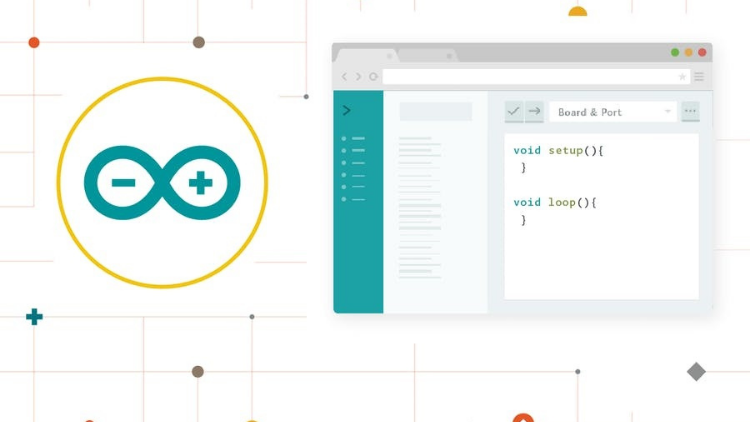
De Arduino Web Editor stelt je in staat om code te schrijven en sketches te uploaden naar elk officieel Arduino-bord vanuit je webbrowser (Chrome, Firefox, Safari en Edge). Deze IDE (Integrated Development Environment) maakt deel uit van Arduino Create, een online platform dat ontwikkelaars in staat stelt om code te schrijven, toegang te krijgen tot tutorials, borden te configureren en projecten te delen. Ontworpen om gebruikers een continue workflow te bieden, verbindt Arduino Create de punten tussen elk deel van de reis van een ontwikkelaar, van inspiratie tot implementatie. Dit betekent dat je nu elk aspect van je project vanaf een enkele dashboard kunt beheren.


De Arduino Web Editor wordt online gehost, daarom is deze altijd up-to-date met de nieuwste functies en ondersteuning voor nieuwe borden. Deze IDE laat je code schrijven en deze opslaan in de cloud, waardoor deze altijd wordt geback-upt en toegankelijk is vanaf elk apparaat. Het herkent automatisch elk Arduino- en Genuino-bord dat op je pc is aangesloten en configureert zichzelf dienovereenkomstig. Een Arduino-account is alles wat je nodig hebt om te beginnen.


Waarom zou je deze cursus volgen?


  • De Arduino Web Editor is een online coderingsplatform met een gebruiksvriendelijke interface.
  • Gebruik de Arduino Web Editor om online te beginnen met coderen met de Arduino IDE, sketches op te slaan in de cloud en altijd up-to-date versies van de IDE te hebben.
  • De editor is perfect voor beginners die niet zeker weten welke hardware ze willen gebruiken.
  • Nieuwe gebruikers kunnen leren coderen terwijl ze experimenteren met verschillende hardware-onderdelen.
  • De software stelt de gebruiker ook in staat om offline te coderen, dus als je geen internettoegang hebt, kun je nog steeds aan je projecten werken.
  • Coderen is nog nooit zo eenvoudig geweest!


Wat je zult leren:


  • Aanmelden op de Arduino-website.
  • Inloggen op de Arduino Web Editor.
  • Kies je platform: Windows, Mac of Linux.
  • Anatomie van de Arduino Web Editor.
  • Laat je bord knipperen vanuit de browser.
  • Upload je code vanuit de browser naar je bord.
  • Welke borden worden ondersteund.
  • Seriele Monitor.
  • Documenteer en deel je project.
  • Bibliotheken en de Arduino Web Editor.


Begin vandaag nog met de Arduino Web Editor en ontdek de eindeloze mogelijkheden van online coderen


職業發展機會與目標職位

掌握前沿實務技能,勝任全球高薪核心職務

就業就緒型課程
可應徵的目標職位

Embedded Systems Engineer

IoT Firmware Developer

Automation & SCADA Engineer

PCB & Circuit Layout Designer

預估年薪範圍
$85,000 – $135,000 / yr
全球產業需求

Top 5% Growing Engineering Segment

掌握的核心關鍵技能
Microcontroller Architecture
Hardware-Software Integration
Industrial Protocols & Fieldbus Comms
Schematic & Circuit Diagnostics
* 估算數據基於全球科技產業薪酬指標與市場招聘報告。
認識您的講師
Educational Engineering Team
5.0 評級
98 學生
看完整資料
Educational Engineering Team
主要導師
Educational Engineering Team is a Leading Team in Microcontroller Industry, with over 13 Years of Experience in Teaching and Doing Practical Projects.

Educational Engineering Team is a group of skilled engineers dedicated to sharing practical knowledge with learners worldwide. Founded by Ashraf Said Al-Madhoun, the team has worked in programming, microcontrollers, electronics, and engineering education since 2007.

Rather than offering superficial explanations, the team breaks down complex topics into clear, step-by-step lessons supported by practical projects and bite-sized videos. This hands-on approach helps learners understand technical concepts and apply them directly to their studies, careers, and personal projects.

Ashraf is a Mechatronics Engineer, educator, author, electronics and programming enthusiast, and maker. As Chief Educational Engineer, he specializes in explaining challenging concepts in a simple, structured, and accessible way. He has extensive teaching experience and has authored four books about microcontrollers.

Educational Engineering Team has created more than 100 online courses covering circuit design, electronics simulation, PCB fabrication, Arduino, PIC microcontrollers, Raspberry Pi, C, Python, PLC programming, industrial automation, 3D design, ESP boards, embedded systems, and the Internet of Things.

In addition to producing courses, bootcamps, articles, and tutorials, the team supports electronics and programming enthusiasts, STEM students, educators, and aspiring engineers. Its members also provide engineering consultation and guidance for student graduation projects, helping learners develop practical skills and prepare for careers in the technology industry.

...
該講師的其他課程:
Educational Engineering Team

學生也買了

查看此課程的學習者也註冊了這些評價最高的課程

Program ESP32 without Coding
免費
資訊科技與軟體 | 硬體

Program ESP32 Board without writing a single code in A Professional Environment

5.0
2小時 30分
18 講座
全部
Using Al to Code: Your Step-by-Step Guide
資訊科技與軟體 | 硬體

Revolutionize Your Coding Skills with Al: A Comprehensive Guide for Beginners

5.0
2小時
11 講座
全部
$10.99

$19.99

ISO 27001 Certification Process – A Step-by-Step Guide
資訊科技與軟體 | 資訊安全

Master ISO 27001: Achieve Certification, Build Security, and Ensure Compliance for Your Organization

5.0
1小時 30分
10 講座
初學者
$39.99

$54.99

Implement GRC (Governance, Risk, Compliance) Step by Step
資訊科技與軟體 | 取得治理、風險與合規認證 (CGRC)

Master GRC: Step-by-Step Guide to Implementing Governance, Risk, and Compliance for Business Success

5.0
2小時 30分
35 講座
中間的
$39.99

$64.99

Mastering Arduino Data Streaming to Excel
資訊科技與軟體 | Arduino

Seamlessly Stream and Visualize Real-Time Data from Arduino into Excel with Ease

5.0
1小時 30分
6 講座
全部
$9.99

$34.99

Blogger: Make A Professional Website For Free With No Coding
資訊科技與軟體 | 其他 IT 和軟體

Learn how to create and customize a website with no prior coding experience.

5.0
1小時 30分
12 講座
全部
$9.99

$19.99

常見問題解答

尋找有關本課程的最常見問題的答案。

是的! 100% 完成課程講座和作業後,您可以立即直接從您的 Lucebra 個人資料下載經過驗證的數位結業證書。

探索更多 Technology 內容

透過權威認證證書、精選電子書與即時互動直播課程拓展您的學習之旅。



