

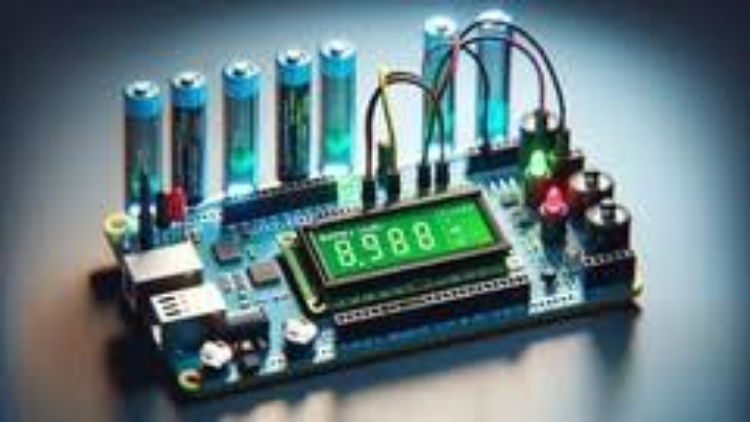
Taking the Arduino Battery Level Monitor course will teach you everything about the features of this amazing device. It will give you great skills in the field of electronics, and it's a great way to understand how these devices work and how they can be used. In addition, it will help you get ahead in the competitive world of electronics.
You can create your own projects based on what you learn with the Arduino Battery Level Monitor. With an understanding of Arduino Battery Levels Monitor, you'll be able to make better decisions about purchasing electronic devices.
Why Monitor Your Battery Level?
- Monitor your battery's charge level with this Arduino-based battery monitor.
- Keep an eye on the battery charge level and plan ahead to know when it might be time to recharge.
- Learn how to conserve power and save battery life.
- Stay in control of your device's performance with this Arduino-based battery monitor.
- Know how much time is left before you'll need to plug in for a recharge, without having to guess.
- Monitor the charge on any type of cell phone or electronics from anywhere in the world, from a web browser.
- Power up your project! Extend the life of your cellphone's battery with this Arduino-powered Battery Monitor.
Keep an eye on your battery's charge level with this Arduino-based battery level monitor. This course will teach you how to build an Arduino-based voltage indicator. The indicator shows the status of the battery by lighting LEDs on a LED bar graph, depending on the battery voltage reading. If you don't have a LED bar graph available, you can always use normal LEDs like we will in this course.
We will also show you how to display the reading on an LCD display that is 16*2, and we will explain everything about it in this course.
Why Would You Want to Know Your Battery Level?
Have you experienced building a battery-operated project? Then suddenly it won't work because it needs to be charged. We all know that batteries come with a certain voltage limit; exceeding or completely losing the battery voltage can lead to a lot of frustration. It can also lead to component damage or data loss. Wouldn't it be nice to be able to monitor the battery's level so you can decide whether it needs to be charged or replaced?
That's what this course is about and what this course will do for you.
What You Will Learn in This Course:
- Why you should monitor your battery level.
- Hardware and software requirements to make this happen.
- What is ADC, how to use it, and how to interface it with your microcontroller.
- LCD display working principle and the science behind it, along with some coding tips.
- Analog to digital converter module and how to deal with it using Arduino.
- How Arduino measures the battery level in detail.
- Drawing our circuit schematic.
- Simulation for the circuit before connecting it in real life.
- Writing the code line by line so that you know exactly what's happening inside Arduino.
- Measuring high voltage levels using Arduino and some tips and tricks for this device.
Advanced Tips and Tricks to Reduce Power Consumption:
- In-depth knowledge on Arduino power requirements and power consumption.
- Low power Arduino libraries.
- Deep sleep mode.
- Slowing down Arduino clock speed.
- Replacing or neglecting power-consuming components in your Arduino board.
- Lowering the voltage supply on your Arduino.
- Making your Arduino board consume much less power than the one you will buy.
- Reducing Arduino power consumption using external timers.
- Solar-powered battery charger circuit for your Arduino board.
- Sensor-based power-friendly external circuit.
Additional Course Benefits:
- Gain information not only about reducing Arduino power consumption but also about the Arduino board structure.
- Learn with real-world examples and practice.
- Extend the battery life of your projects with efficient power management techniques.
I'm sure that you will enjoy this course content. It has a lot of useful information. By the end of this course, you will know a lot about Arduino, its internal structure, and how you can reduce power consumption.
What you will learn
- Monitor battery charge levels with Arduino.
- Build an Arduino-based voltage indicator.
- Display battery levels on LED bar graphs and LCDs.
- Understand ADC and its interfacing with microcontrollers.
- Reduce Arduino power consumption with various techniques.
- Design circuits to control and reduce power usage.
- Implement solar-powered battery chargers for Arduino projects.
Who is this course for
- Electronics enthusiasts interested in battery monitoring.
- Hobbyists and makers looking to expand their Arduino projects.
- Engineering students and professionals aiming to enhance their skills.
- Anyone interested in learning power management techniques for Arduino.
Requirements
- Basic understanding of Arduino and electronics.
- An Arduino board with necessary peripherals.
- Basic programming knowledge is helpful but not required.
About the Instructor
Educational Engineering Team
Team of skilled Engineers Sharing Knowledge with the World
Educational Engineering Team is a Leading Team in the Microcontroller Industry, with over 13 Years of Experience in Teaching and Doing Practical Projects.
We strive to put all our hands-on experience in these courses. Instead of superficial knowledge, we go into the depth of the topic and give you the exact step-by-step blueprint on how to tame simple as well as complex topics in easy and digestible bite-sized videos.
This real-world knowledge enables you to grasp knowledge easily, and you can apply this learning immediately to your life and projects.
Educational Engineering Team has been in the Programming and Microcontroller business since 2007. We have been part of many projects. Over the course of these years, we have gained a good insight into students’ and educators’ needs. We are passionate about sharing all our collective knowledge with you. As of 2018, we have already taught over 250k-THOUSAND students and counting.
Currently, we have more than 100+ Courses on Udemy
Educator and Author of "Educational Engineering".
Ashraf is an educator, Mechatronics engineer, electronics and programming hobbyist, and Maker. He creates online video courses on the EduEng YouTube Channel (More Than 4 Million View, 20k+ Subscribers) and is the author of four Microcontroller books.
As a Chief Educational Engineer since 2007 at Educational Engineering Team, the company he founded, Ashraf’s mission is to explore new trends and technology and help educate the world and make it a better place.
Educational Engineering offers educational courses and Bootcamps, articles, lessons, and online support for electronics hobbyists, Programming hobbyists, Microcontroller hobbyists, STEM students, and STEM teachers.
That team also works as freelancer engineers, helping many students in their graduation projects, and providing guidance and consulting for many students over the years to help them kick-start their careers.
Ashraf’s core skill is explaining difficult concepts in a step-by-step, easy-to-understand manner using video and text. With over 11 years of tertiary teaching experience, Ashraf has developed a simple yet comprehensive and informative teaching style that students from all around the world appreciate.
His passion for Microcontrollers and Programming, particularly for the world of Arduino, PIC Microcontroller, and Raspberry Pi, has guided his personal development and his work through Educational Engineering.
Ashraf’s online courses have helped over 250,000 people from around the world to improve and make great careers in the industry.
Educational Engineering Team offers Courses on:
- Circuit Design, Simulation, and PCB Fabrication
- Arduino, PIC Microcontroller, and Raspberry Pi
- Programming in C, Python, and other programming languages
- PLC Industrial Programming and Automation
- 3D Design and Simulation
- ESP and IoT World


