

Lucebra
Lucebra 비즈니스
IT 및 소프트웨어/하드웨어/아두이노

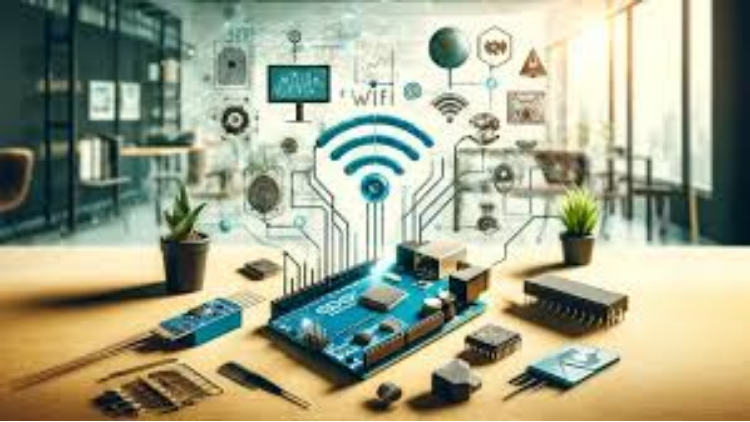
Add WiFi to Arduino Boards: Enable Web Connectivity Features (강좌)

Make your Arduino a Web Enabled Board without WiFi Module with this step-by-step practical guide

모든 레벨21 강의평생 이용권
Educational Engineering Team

검증된 마스터 강사

Add WiFi to Arduino Boards: Enable Web Connectivity Features
트레일러
강사를 만나세요: Educational Engineering Team

18 ms

5.0 / 5.0
글로벌 평가
1
활동적인 학생
2시간 37분
총 내용
무엇을 배울 것인가
How to download and install the required software
The user interface and the components that you need to use to program Arduino without coding.
How to send output signals to different Arduino pins.
How to read digital input and control output.
코스 내용2 섹션21 강의02:37:01 총 길이

Introduction

02:06

Hardware and Software Requirements

02:03

Download and Install Arduino IDE

09:23

Working Principle

03:24

Circuit Connection

08:31

Free IoT Platform to Visualize Data from Arduino

12:42

Coding Part1

16:51

Coding Part2

14:16

Practical Testing

10:32

Introduction

02:18

Hardware and Software Requirements

01:53

What is ESP32 Board

04:30

ESP 32 Pinout v1 DOIT

09:08

Download and Install Arduino ESP and USB_Driver

04:05

Download_and_Install_Arduino_ESP_and_USB_Driver

06:17

Load Your First Code to ESP32 Board

03:45

Coding LED Blink

05:48

Touch Sensor

11:06

Dealing with Analog Signals

08:05

PWM Signals

14:38

Servo Motor Control using PWM Signal in ESP32

05:32
주간 학습 계획
학습 여정을 계획하세요
AI가 가용 시간에 맞춤 일정을 생성합니다
요구사항

Basic experience in Electronics

A Will to apply, not just watch

대상 고객

Anyone Interested in Programming Arduino Without coding

Anyone Interested in Teaching Arduino for Kids and Old people without the hassle of coding

Anyone Interested in Learning A New Way to Program Arduino

Anyone Interested in Turn Ideas into Projects quickly

이 코스에 대하여

This course is designed for people who have a basic understanding of Arduino and want to learn how to add internet connectivity to their projects. The course covers everything from setting up the WiFi connection to sending data over the web. By the end of this course, students will be able to build projects that can communicate with the outside world using the internet.


Introduction: Adding WiFi capabilities to Arduino boards is a great way to add web connectivity to your projects. While using an Arduino WiFi shield can be costly and complex, this course will teach you how to use an alternative board that is cheaper, faster, and easier to set up. This board plugs into your Arduino and provides a WiFi interface, allowing you to access websites, send data to the internet, and more.


Advantages of This Course:


  • Easily add web connectivity to your Arduino boards.
  • Control your projects remotely and unlock new possibilities.
  • The ESP8266 WiFi module is a complete Wi-Fi network adapter that connects easily to any microcontroller-based design using its Serial Communication or UART interface.


Why You Should Take This Course:


  • Learn how to add WiFi to Arduino UNO.
  • Connect your Arduino to the internet using the ESP8266 WiFi Module.
  • Understand the components required and set up a connection.
  • Start your own projects immediately and learn at your own pace.
  • Discover a better and cheaper alternative to an Arduino board with built-in WiFi and Bluetooth.


Course Process: The course covers various ways to communicate with ESP8266, including sending and receiving data via the internet and uploading data regularly. Learn how to interface with Arduino wirelessly using your phone (Android or iPhone) without needing an internet connection. The ESP8266 will act as an Access Point (AP Mode), giving other devices access to the Wi-Fi network and connecting them to a wired network.


Simulated Boards:


  • Arduino boards
  • Arduino clones
  • ESP8266, ESP32
  • Raspberry Pi
  • Teensy
  • Femto IO
  • Controllino, Goldilocks Analogue, FreeSoC2, chipKIT, micro:bit, Maple Mini, and other Arduino clones


Programming Without Coding: Learn to program the Arduino board without writing a single line of code. Simply drag and drop to construct any Arduino device. Additionally, learn to use other modules such as Bluetooth, SPI, I2C, graphical LCDs, and stepper motors.


Client Applications: If you're familiar with building mobile apps, web apps, web services, or web development, you can create client applications that send TCP requests to ESP. Examples include Remote Control, Web Control Panel, ChatBot, Push the Button app, and more.


Sign Up, Learn, and Have Fun!


What You Will Learn:


  • Adding WiFi to Arduino
  • Connecting Arduino to the internet
  • Setting up WiFi connections
  • Programming without coding
  • Creating client applications


Who Is This Course For:


  • Arduino enthusiasts
  • Electronics hobbyists
  • Students and educators
  • Anyone interested in adding internet connectivity to their projects


Requirements:


  • Basic knowledge of Arduino
  • Willingness to learn and experiment


About the Instructor: Educational Engineering Team


A team of skilled engineers sharing knowledge with the world. Educational Engineering Team is a leading team in the microcontroller industry, with over 13 years of experience in teaching and doing practical projects. We strive to put all our hands-on experience into these courses, providing a step-by-step blueprint on how to tame simple and complex topics in easy and digestible bite-sized videos.


Ashraf Ashraf is an educator, mechatronics engineer, electronics and programming hobbyist, and maker. He creates online video courses on the EduEng YouTube Channel, which has more than 4 million views and 20k+ subscribers. As a Chief Educational Engineer since 2007 at Educational Engineering Team, the company he founded, Ashraf’s mission is to explore new trends and technology, helping educate the world and make it a better place. His online courses have helped over 250,000 people from around the world to improve their skills and careers in the industry.

커리어 기회 및 목표 직무

실무 중심의 역량을 강화하고 글로벌 경쟁력을 갖춘 핵심 직무에 지원하세요

실무 즉시 적용 커리큘럼
지원 가능한 주요 직무

Embedded Systems Engineer

IoT Firmware Developer

Hardware Prototyping Specialist

PCB & Circuit Layout Designer

예상 평균 연봉
$85,000 – $135,000 / yr
글로벌 시장 수요

Top 5% Growing Engineering Segment

습득하게 되는 핵심 실무 역량
Microcontroller Architecture
Hardware-Software Integration
Sensor Protocols (I2C, SPI, UART)
Schematic & Circuit Diagnostics
* 글로벌 IT 채용 벤치마크 및 산업별 급여 보고서를 바탕으로 한 추정치입니다.
강사 소개
5.0 평가
95 학생
프로필 전체 보기
Educational Engineering Team
메인 강사
Educational Engineering Team is a Leading Team in Microcontroller Industry, with over 13 Years of Experience in Teaching and Doing Practical Projects.

Educational Engineering Team is a group of skilled engineers dedicated to sharing practical knowledge with learners worldwide. Founded by Ashraf Said Al-Madhoun, the team has worked in programming, microcontrollers, electronics, and engineering education since 2007.

Rather than offering superficial explanations, the team breaks down complex topics into clear, step-by-step lessons supported by practical projects and bite-sized videos. This hands-on approach helps learners understand technical concepts and apply them directly to their studies, careers, and personal projects.

Ashraf is a Mechatronics Engineer, educator, author, electronics and programming enthusiast, and maker. As Chief Educational Engineer, he specializes in explaining challenging concepts in a simple, structured, and accessible way. He has extensive teaching experience and has authored four books about microcontrollers.

Educational Engineering Team has created more than 100 online courses covering circuit design, electronics simulation, PCB fabrication, Arduino, PIC microcontrollers, Raspberry Pi, C, Python, PLC programming, industrial automation, 3D design, ESP boards, embedded systems, and the Internet of Things.

In addition to producing courses, bootcamps, articles, and tutorials, the team supports electronics and programming enthusiasts, STEM students, educators, and aspiring engineers. Its members also provide engineering consultation and guidance for student graduation projects, helping learners develop practical skills and prepare for careers in the technology industry.

...

학생들도 구매했어요

이 강좌를 본 학습자는 다음 최고 등급 강좌에도 등록했습니다.

Program ESP32 without Coding
베스트셀러
무료
IT 및 소프트웨어 | 하드웨어

Program ESP32 Board without writing a single code in A Professional Environment

5.0
2시간 30분
18 개 강의
전체 난이도
Using Al to Code: Your Step-by-Step Guide
IT 및 소프트웨어 | 하드웨어

Revolutionize Your Coding Skills with Al: A Comprehensive Guide for Beginners

5.0
2시간
11 개 강의
전체 난이도
$10.99

$19.99

ISO 27001 Certification Process – A Step-by-Step Guide
IT 및 소프트웨어 | 정보 보안

Master ISO 27001: Achieve Certification, Build Security, and Ensure Compliance for Your Organization

5.0
1시간 30분
10 개 강의
초보자
$39.99

$54.99

Implement GRC (Governance, Risk, Compliance) Step by Step
IT 및 소프트웨어 | 거버넌스, 위험 및 규정 준수(CGRC) 인증

Master GRC: Step-by-Step Guide to Implementing Governance, Risk, and Compliance for Business Success

5.0
2시간 30분
35 개 강의
중급
$39.99

$64.99

Mastering Arduino Data Streaming to Excel
IT 및 소프트웨어 | 아두이노

Seamlessly Stream and Visualize Real-Time Data from Arduino into Excel with Ease

5.0
1시간 30분
6 개 강의
전체 난이도
$9.99

$34.99

Blogger: Make A Professional Website For Free With No Coding
IT 및 소프트웨어 | 기타 IT 및 소프트웨어

Learn how to create and customize a website with no prior coding experience.

5.0
1시간 30분
12 개 강의
전체 난이도
$9.99

$19.99

자주 묻는 질문

이 과정에 대한 가장 일반적인 질문에 대한 답변을 찾아보세요.

예! 강좌 강의와 과제를 100% 완료하면 Lucebra 프로필에서 직접 확인된 디지털 수료증을 즉시 다운로드할 수 있습니다.

Technology 분야 더 알아보기

공인 수료증, 관련 전자책 및 실시간 라이브 수업을 통해 학습의 폭을 넓혀보세요.